
iOS 26 has a new full-screen UI when you take a screenshot on your iPhone, here’s how to change it back https://9to5mac.com/2025/09/18/ios-26-iphone-screenshot-changed-setting-full-screen/?utm_source=dlvr.it&utm_medium=mastodon
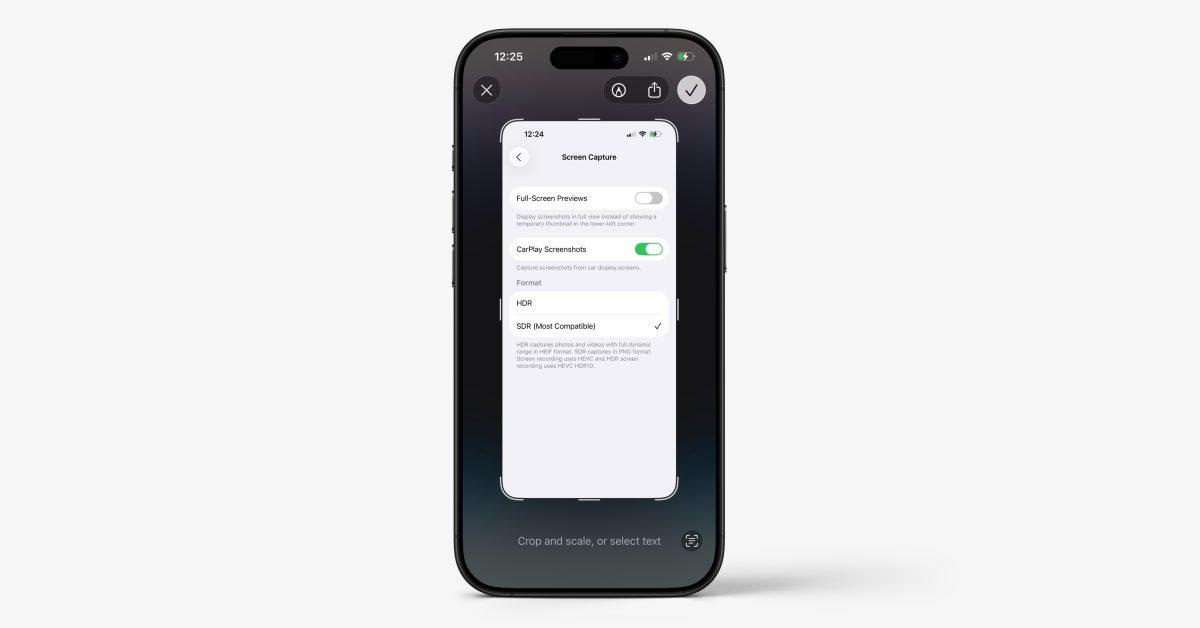
iOS 26 has a new full-screen UI when you take a screenshot on your iPhone, here’s how to change it back https://9to5mac.com/2025/09/18/ios-26-iphone-screenshot-changed-setting-full-screen/?utm_source=dlvr.it&utm_medium=mastodon
If you have a fediverse account, you can quote this note from your own instance. Search https://mastodon.online/users/9to5Mac/statuses/115225151133910926 on your instance and quote it. (Note that quoting is not supported in Mastodon.)