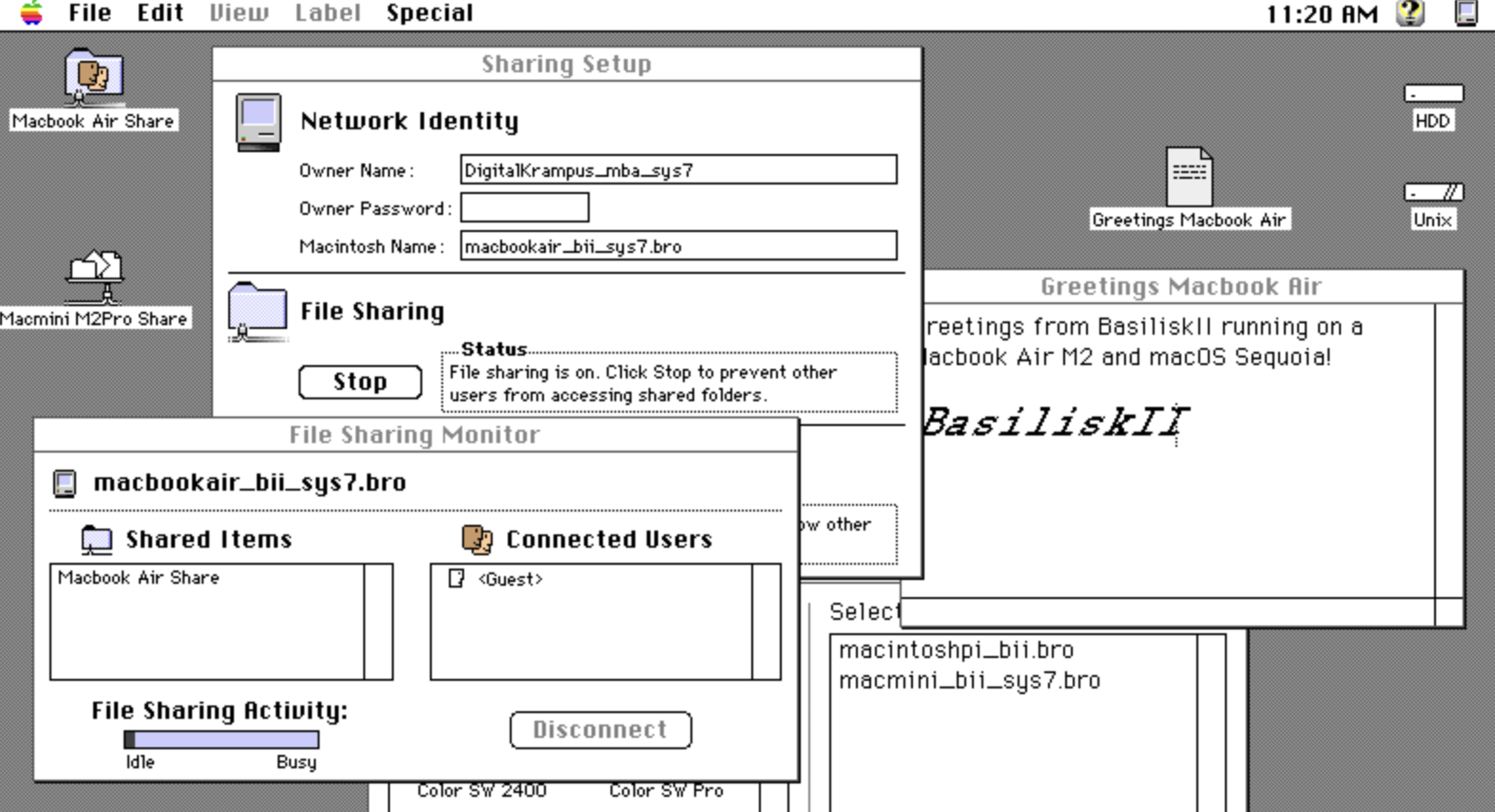
I was able to get an instance of System 7 running in Basilisk 2 on both my Macbook Air and Mac Mini to connect to each other using AppleTalk!

1) Basilisk 2 preferences must have udptunnel set to true
and udpport set to the same port on all Basilisk 2 instances.
2) The Control Panel Sharing Setup must have File Sharing configured and started.
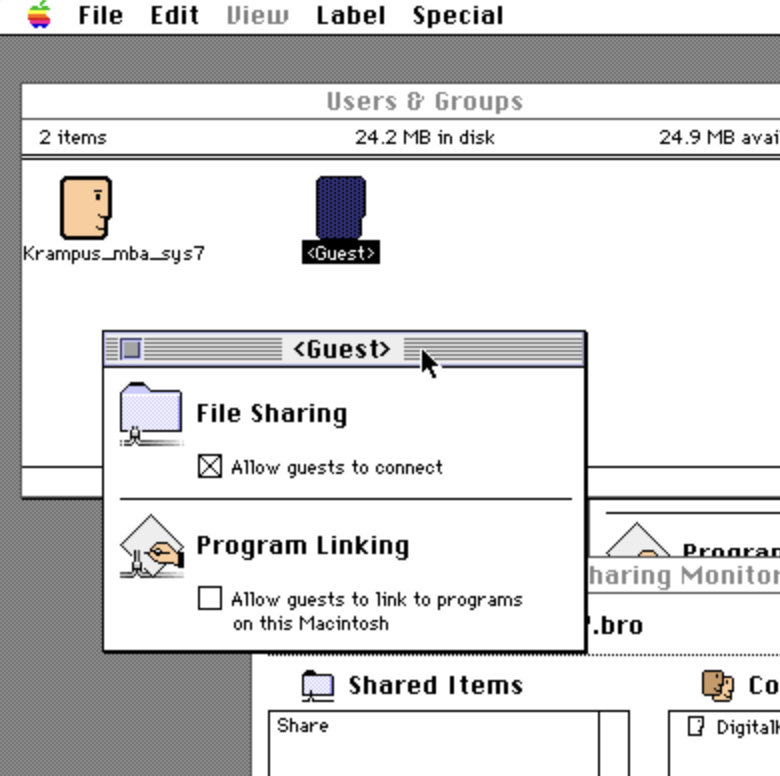
3) Guest user should have Allow guests to connect checked.

Thanks @oevl, you inspired me with your post last night.

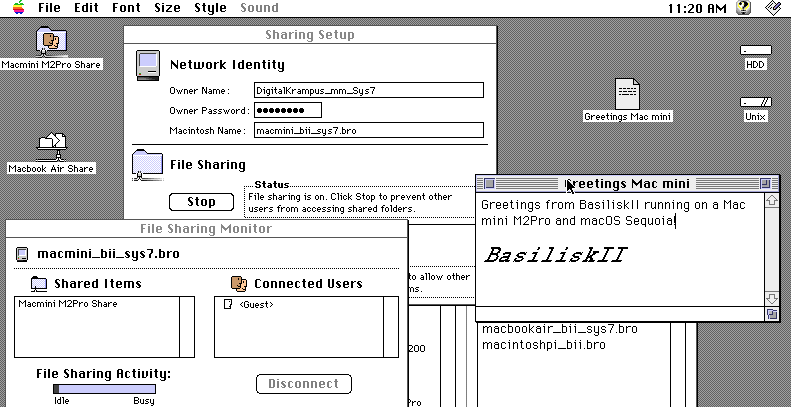


A screenshot from the Basilisk 2 System 7 instance running on my Mac mini. There are several windows open pertaining to the sharing of files. An icon on the Desktop indicates a shared folder is connected from my MacBook Air.A screenshot from the Basilisk 2 System 7 instance running on my MacBook Air. There are several windows open pertaining to the sharing of files. An icon on the Desktop indicates a shared folder is connected from my Mac mini.A screenshot of the Users & Groups Control Panel window with the information window about the Guest account open showing the File Sharing checkbox for Allow guests to connect is checked.
0

If you have a fediverse account, you can quote this note from your own instance. Search https://mastodon.social/users/digitalkrampus/statuses/114201628736685108 on your instance and quote it. (Note that quoting is not supported in Mastodon.)