Lenovo ThinkCentre Tiny NAS by harebonse MakerWorld: Download Free 3D Models
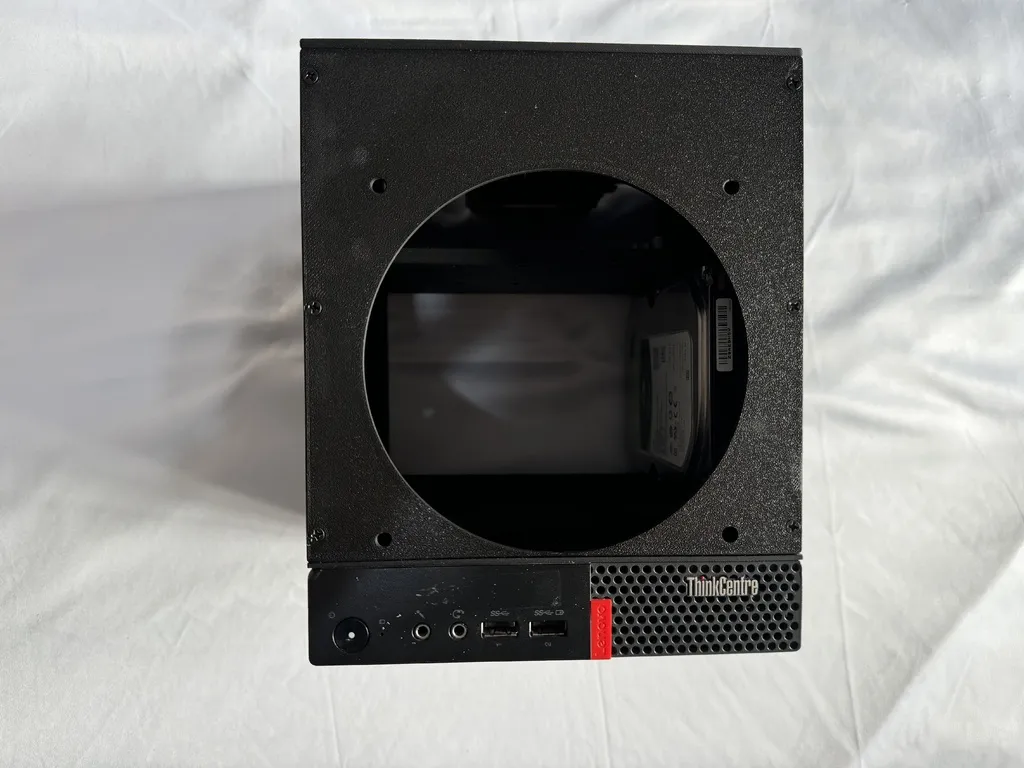
SummaryI've been working with the Lenovo ThinkCentre Tiny M910Q/M910x in my projects for some time now. These devices are incredibly compact, affordable, and surprisingly powerful. This time, I decided to build a NAS server using one.By default, they support one NVMe and one SATA 2.5" drive. The M910X model also includes a PCI port for expansion. My modification utilizes the NVMe slot, which is standard across all models, allowing you to still use the SATA port. I designed a case to accommodate six 3.5" HDDs (due to the size of the PC) with the option to expand to more devices.The NVMe port is essentially a PCIe 3.0 x4 lane, so we can take advantage of that.You have three options:1 With an NVMe to 6 SATA Ports AdapterFor this setup, you'll need an NVMe extender, which allows you to place the NVMe-to-6-SATA adapter on the upper part of the case, keeping the bottom clean.You'll need to open the PC, remove the motherboard, and route the cable from the NVME between the case and the motherboardand into the 3d printed case2 With an HBA like the HP P822 in IT ModeFor this setup, you'll need an NVMe-to-PCIe x4 adapter, allowing you to place the PCIe port on the upper part of the case, also keeping the bottom clean.Again, you'll need to open the PC, remove the motherboard, and route the cable between the case and the motherboard.3 With an PCIe card that has ports on the back (only models with PCI port)For all options you'll power the drives using a power adapterYou’ll need a 12V PSU to power all the drives; typically, 2A per drive is recommended.Purchase the model with a USB and two SATA cables.The USB will connect to one of the USB ports on the Tiny, so when you turn off the Tiny, it will also turn off the drives.One of the SATA cables will power the PCIe slot if you choose the P822 option.The main benefit of using the P822 is the potential for future expansion, as it has 4x SFF-8088 and 2x SFF-8087 connectors, allowing you to connect up to 16 additional drives (I also have a 3D-printed model for that).It's probably compatible with this models:ThinkCentre M910q TinyThinkCentre M710q TinyThinkCentre M920q TinyThinkCentre M720q TinyThinkCentre M630e TinyThinkCentre M910x TinyThinkCentre M920x TinyThinkCentre M720x TinyThinkCentre M715q TinyThinkCentre M625q Tinyhttps://www.youtube.com/watch?v=NMiBxHq0IUgNeeded Parts:Arctic P14 Slim + 4 screws (come with the fan)3,5 HDD Screws 6 per hdd, head smaller than 7mm in order to fithttps://s.click.aliexpress.com/e/_DdVfmFHM3x8mm 20 pieces (power adapter and all other parts as lid, front, back etc)M3x12mm 8 pieces (Side panels, left and right screws)M3x14mm 4 pieces (Side panels, middle screw)M3x4mm 10 pieces (bottom part, to attach the body to the tiny)Inserts M3x5x4.2 14 https://s.click.aliexpress.com/e/_DDHZoRdInserts M3x3x4.2 8NVME to 6 sata ports https://s.click.aliexpress.com/e/_DcJiy6BPower Adapter https://s.click.aliexpress.com/e/_DDhAAvzModel F-SATA or E-SATAM4 x4m or M4x6mm 21x 12V adapter for PSU
makerworld.com