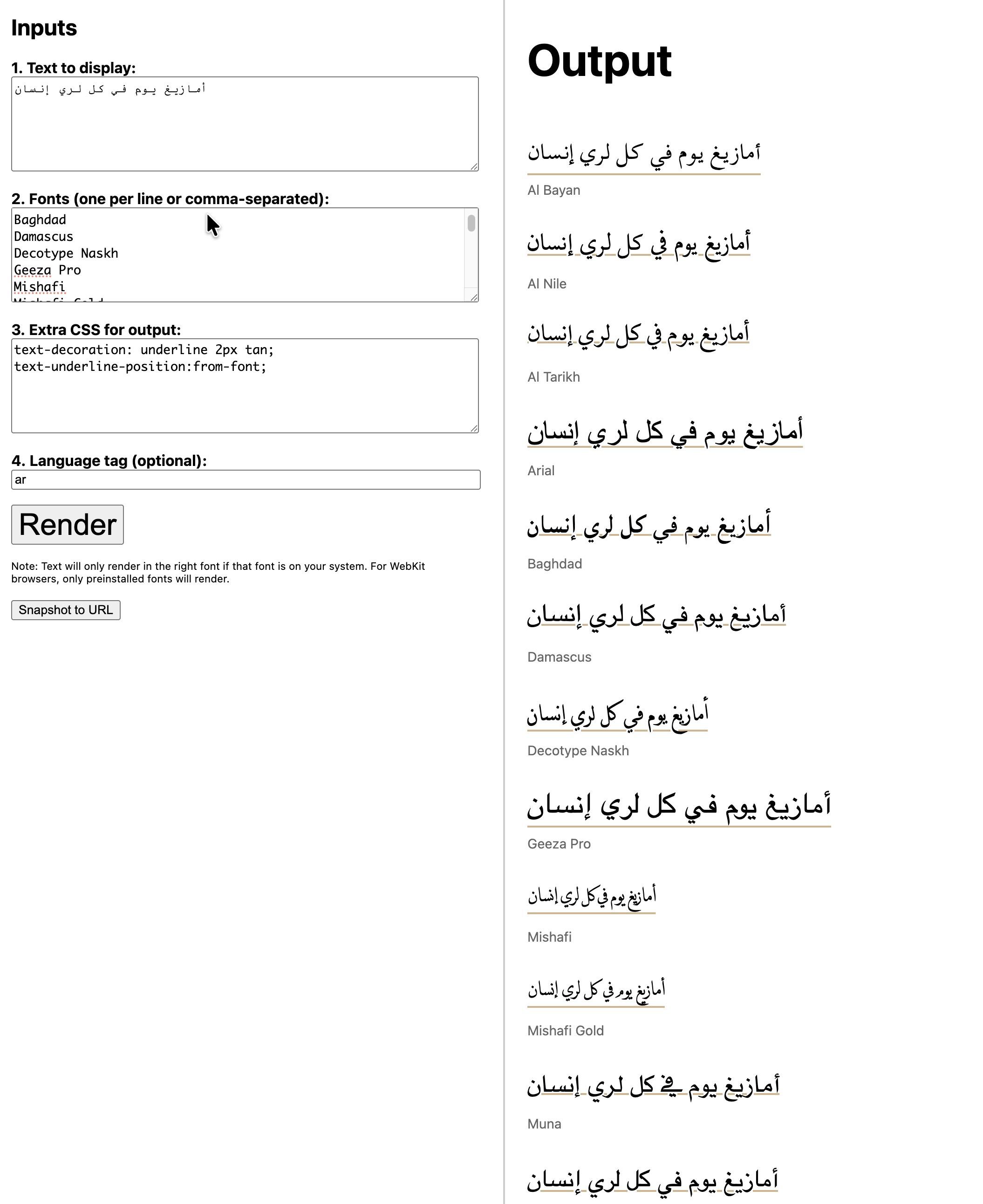
Do you want a simple way to view a piece of text in multiple fonts, and see the effect on them of CSS properties?
Try the new Font Previewer.
For example, text-underline-position:from-font for system, Noto, and SIL fonts (+Amiri and a few others) https://r12a.github.io/scripts/apps/showfonts/index.html?text=%D8%A3%D9%85%D8%A7%D8%B2%D9%8A%D8%BA%20%D9%8A%D9%88%D9%85%20%D9%81%D9%8A%20%D9%83%D9%84%20%D9%84%D8%B1%D9%8A%20%D8%A5%D9%86%D8%B3%D8%A7%D9%86&fonts=Al%20Bayan%2CAl%20Nile%2CAl%20Tarikh%2CArial%2CBaghdad%2CDamascus%2CDecotype%20Naskh%2CGeeza%20Pro%2CMishafi%2CMishafi%20Gold%2CMuna%2CNadeem%2CArial%20Unicode%20MS%2CMyriad%20Arabic%2CTahoma%2CDiwan%20Thuluth%2CWaseem%2CDiwan%20Kufi%2CKufiStandardGK%2CSana%2CBeirut%2CFarah%2CArabic%20Typesetting%2CArial%2CCalibri%2CSakkal%20Majalla%2CSimplified%20Arabic%2CTraditional%20Arabic%2CSegoe%20UI%2CTahoma%2CAndalus%2CAldhabi%2CCourier%20New%2CSimplified%20Arabic%20Fixed%2CMicrosoft%20Uighur%2CNoto%20Naskh%20Arabic%2CScheherazade%20New%2CNoto%20Sans%20Arabic%2CNoto%20Kufi%20Arabic%2CAmiri%2CAref%20Ruqaa%2CBeirut%2CLateef%2CTahoma%2CWaseem&css=text-decoration%3A%20underline%202px%20tan%3Btext-underline-position%3Afrom-font%3B&lang=ar
You can take a snap of the settings to share with others by URL.