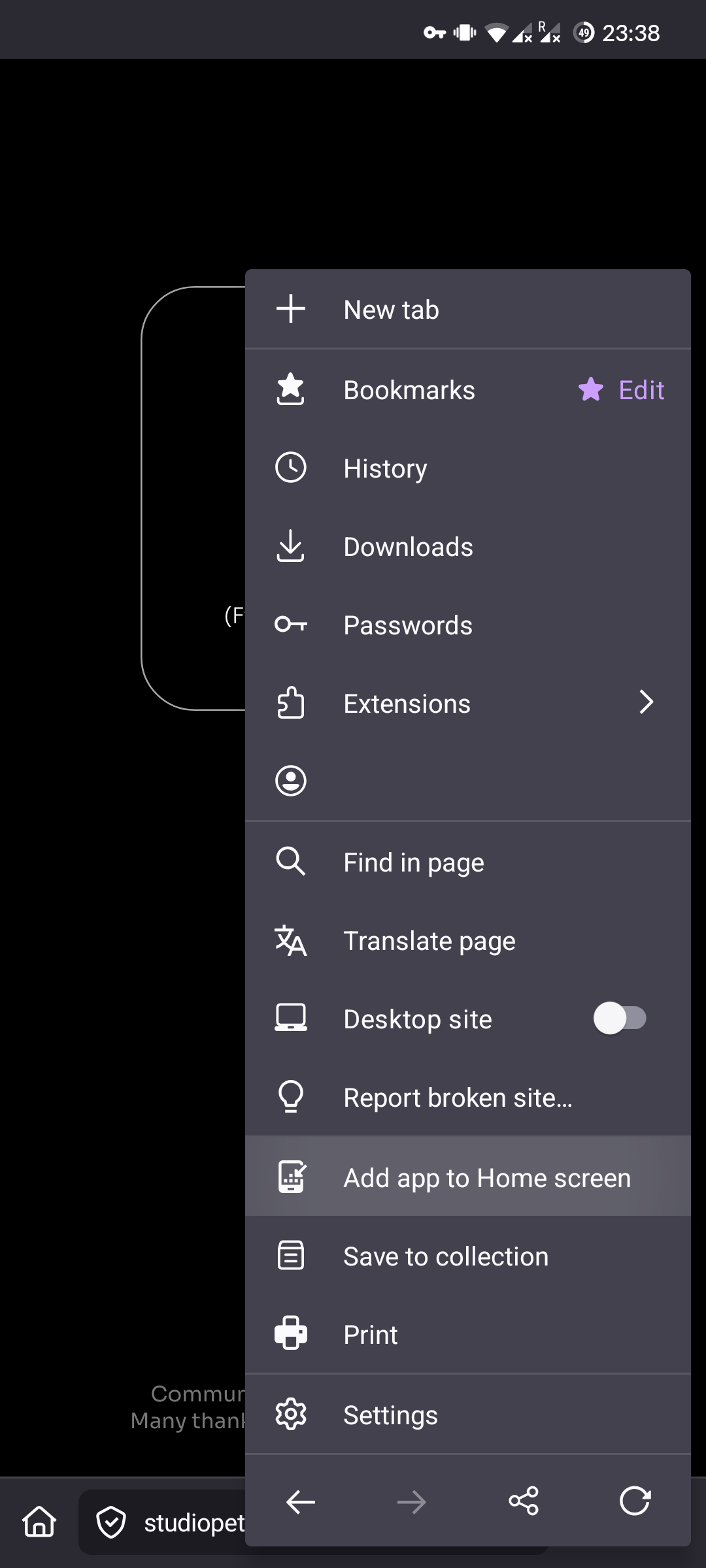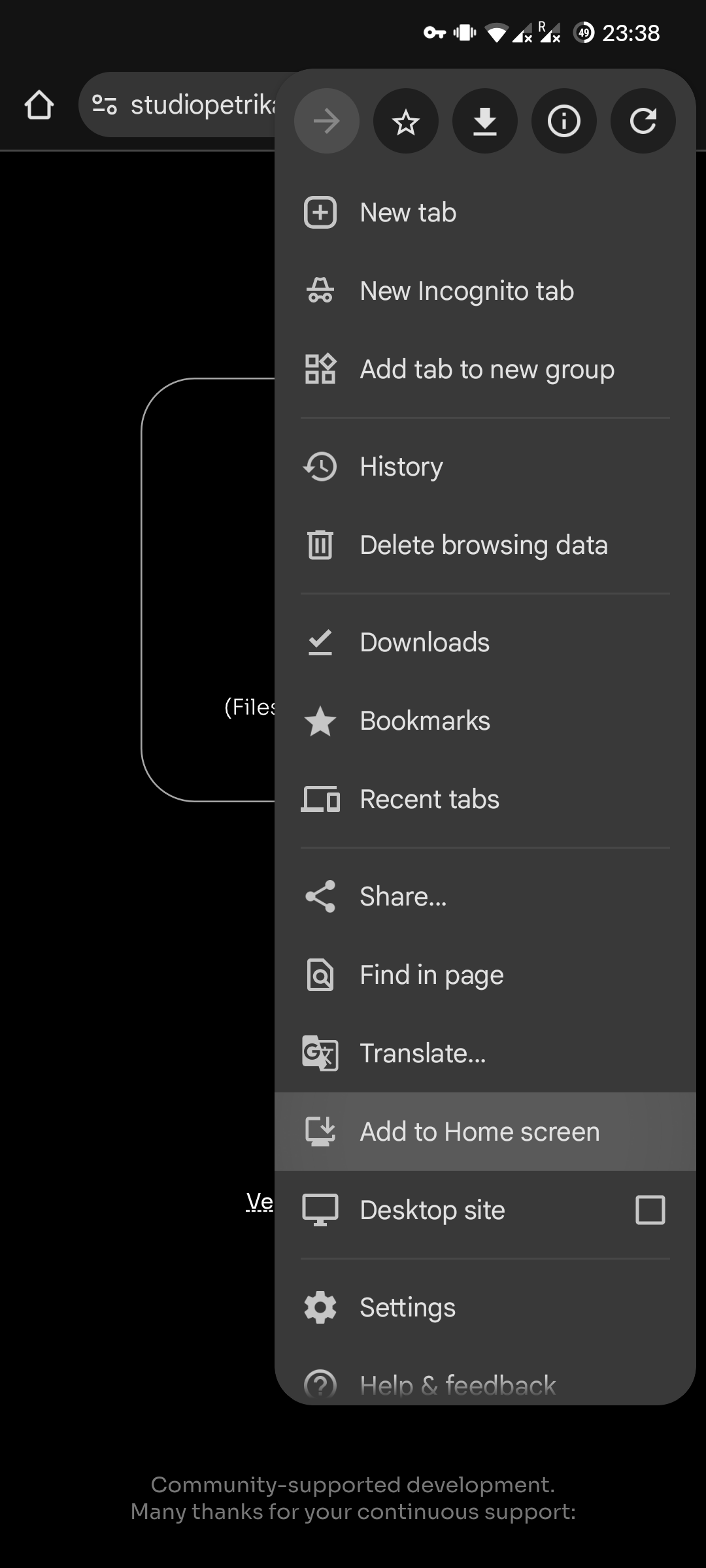
Since I'm making Saulala as a PWA (Progressive Web App), you can 'install' it by "Add app to Home screen" on Firefox, or "Add to Home screen" on Chrome.
It will create an app-like shortcut on your home screen, with a Saulala icon, and get rid of the address bar. That should make it work offline as well.
People who work on web tech have been doing a stellar job, my mind is blown every day of what can be done "in a browser".