What is Hackers' Pub?

Hackers' Pub is a place for software engineers to share their knowledge and experience with each other. It's also an ActivityPub-enabled social network, so you can follow your favorite hackers in the fediverse and get their latest posts in your feed.

0
0
0
0

I am always amused by the people who still cling to Twitter and Bluesky. They like to claim that the Fediverse is not user friendly.

And maybe it could be a little easier to use. I don't have any issues with it, but I am a technically minded person who has been here a good long while.

But I think those people are missing the bigger picture. The benefit of the Fediverse is that it isn't actively user hostile. The Fediverse isn't being flooded by ads, misinformation, AI slop, and general hostility. And it certainly isn't subject to mass data mining efforts by the powers that be.

This isn't to say we don't have our own collection of assholes.

The choices people make often bewilder me. Many would rather use the slightly easier tool, despite the fact that it lies to them, makes them angry, and harvests their every action for analysis and marketing efforts.

0

Russia's 2025 in Ukraine: 418,170 casualties, 1,816 tanks, 77,322 drones destroyed or intercepted.

General Staff’s year-end Russian casualty figures average out to over 1,100 troops and 200 drones per day.

🔗euromaidanpress.com/2026/01/01

0
0
0
1
1

I wrote about setting up logging that's more useful than console.log() but doesn't require a Ph.D. in configuration. Covers categories, structured logging, request tracing, and production tips.

Logging in Node.js (or Deno or...

Logging in Node.js (or Deno or Bun or edge functions) in 2026

It's 2 AM. Something is wrong in production. Users are complaining, but you're not sure what's happening—your only clues are a handful of console.log statements you sprinkled around during development. Half of them say things like “here” or “this works.” The other half dump entire objects that scroll off the screen. Good luck. We've all been there. And yet, setting up “proper” logging often feels like overkill. Traditional logging libraries like winston or Pino come with their own learning curves, configuration formats, and assumptions about how you'll deploy your app. If you're working with edge functions or trying to keep your bundle small, adding a logging library can feel like bringing a sledgehammer to hang a picture frame. I'm a fan of the “just enough” approach—more than raw console.log, but without the weight of a full-blown logging framework. We'll start from console.log(), understand its real limitations (not the exaggerated ones), and work toward a setup that's actually useful. I'll be using LogTape for the examples—it's a zero-dependency logging library that works across Node.js, Deno, Bun, and edge functions, and stays out of your way when you don't need it. Starting with console methods—and where they fall short The console object is JavaScript's great equalizer. It's built-in, it works everywhere, and it requires zero setup. You even get basic severity levels: console.debug(), console.info(), console.warn(), and console.error(). In browser DevTools and some terminal environments, these show up with different colors or icons. console.debug("Connecting to database...");console.info("Server started on port 3000");console.warn("Cache miss for user 123");console.error("Failed to process payment"); For small scripts or quick debugging, this is perfectly fine. But once your application grows beyond a few files, the cracks start to show: No filtering without code changes. Want to hide debug messages in production? You'll need to wrap every console.debug() call in a conditional, or find-and-replace them all. There's no way to say “show me only warnings and above” at runtime. Everything goes to the console. What if you want to write logs to a file? Send errors to Sentry? Stream logs to CloudWatch? You'd have to replace every console.* call with something else—and hope you didn't miss any. No context about where logs come from. When your app has dozens of modules, a log message like “Connection failed” doesn't tell you much. Was it the database? The cache? A third-party API? You end up prefixing every message manually: console.error("[database] Connection failed"). No structured data. Modern log analysis tools work best with structured data (JSON). But console.log("User logged in", { userId: 123 }) just prints User logged in { userId: 123 } as a string—not very useful for querying later. Libraries pollute your logs. If you're using a library that logs with console.*, those messages show up whether you want them or not. And if you're writing a library, your users might not appreciate unsolicited log messages. What you actually need from a logging system Before diving into code, let's think about what would actually solve the problems above. Not a wish list of features, but the practical stuff that makes a difference when you're debugging at 2 AM or trying to understand why requests are slow. Log levels with filtering A logging system should let you categorize messages by severity—trace, debug, info, warning, error, fatal—and then filter them based on what you need. During development, you want to see everything. In production, maybe just warnings and above. The key is being able to change this without touching your code. Categories When your app grows beyond a single file, you need to know where logs are coming from. A good logging system lets you tag logs with categories like ["my-app", "database"] or ["my-app", "auth", "oauth"]. Even better, it lets you set different log levels for different categories—maybe you want debug logs from the database module but only warnings from everything else. Sinks (multiple output destinations) “Sink” is just a fancy word for “where logs go.” You might want logs to go to the console during development, to files in production, and to an external service like Sentry or CloudWatch for errors. A good logging system lets you configure multiple sinks and route different logs to different destinations. Structured logging Instead of logging strings, you log objects with properties. This makes logs machine-readable and queryable: // Instead of this:logger.info("User 123 logged in from 192.168.1.1");// You do this:logger.info("User logged in", { userId: 123, ip: "192.168.1.1" }); Now you can search for all logs where userId === 123 or filter by IP address. Context for request tracing In a web server, you often want all logs from a single request to share a common identifier (like a request ID). This makes it possible to trace a request's journey through your entire system. Getting started with LogTape There are plenty of logging libraries out there. winston has been around forever and has a plugin for everything. Pino is fast and outputs JSON. bunyan, log4js, signale—the list goes on. So why LogTape? A few reasons stood out to me: Zero dependencies. Not “few dependencies”—actually zero. In an era where a single npm install can pull in hundreds of packages, this matters for security, bundle size, and not having to wonder why your lockfile just changed. Works everywhere. The same code runs on Node.js, Deno, Bun, browsers, and edge functions like Cloudflare Workers. No polyfills, no conditional imports, no “this feature only works on Node.” Doesn't force itself on users. If you're writing a library, you can add logging without your users ever knowing—unless they want to see the logs. This is a surprisingly rare feature. Let's set it up: npm add @logtape/logtape # npmpnpm add @logtape/logtape # pnpmyarn add @logtape/logtape # Yarndeno add jsr:@logtape/logtape # Denobun add @logtape/logtape # Bun Configuration happens once, at your application's entry point: import { configure, getConsoleSink, getLogger } from "@logtape/logtape";await configure({ sinks: { console: getConsoleSink(), // Where logs go }, loggers: [ { category: ["my-app"], lowestLevel: "debug", sinks: ["console"] }, // What to log ],});// Now you can log from anywhere in your app:const logger = getLogger(["my-app", "server"]);logger.info`Server started on port 3000`;logger.debug`Request received: ${{ method: "GET", path: "/api/users" }}`; Notice a few things: Configuration is explicit. You decide where logs go (sinks) and which logs to show (lowestLevel). Categories are hierarchical. The logger ["my-app", "server"] inherits settings from ["my-app"]. Template literals work. You can use backticks for a natural logging syntax. Categories and filtering: Controlling log verbosity Here's a scenario: you're debugging a database issue. You want to see every query, every connection attempt, every retry. But you don't want to wade through thousands of HTTP request logs to find them. Categories let you solve this. Instead of one global log level, you can set different verbosity for different parts of your application. await configure({ sinks: { console: getConsoleSink(), }, loggers: [ { category: ["my-app"], lowestLevel: "info", sinks: ["console"] }, // Default: info and above { category: ["my-app", "database"], lowestLevel: "debug", sinks: ["console"] }, // DB module: show debug too ],}); Now when you log from different parts of your app: // In your database module:const dbLogger = getLogger(["my-app", "database"]);dbLogger.debug`Executing query: ${sql}`; // This shows up// In your HTTP module:const httpLogger = getLogger(["my-app", "http"]);httpLogger.debug`Received request`; // This is filtered out (below "info")httpLogger.info`GET /api/users 200`; // This shows up Controlling third-party library logs If you're using libraries that also use LogTape, you can control their logs separately: await configure({ sinks: { console: getConsoleSink() }, loggers: [ { category: ["my-app"], lowestLevel: "debug", sinks: ["console"] }, // Only show warnings and above from some-library { category: ["some-library"], lowestLevel: "warning", sinks: ["console"] }, ],}); The root logger Sometimes you want a catch-all configuration. The root logger (empty category []) catches everything: await configure({ sinks: { console: getConsoleSink() }, loggers: [ // Catch all logs at info level { category: [], lowestLevel: "info", sinks: ["console"] }, // But show debug for your app { category: ["my-app"], lowestLevel: "debug", sinks: ["console"] }, ],}); Log levels and when to use them LogTape has six log levels. Choosing the right one isn't just about severity—it's about who needs to see the message and when. LevelWhen to use ittraceVery detailed diagnostic info. Loop iterations, function entry/exit. Usually only enabled when hunting a specific bug.debugInformation useful during development. Variable values, state changes, flow control decisions.infoNormal operational messages. “Server started,” “User logged in,” “Job completed.”warningSomething unexpected happened, but the app can continue. Deprecated API usage, retry attempts, missing optional config.errorSomething failed. An operation couldn't complete, but the app is still running.fatalThe app is about to crash or is in an unrecoverable state.const logger = getLogger(["my-app"]);logger.trace`Entering processUser function`;logger.debug`Processing user ${{ userId: 123 }}`;logger.info`User successfully created`;logger.warn`Rate limit approaching: ${980}/1000 requests`;logger.error`Failed to save user: ${error.message}`;logger.fatal`Database connection lost, shutting down`; A good rule of thumb: in production, you typically run at info or warning level. During development or when debugging, you drop down to debug or trace. Structured logging: Beyond plain text At some point, you'll want to search your logs. “Show me all errors from the payment service in the last hour.” “Find all requests from user 12345.” “What's the average response time for the /api/users endpoint?” If your logs are plain text strings, these queries are painful. You end up writing regexes, hoping the log format is consistent, and cursing past-you for not thinking ahead. Structured logging means attaching data to your logs as key-value pairs, not just embedding them in strings. This makes logs machine-readable and queryable. LogTape supports two syntaxes for this: Template literals (great for simple messages) const userId = 123;const action = "login";logger.info`User ${userId} performed ${action}`; Message templates with properties (great for structured data) logger.info("User performed action", { userId: 123, action: "login", ip: "192.168.1.1", timestamp: new Date().toISOString(),}); You can reference properties in your message using placeholders: logger.info("User {userId} logged in from {ip}", { userId: 123, ip: "192.168.1.1",});// Output: User 123 logged in from 192.168.1.1 Nested property access LogTape supports dot notation and array indexing in placeholders: logger.info("Order {order.id} placed by {order.customer.name}", { order: { id: "ORD-001", customer: { name: "Alice", email: "alice@example.com" }, },});logger.info("First item: {items[0].name}", { items: [{ name: "Widget", price: 9.99 }],}); Machine-readable output with JSON Lines For production, you often want logs as JSON (one object per line). LogTape has a built-in formatter for this: import { configure, getConsoleSink, jsonLinesFormatter } from "@logtape/logtape";await configure({ sinks: { console: getConsoleSink({ formatter: jsonLinesFormatter }), }, loggers: [ { category: [], lowestLevel: "info", sinks: ["console"] }, ],}); Output: {"@timestamp":"2026-01-15T10:30:00.000Z","level":"INFO","message":"User logged in","logger":"my-app","properties":{"userId":123}} Sending logs to different destinations (sinks) So far we've been sending everything to the console. That's fine for development, but in production you'll likely want logs to go elsewhere—or to multiple places at once. Think about it: console output disappears when the process restarts. If your server crashes at 3 AM, you want those logs to be somewhere persistent. And when an error occurs, you might want it to show up in your error tracking service immediately, not just sit in a log file waiting for someone to grep through it. This is where sinks come in. A sink is just a function that receives log records and does something with them. LogTape comes with several built-in sinks, and creating your own is trivial. Console sink The simplest sink—outputs to the console: import { getConsoleSink } from "@logtape/logtape";const consoleSink = getConsoleSink(); File sink For writing logs to files, install the @logtape/file package: npm add @logtape/fileimport { getFileSink, getRotatingFileSink } from "@logtape/file";// Simple file sinkconst fileSink = getFileSink("app.log");// Rotating file sink (rotates when file reaches 10MB, keeps 5 old files)const rotatingFileSink = getRotatingFileSink("app.log", { maxSize: 10 * 1024 * 1024, // 10MB maxFiles: 5,}); Why rotating files? Without rotation, your log file grows indefinitely until it fills up the disk. With rotation, old logs are automatically archived and eventually deleted, keeping disk usage under control. This is especially important for long-running servers. External services For production systems, you often want logs to go to specialized services that provide search, alerting, and visualization. LogTape has packages for popular services: // OpenTelemetry (for observability platforms like Jaeger, Honeycomb, Datadog)import { getOpenTelemetrySink } from "@logtape/otel";// Sentry (for error tracking with stack traces and context)import { getSentrySink } from "@logtape/sentry";// AWS CloudWatch Logs (for AWS-native log aggregation)import { getCloudWatchLogsSink } from "@logtape/cloudwatch-logs"; The OpenTelemetry sink is particularly useful if you're already using OpenTelemetry for tracing—your logs will automatically correlate with your traces, making debugging distributed systems much easier. Multiple sinks Here's where things get interesting. You can send different logs to different destinations based on their level or category: await configure({ sinks: { console: getConsoleSink(), file: getFileSink("app.log"), errors: getSentrySink(), }, loggers: [ { category: [], lowestLevel: "info", sinks: ["console", "file"] }, // Everything to console + file { category: [], lowestLevel: "error", sinks: ["errors"] }, // Errors also go to Sentry ],}); Notice that a log record can go to multiple sinks. An error log in this configuration goes to the console, the file, and Sentry. This lets you have comprehensive local logs while also getting immediate alerts for critical issues. Custom sinks Sometimes you need to send logs somewhere that doesn't have a pre-built sink. Maybe you have an internal logging service, or you want to send logs to a Slack channel, or store them in a database. A sink is just a function that takes a LogRecord. That's it: import type { Sink } from "@logtape/logtape";const slackSink: Sink = (record) => { // Only send errors and fatals to Slack if (record.level === "error" || record.level === "fatal") { fetch("https://hooks.slack.com/services/YOUR/WEBHOOK/URL", { method: "POST", headers: { "Content-Type": "application/json" }, body: JSON.stringify({ text: `[${record.level.toUpperCase()}] ${record.message.join("")}`, }), }); }}; The simplicity of sink functions means you can integrate LogTape with virtually any logging backend in just a few lines of code. Request tracing with contexts Here's a scenario you've probably encountered: a user reports an error, you check the logs, and you find a sea of interleaved messages from dozens of concurrent requests. Which log lines belong to the user's request? Good luck figuring that out. This is where request tracing comes in. The idea is simple: assign a unique identifier to each request, and include that identifier in every log message produced while handling that request. Now you can filter your logs by request ID and see exactly what happened, in order, for that specific request. LogTape supports this through contexts—a way to attach properties to log messages without passing them around explicitly. Explicit context The simplest approach is to create a logger with attached properties using .with(): function handleRequest(req: Request) { const requestId = crypto.randomUUID(); const logger = getLogger(["my-app", "http"]).with({ requestId }); logger.info`Request received`; // Includes requestId automatically processRequest(req, logger); logger.info`Request completed`; // Also includes requestId} This works well when you're passing the logger around explicitly. But what about code that's deeper in your call stack? What about code in libraries that don't know about your logger instance? Implicit context This is where implicit contexts shine. Using withContext(), you can set properties that automatically appear in all log messages within a callback—even in nested function calls, async operations, and third-party libraries (as long as they use LogTape). First, enable implicit contexts in your configuration: import { configure, getConsoleSink } from "@logtape/logtape";import { AsyncLocalStorage } from "node:async_hooks";await configure({ sinks: { console: getConsoleSink() }, loggers: [ { category: ["my-app"], lowestLevel: "debug", sinks: ["console"] }, ], contextLocalStorage: new AsyncLocalStorage(),}); Then use withContext() in your request handler: import { withContext, getLogger } from "@logtape/logtape";function handleRequest(req: Request) { const requestId = crypto.randomUUID(); return withContext({ requestId }, async () => { // Every log message in this callback includes requestId—automatically const logger = getLogger(["my-app"]); logger.info`Processing request`; await validateInput(req); // Logs here include requestId await processBusinessLogic(req); // Logs here too await saveToDatabase(req); // And here logger.info`Request complete`; });} The magic is that validateInput, processBusinessLogic, and saveToDatabase don't need to know anything about the request ID. They just call getLogger() and log normally, and the request ID appears in their logs automatically. This works even across async boundaries—the context follows the execution flow, not the call stack. This is incredibly powerful for debugging. When something goes wrong, you can search for the request ID and see every log message from every module that was involved in handling that request. Framework integrations Setting up request tracing manually can be tedious. LogTape has dedicated packages for popular frameworks that handle this automatically: // Expressimport { expressLogger } from "@logtape/express";app.use(expressLogger());// Fastifyimport { getLogTapeFastifyLogger } from "@logtape/fastify";const app = Fastify({ loggerInstance: getLogTapeFastifyLogger() });// Honoimport { honoLogger } from "@logtape/hono";app.use(honoLogger());// Koaimport { koaLogger } from "@logtape/koa";app.use(koaLogger()); These middlewares automatically generate request IDs, set up implicit contexts, and log request/response information. You get comprehensive request logging with a single line of code. Using LogTape in libraries vs applications If you've ever used a library that spams your console with unwanted log messages, you know how annoying it can be. And if you've ever tried to add logging to your own library, you've faced a dilemma: should you use console.log() and annoy your users? Require them to install and configure a specific logging library? Or just... not log anything? LogTape solves this with its library-first design. Libraries can add as much logging as they want, and it costs their users nothing unless they explicitly opt in. If you're writing a library The rule is simple: use getLogger() to log, but never call configure(). Configuration is the application's responsibility, not the library's. // my-library/src/database.tsimport { getLogger } from "@logtape/logtape";const logger = getLogger(["my-library", "database"]);export function connect(url: string) { logger.debug`Connecting to ${url}`; // ... connection logic ... logger.info`Connected successfully`;} What happens when someone uses your library? If they haven't configured LogTape, nothing happens. The log calls are essentially no-ops—no output, no errors, no performance impact. Your library works exactly as if the logging code wasn't there. If they have configured LogTape, they get full control. They can see your library's debug logs if they're troubleshooting an issue, or silence them entirely if they're not interested. They decide, not you. This is fundamentally different from using console.log() in a library. With console.log(), your users have no choice—they see your logs whether they want to or not. With LogTape, you give them the power to decide. If you're writing an application You configure LogTape once in your entry point. This single configuration controls logging for your entire application, including any libraries that use LogTape: await configure({ sinks: { console: getConsoleSink() }, loggers: [ { category: ["my-app"], lowestLevel: "debug", sinks: ["console"] }, // Your app: verbose { category: ["my-library"], lowestLevel: "warning", sinks: ["console"] }, // Library: quiet { category: ["noisy-library"], lowestLevel: "fatal", sinks: [] }, // That one library: silent ],}); This separation of concerns—libraries log, applications configure—makes for a much healthier ecosystem. Library authors can add detailed logging for debugging without worrying about annoying their users. Application developers can tune logging to their needs without digging through library code. Migrating from another logger? If your application already uses winston, Pino, or another logging library, you don't have to migrate everything at once. LogTape provides adapters that route LogTape logs to your existing logging setup: import { install } from "@logtape/adaptor-winston";import winston from "winston";install(winston.createLogger({ /* your existing config */ })); This is particularly useful when you want to use a library that uses LogTape, but you're not ready to switch your whole application over. The library's logs will flow through your existing winston (or Pino) configuration, and you can migrate gradually if you choose to. Production considerations Development and production have different needs. During development, you want verbose logs, pretty formatting, and immediate feedback. In production, you care about performance, reliability, and not leaking sensitive data. Here are some things to keep in mind. Non-blocking mode By default, logging is synchronous—when you call logger.info(), the message is written to the sink before the function returns. This is fine for development, but in a high-throughput production environment, the I/O overhead of writing every log message can add up. Non-blocking mode buffers log messages and writes them in the background: const consoleSink = getConsoleSink({ nonBlocking: true });const fileSink = getFileSink("app.log", { nonBlocking: true }); The tradeoff is that logs might be slightly delayed, and if your process crashes, some buffered logs might be lost. But for most production workloads, the performance benefit is worth it. Sensitive data redaction Logs have a way of ending up in unexpected places—log aggregation services, debugging sessions, support tickets. If you're logging request data, user information, or API responses, you might accidentally expose sensitive information like passwords, API keys, or personal data. LogTape's @logtape/redaction package helps you catch these before they become a problem: import { redactByPattern, EMAIL_ADDRESS_PATTERN, CREDIT_CARD_NUMBER_PATTERN, type RedactionPattern,} from "@logtape/redaction";import { defaultConsoleFormatter, configure, getConsoleSink } from "@logtape/logtape";const BEARER_TOKEN_PATTERN: RedactionPattern = { pattern: /Bearer [A-Za-z0-9\-._~+\/]+=*/g, replacement: "[REDACTED]",};const formatter = redactByPattern(defaultConsoleFormatter, [ EMAIL_ADDRESS_PATTERN, CREDIT_CARD_NUMBER_PATTERN, BEARER_TOKEN_PATTERN,]);await configure({ sinks: { console: getConsoleSink({ formatter }), }, // ...}); With this configuration, email addresses, credit card numbers, and bearer tokens are automatically replaced with [REDACTED] in your log output. The @logtape/redaction package comes with built-in patterns for common sensitive data types, and you can define custom patterns for anything else. It's not foolproof—you should still be mindful of what you log—but it provides a safety net. See the redaction documentation for more patterns and field-based redaction. Edge functions and serverless Edge functions (Cloudflare Workers, Vercel Edge Functions, etc.) have a unique constraint: they can be terminated immediately after returning a response. If you have buffered logs that haven't been flushed yet, they'll be lost. The solution is to explicitly flush logs before returning: import { configure, dispose } from "@logtape/logtape";export default { async fetch(request, env, ctx) { await configure({ /* ... */ }); // ... handle request ... ctx.waitUntil(dispose()); // Flush logs before worker terminates return new Response("OK"); },}; The dispose() function flushes all buffered logs and cleans up resources. By passing it to ctx.waitUntil(), you ensure the worker stays alive long enough to finish writing logs, even after the response has been sent. Wrapping up Logging isn't glamorous, but it's one of those things that makes a huge difference when something goes wrong. The setup I've described here—categories for organization, structured data for queryability, contexts for request tracing—isn't complicated, but it's a significant step up from scattered console.log statements. LogTape isn't the only way to achieve this, but I've found it hits a nice sweet spot: powerful enough for production use, simple enough that you're not fighting the framework, and light enough that you don't feel guilty adding it to a library. If you want to dig deeper, the LogTape documentation covers advanced topics like custom filters, the “fingers crossed” pattern for buffering debug logs until an error occurs, and more sink options. The GitHub repository is also a good place to report issues or see what's coming next. Now go add some proper logging to that side project you've been meaning to clean up. Your future 2 AM self will thank you.

hackers.pub · Hackers' Pub

Link author: 洪 民憙 (Hong Minhee)@hongminhee@hackers.pub

0
0

停用了Threads,因為無法阻擋IG一直推薦文章,即便我已經限制自己只用網頁版。推薦的文章不外乎各種挑撥情緒的文,每次滑到都心頭一揪,比IG的廣告更令人心情不快。IG內的推薦文章只能停用Threads帳號才能使其消失。

停用之後心情變得比較好,不再整天亡國感和存在危機。大概是最近做過最好的決定。

上一個停用的是Twitter,再上一個是Facebook,都是因為類似的原因。也許我的人生真的不該有無限捲軸的推薦演算法。

0
0
0
0

今夜は(元旦を含めず)今年初めて寝るタイミングので
言わば"初寝ミク"
:negi:と言ったところか――
みたい
ネタを考えてたんですがもう眠いので寝ます​:msgk_sleep:
:bunhd_kadomatsu:​​:oyasumiama_heart:​​:bunhd_kagamimochi:

2
0

“우리가 쿠팡을 탈퇴하는 것 이상의 가치관을 원해야 하는 이유다. 쿠팡 없어도 살겠더라 수준에서 더 나아가야 한다. 우리가 로켓배송의 연료였음을 인정하고, 이 사회가 무엇을 불태워 이토록 빨라졌는지를 성찰해야 한다.”
pressian.com/pages/articles/20

0
0

停用了Threads,因為無法阻擋IG一直推薦文章,即便我已經限制自己只用網頁版。推薦的文章不外乎各種挑撥情緒的文,每次滑到都心頭一揪,比IG的廣告更令人心情不快。IG內的推薦文章只能停用Threads帳號才能使其消失。

停用之後心情變得比較好,不再整天亡國感和存在危機。大概是最近做過最好的決定。

上一個停用的是Twitter,再上一個是Facebook,都是因為類似的原因。也許我的人生真的不該有無限捲軸的推薦演算法。

0

Let me take advantage of how much this meme was shared

I published today for the international braille day a free cross stitch pattern allowing you to embroider in braille: phpc.social/@luciledt/11583813, you can follow me for more if you're interested (I could use the help)

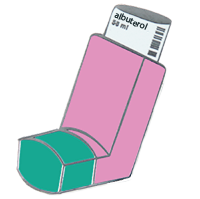
Someone else who could use your help is @ginnyGinny :inhaler: who relies on mutual aid: ko-fi.com/ginnymcqueen

You can also follow @gaza_verified_campaigns which publish thrice a day the Palestinian accounts who received the less donations

A sewing machine with RGB lights in the background, in a dark place

The caption reads "Rate my grandma's setup"
0
0
0

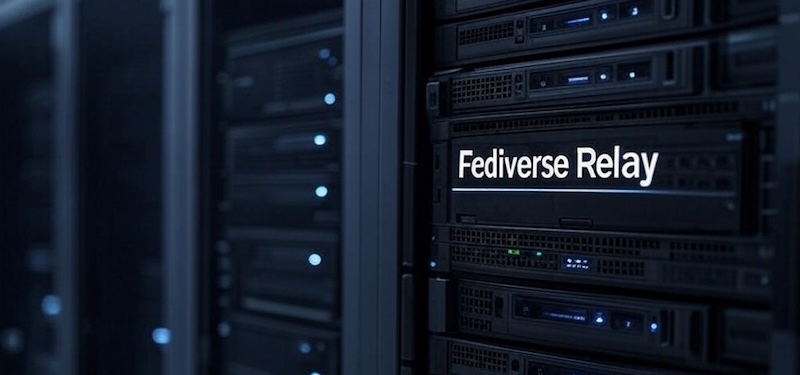
Running your own Fediverse instance and want to become more visible?

You can simply use relay instances to be interconnected with other instances to exchange posts and it works seamless with , , / and many other ones! If you're in tech, you might want to use:

https://fedi-relay.gyptazy.com

You can simply add it to get a bigger reach but also to get more interesting content into your own timeline which becomes even more important on single user- & smaller instances.


Activity Pub / Fediverse Relay
0
0
0
0
2
1
0
0
0

I wrote about setting up logging that's more useful than console.log() but doesn't require a Ph.D. in configuration. Covers categories, structured logging, request tracing, and production tips.

Logging in Node.js (or Deno or...

Logging in Node.js (or Deno or Bun or edge functions) in 2026

It's 2 AM. Something is wrong in production. Users are complaining, but you're not sure what's happening—your only clues are a handful of console.log statements you sprinkled around during development. Half of them say things like “here” or “this works.” The other half dump entire objects that scroll off the screen. Good luck. We've all been there. And yet, setting up “proper” logging often feels like overkill. Traditional logging libraries like winston or Pino come with their own learning curves, configuration formats, and assumptions about how you'll deploy your app. If you're working with edge functions or trying to keep your bundle small, adding a logging library can feel like bringing a sledgehammer to hang a picture frame. I'm a fan of the “just enough” approach—more than raw console.log, but without the weight of a full-blown logging framework. We'll start from console.log(), understand its real limitations (not the exaggerated ones), and work toward a setup that's actually useful. I'll be using LogTape for the examples—it's a zero-dependency logging library that works across Node.js, Deno, Bun, and edge functions, and stays out of your way when you don't need it. Starting with console methods—and where they fall short The console object is JavaScript's great equalizer. It's built-in, it works everywhere, and it requires zero setup. You even get basic severity levels: console.debug(), console.info(), console.warn(), and console.error(). In browser DevTools and some terminal environments, these show up with different colors or icons. console.debug("Connecting to database...");console.info("Server started on port 3000");console.warn("Cache miss for user 123");console.error("Failed to process payment"); For small scripts or quick debugging, this is perfectly fine. But once your application grows beyond a few files, the cracks start to show: No filtering without code changes. Want to hide debug messages in production? You'll need to wrap every console.debug() call in a conditional, or find-and-replace them all. There's no way to say “show me only warnings and above” at runtime. Everything goes to the console. What if you want to write logs to a file? Send errors to Sentry? Stream logs to CloudWatch? You'd have to replace every console.* call with something else—and hope you didn't miss any. No context about where logs come from. When your app has dozens of modules, a log message like “Connection failed” doesn't tell you much. Was it the database? The cache? A third-party API? You end up prefixing every message manually: console.error("[database] Connection failed"). No structured data. Modern log analysis tools work best with structured data (JSON). But console.log("User logged in", { userId: 123 }) just prints User logged in { userId: 123 } as a string—not very useful for querying later. Libraries pollute your logs. If you're using a library that logs with console.*, those messages show up whether you want them or not. And if you're writing a library, your users might not appreciate unsolicited log messages. What you actually need from a logging system Before diving into code, let's think about what would actually solve the problems above. Not a wish list of features, but the practical stuff that makes a difference when you're debugging at 2 AM or trying to understand why requests are slow. Log levels with filtering A logging system should let you categorize messages by severity—trace, debug, info, warning, error, fatal—and then filter them based on what you need. During development, you want to see everything. In production, maybe just warnings and above. The key is being able to change this without touching your code. Categories When your app grows beyond a single file, you need to know where logs are coming from. A good logging system lets you tag logs with categories like ["my-app", "database"] or ["my-app", "auth", "oauth"]. Even better, it lets you set different log levels for different categories—maybe you want debug logs from the database module but only warnings from everything else. Sinks (multiple output destinations) “Sink” is just a fancy word for “where logs go.” You might want logs to go to the console during development, to files in production, and to an external service like Sentry or CloudWatch for errors. A good logging system lets you configure multiple sinks and route different logs to different destinations. Structured logging Instead of logging strings, you log objects with properties. This makes logs machine-readable and queryable: // Instead of this:logger.info("User 123 logged in from 192.168.1.1");// You do this:logger.info("User logged in", { userId: 123, ip: "192.168.1.1" }); Now you can search for all logs where userId === 123 or filter by IP address. Context for request tracing In a web server, you often want all logs from a single request to share a common identifier (like a request ID). This makes it possible to trace a request's journey through your entire system. Getting started with LogTape There are plenty of logging libraries out there. winston has been around forever and has a plugin for everything. Pino is fast and outputs JSON. bunyan, log4js, signale—the list goes on. So why LogTape? A few reasons stood out to me: Zero dependencies. Not “few dependencies”—actually zero. In an era where a single npm install can pull in hundreds of packages, this matters for security, bundle size, and not having to wonder why your lockfile just changed. Works everywhere. The same code runs on Node.js, Deno, Bun, browsers, and edge functions like Cloudflare Workers. No polyfills, no conditional imports, no “this feature only works on Node.” Doesn't force itself on users. If you're writing a library, you can add logging without your users ever knowing—unless they want to see the logs. This is a surprisingly rare feature. Let's set it up: npm add @logtape/logtape # npmpnpm add @logtape/logtape # pnpmyarn add @logtape/logtape # Yarndeno add jsr:@logtape/logtape # Denobun add @logtape/logtape # Bun Configuration happens once, at your application's entry point: import { configure, getConsoleSink, getLogger } from "@logtape/logtape";await configure({ sinks: { console: getConsoleSink(), // Where logs go }, loggers: [ { category: ["my-app"], lowestLevel: "debug", sinks: ["console"] }, // What to log ],});// Now you can log from anywhere in your app:const logger = getLogger(["my-app", "server"]);logger.info`Server started on port 3000`;logger.debug`Request received: ${{ method: "GET", path: "/api/users" }}`; Notice a few things: Configuration is explicit. You decide where logs go (sinks) and which logs to show (lowestLevel). Categories are hierarchical. The logger ["my-app", "server"] inherits settings from ["my-app"]. Template literals work. You can use backticks for a natural logging syntax. Categories and filtering: Controlling log verbosity Here's a scenario: you're debugging a database issue. You want to see every query, every connection attempt, every retry. But you don't want to wade through thousands of HTTP request logs to find them. Categories let you solve this. Instead of one global log level, you can set different verbosity for different parts of your application. await configure({ sinks: { console: getConsoleSink(), }, loggers: [ { category: ["my-app"], lowestLevel: "info", sinks: ["console"] }, // Default: info and above { category: ["my-app", "database"], lowestLevel: "debug", sinks: ["console"] }, // DB module: show debug too ],}); Now when you log from different parts of your app: // In your database module:const dbLogger = getLogger(["my-app", "database"]);dbLogger.debug`Executing query: ${sql}`; // This shows up// In your HTTP module:const httpLogger = getLogger(["my-app", "http"]);httpLogger.debug`Received request`; // This is filtered out (below "info")httpLogger.info`GET /api/users 200`; // This shows up Controlling third-party library logs If you're using libraries that also use LogTape, you can control their logs separately: await configure({ sinks: { console: getConsoleSink() }, loggers: [ { category: ["my-app"], lowestLevel: "debug", sinks: ["console"] }, // Only show warnings and above from some-library { category: ["some-library"], lowestLevel: "warning", sinks: ["console"] }, ],}); The root logger Sometimes you want a catch-all configuration. The root logger (empty category []) catches everything: await configure({ sinks: { console: getConsoleSink() }, loggers: [ // Catch all logs at info level { category: [], lowestLevel: "info", sinks: ["console"] }, // But show debug for your app { category: ["my-app"], lowestLevel: "debug", sinks: ["console"] }, ],}); Log levels and when to use them LogTape has six log levels. Choosing the right one isn't just about severity—it's about who needs to see the message and when. LevelWhen to use ittraceVery detailed diagnostic info. Loop iterations, function entry/exit. Usually only enabled when hunting a specific bug.debugInformation useful during development. Variable values, state changes, flow control decisions.infoNormal operational messages. “Server started,” “User logged in,” “Job completed.”warningSomething unexpected happened, but the app can continue. Deprecated API usage, retry attempts, missing optional config.errorSomething failed. An operation couldn't complete, but the app is still running.fatalThe app is about to crash or is in an unrecoverable state.const logger = getLogger(["my-app"]);logger.trace`Entering processUser function`;logger.debug`Processing user ${{ userId: 123 }}`;logger.info`User successfully created`;logger.warn`Rate limit approaching: ${980}/1000 requests`;logger.error`Failed to save user: ${error.message}`;logger.fatal`Database connection lost, shutting down`; A good rule of thumb: in production, you typically run at info or warning level. During development or when debugging, you drop down to debug or trace. Structured logging: Beyond plain text At some point, you'll want to search your logs. “Show me all errors from the payment service in the last hour.” “Find all requests from user 12345.” “What's the average response time for the /api/users endpoint?” If your logs are plain text strings, these queries are painful. You end up writing regexes, hoping the log format is consistent, and cursing past-you for not thinking ahead. Structured logging means attaching data to your logs as key-value pairs, not just embedding them in strings. This makes logs machine-readable and queryable. LogTape supports two syntaxes for this: Template literals (great for simple messages) const userId = 123;const action = "login";logger.info`User ${userId} performed ${action}`; Message templates with properties (great for structured data) logger.info("User performed action", { userId: 123, action: "login", ip: "192.168.1.1", timestamp: new Date().toISOString(),}); You can reference properties in your message using placeholders: logger.info("User {userId} logged in from {ip}", { userId: 123, ip: "192.168.1.1",});// Output: User 123 logged in from 192.168.1.1 Nested property access LogTape supports dot notation and array indexing in placeholders: logger.info("Order {order.id} placed by {order.customer.name}", { order: { id: "ORD-001", customer: { name: "Alice", email: "alice@example.com" }, },});logger.info("First item: {items[0].name}", { items: [{ name: "Widget", price: 9.99 }],}); Machine-readable output with JSON Lines For production, you often want logs as JSON (one object per line). LogTape has a built-in formatter for this: import { configure, getConsoleSink, jsonLinesFormatter } from "@logtape/logtape";await configure({ sinks: { console: getConsoleSink({ formatter: jsonLinesFormatter }), }, loggers: [ { category: [], lowestLevel: "info", sinks: ["console"] }, ],}); Output: {"@timestamp":"2026-01-15T10:30:00.000Z","level":"INFO","message":"User logged in","logger":"my-app","properties":{"userId":123}} Sending logs to different destinations (sinks) So far we've been sending everything to the console. That's fine for development, but in production you'll likely want logs to go elsewhere—or to multiple places at once. Think about it: console output disappears when the process restarts. If your server crashes at 3 AM, you want those logs to be somewhere persistent. And when an error occurs, you might want it to show up in your error tracking service immediately, not just sit in a log file waiting for someone to grep through it. This is where sinks come in. A sink is just a function that receives log records and does something with them. LogTape comes with several built-in sinks, and creating your own is trivial. Console sink The simplest sink—outputs to the console: import { getConsoleSink } from "@logtape/logtape";const consoleSink = getConsoleSink(); File sink For writing logs to files, install the @logtape/file package: npm add @logtape/fileimport { getFileSink, getRotatingFileSink } from "@logtape/file";// Simple file sinkconst fileSink = getFileSink("app.log");// Rotating file sink (rotates when file reaches 10MB, keeps 5 old files)const rotatingFileSink = getRotatingFileSink("app.log", { maxSize: 10 * 1024 * 1024, // 10MB maxFiles: 5,}); Why rotating files? Without rotation, your log file grows indefinitely until it fills up the disk. With rotation, old logs are automatically archived and eventually deleted, keeping disk usage under control. This is especially important for long-running servers. External services For production systems, you often want logs to go to specialized services that provide search, alerting, and visualization. LogTape has packages for popular services: // OpenTelemetry (for observability platforms like Jaeger, Honeycomb, Datadog)import { getOpenTelemetrySink } from "@logtape/otel";// Sentry (for error tracking with stack traces and context)import { getSentrySink } from "@logtape/sentry";// AWS CloudWatch Logs (for AWS-native log aggregation)import { getCloudWatchLogsSink } from "@logtape/cloudwatch-logs"; The OpenTelemetry sink is particularly useful if you're already using OpenTelemetry for tracing—your logs will automatically correlate with your traces, making debugging distributed systems much easier. Multiple sinks Here's where things get interesting. You can send different logs to different destinations based on their level or category: await configure({ sinks: { console: getConsoleSink(), file: getFileSink("app.log"), errors: getSentrySink(), }, loggers: [ { category: [], lowestLevel: "info", sinks: ["console", "file"] }, // Everything to console + file { category: [], lowestLevel: "error", sinks: ["errors"] }, // Errors also go to Sentry ],}); Notice that a log record can go to multiple sinks. An error log in this configuration goes to the console, the file, and Sentry. This lets you have comprehensive local logs while also getting immediate alerts for critical issues. Custom sinks Sometimes you need to send logs somewhere that doesn't have a pre-built sink. Maybe you have an internal logging service, or you want to send logs to a Slack channel, or store them in a database. A sink is just a function that takes a LogRecord. That's it: import type { Sink } from "@logtape/logtape";const slackSink: Sink = (record) => { // Only send errors and fatals to Slack if (record.level === "error" || record.level === "fatal") { fetch("https://hooks.slack.com/services/YOUR/WEBHOOK/URL", { method: "POST", headers: { "Content-Type": "application/json" }, body: JSON.stringify({ text: `[${record.level.toUpperCase()}] ${record.message.join("")}`, }), }); }}; The simplicity of sink functions means you can integrate LogTape with virtually any logging backend in just a few lines of code. Request tracing with contexts Here's a scenario you've probably encountered: a user reports an error, you check the logs, and you find a sea of interleaved messages from dozens of concurrent requests. Which log lines belong to the user's request? Good luck figuring that out. This is where request tracing comes in. The idea is simple: assign a unique identifier to each request, and include that identifier in every log message produced while handling that request. Now you can filter your logs by request ID and see exactly what happened, in order, for that specific request. LogTape supports this through contexts—a way to attach properties to log messages without passing them around explicitly. Explicit context The simplest approach is to create a logger with attached properties using .with(): function handleRequest(req: Request) { const requestId = crypto.randomUUID(); const logger = getLogger(["my-app", "http"]).with({ requestId }); logger.info`Request received`; // Includes requestId automatically processRequest(req, logger); logger.info`Request completed`; // Also includes requestId} This works well when you're passing the logger around explicitly. But what about code that's deeper in your call stack? What about code in libraries that don't know about your logger instance? Implicit context This is where implicit contexts shine. Using withContext(), you can set properties that automatically appear in all log messages within a callback—even in nested function calls, async operations, and third-party libraries (as long as they use LogTape). First, enable implicit contexts in your configuration: import { configure, getConsoleSink } from "@logtape/logtape";import { AsyncLocalStorage } from "node:async_hooks";await configure({ sinks: { console: getConsoleSink() }, loggers: [ { category: ["my-app"], lowestLevel: "debug", sinks: ["console"] }, ], contextLocalStorage: new AsyncLocalStorage(),}); Then use withContext() in your request handler: import { withContext, getLogger } from "@logtape/logtape";function handleRequest(req: Request) { const requestId = crypto.randomUUID(); return withContext({ requestId }, async () => { // Every log message in this callback includes requestId—automatically const logger = getLogger(["my-app"]); logger.info`Processing request`; await validateInput(req); // Logs here include requestId await processBusinessLogic(req); // Logs here too await saveToDatabase(req); // And here logger.info`Request complete`; });} The magic is that validateInput, processBusinessLogic, and saveToDatabase don't need to know anything about the request ID. They just call getLogger() and log normally, and the request ID appears in their logs automatically. This works even across async boundaries—the context follows the execution flow, not the call stack. This is incredibly powerful for debugging. When something goes wrong, you can search for the request ID and see every log message from every module that was involved in handling that request. Framework integrations Setting up request tracing manually can be tedious. LogTape has dedicated packages for popular frameworks that handle this automatically: // Expressimport { expressLogger } from "@logtape/express";app.use(expressLogger());// Fastifyimport { getLogTapeFastifyLogger } from "@logtape/fastify";const app = Fastify({ loggerInstance: getLogTapeFastifyLogger() });// Honoimport { honoLogger } from "@logtape/hono";app.use(honoLogger());// Koaimport { koaLogger } from "@logtape/koa";app.use(koaLogger()); These middlewares automatically generate request IDs, set up implicit contexts, and log request/response information. You get comprehensive request logging with a single line of code. Using LogTape in libraries vs applications If you've ever used a library that spams your console with unwanted log messages, you know how annoying it can be. And if you've ever tried to add logging to your own library, you've faced a dilemma: should you use console.log() and annoy your users? Require them to install and configure a specific logging library? Or just... not log anything? LogTape solves this with its library-first design. Libraries can add as much logging as they want, and it costs their users nothing unless they explicitly opt in. If you're writing a library The rule is simple: use getLogger() to log, but never call configure(). Configuration is the application's responsibility, not the library's. // my-library/src/database.tsimport { getLogger } from "@logtape/logtape";const logger = getLogger(["my-library", "database"]);export function connect(url: string) { logger.debug`Connecting to ${url}`; // ... connection logic ... logger.info`Connected successfully`;} What happens when someone uses your library? If they haven't configured LogTape, nothing happens. The log calls are essentially no-ops—no output, no errors, no performance impact. Your library works exactly as if the logging code wasn't there. If they have configured LogTape, they get full control. They can see your library's debug logs if they're troubleshooting an issue, or silence them entirely if they're not interested. They decide, not you. This is fundamentally different from using console.log() in a library. With console.log(), your users have no choice—they see your logs whether they want to or not. With LogTape, you give them the power to decide. If you're writing an application You configure LogTape once in your entry point. This single configuration controls logging for your entire application, including any libraries that use LogTape: await configure({ sinks: { console: getConsoleSink() }, loggers: [ { category: ["my-app"], lowestLevel: "debug", sinks: ["console"] }, // Your app: verbose { category: ["my-library"], lowestLevel: "warning", sinks: ["console"] }, // Library: quiet { category: ["noisy-library"], lowestLevel: "fatal", sinks: [] }, // That one library: silent ],}); This separation of concerns—libraries log, applications configure—makes for a much healthier ecosystem. Library authors can add detailed logging for debugging without worrying about annoying their users. Application developers can tune logging to their needs without digging through library code. Migrating from another logger? If your application already uses winston, Pino, or another logging library, you don't have to migrate everything at once. LogTape provides adapters that route LogTape logs to your existing logging setup: import { install } from "@logtape/adaptor-winston";import winston from "winston";install(winston.createLogger({ /* your existing config */ })); This is particularly useful when you want to use a library that uses LogTape, but you're not ready to switch your whole application over. The library's logs will flow through your existing winston (or Pino) configuration, and you can migrate gradually if you choose to. Production considerations Development and production have different needs. During development, you want verbose logs, pretty formatting, and immediate feedback. In production, you care about performance, reliability, and not leaking sensitive data. Here are some things to keep in mind. Non-blocking mode By default, logging is synchronous—when you call logger.info(), the message is written to the sink before the function returns. This is fine for development, but in a high-throughput production environment, the I/O overhead of writing every log message can add up. Non-blocking mode buffers log messages and writes them in the background: const consoleSink = getConsoleSink({ nonBlocking: true });const fileSink = getFileSink("app.log", { nonBlocking: true }); The tradeoff is that logs might be slightly delayed, and if your process crashes, some buffered logs might be lost. But for most production workloads, the performance benefit is worth it. Sensitive data redaction Logs have a way of ending up in unexpected places—log aggregation services, debugging sessions, support tickets. If you're logging request data, user information, or API responses, you might accidentally expose sensitive information like passwords, API keys, or personal data. LogTape's @logtape/redaction package helps you catch these before they become a problem: import { redactByPattern, EMAIL_ADDRESS_PATTERN, CREDIT_CARD_NUMBER_PATTERN, type RedactionPattern,} from "@logtape/redaction";import { defaultConsoleFormatter, configure, getConsoleSink } from "@logtape/logtape";const BEARER_TOKEN_PATTERN: RedactionPattern = { pattern: /Bearer [A-Za-z0-9\-._~+\/]+=*/g, replacement: "[REDACTED]",};const formatter = redactByPattern(defaultConsoleFormatter, [ EMAIL_ADDRESS_PATTERN, CREDIT_CARD_NUMBER_PATTERN, BEARER_TOKEN_PATTERN,]);await configure({ sinks: { console: getConsoleSink({ formatter }), }, // ...}); With this configuration, email addresses, credit card numbers, and bearer tokens are automatically replaced with [REDACTED] in your log output. The @logtape/redaction package comes with built-in patterns for common sensitive data types, and you can define custom patterns for anything else. It's not foolproof—you should still be mindful of what you log—but it provides a safety net. See the redaction documentation for more patterns and field-based redaction. Edge functions and serverless Edge functions (Cloudflare Workers, Vercel Edge Functions, etc.) have a unique constraint: they can be terminated immediately after returning a response. If you have buffered logs that haven't been flushed yet, they'll be lost. The solution is to explicitly flush logs before returning: import { configure, dispose } from "@logtape/logtape";export default { async fetch(request, env, ctx) { await configure({ /* ... */ }); // ... handle request ... ctx.waitUntil(dispose()); // Flush logs before worker terminates return new Response("OK"); },}; The dispose() function flushes all buffered logs and cleans up resources. By passing it to ctx.waitUntil(), you ensure the worker stays alive long enough to finish writing logs, even after the response has been sent. Wrapping up Logging isn't glamorous, but it's one of those things that makes a huge difference when something goes wrong. The setup I've described here—categories for organization, structured data for queryability, contexts for request tracing—isn't complicated, but it's a significant step up from scattered console.log statements. LogTape isn't the only way to achieve this, but I've found it hits a nice sweet spot: powerful enough for production use, simple enough that you're not fighting the framework, and light enough that you don't feel guilty adding it to a library. If you want to dig deeper, the LogTape documentation covers advanced topics like custom filters, the “fingers crossed” pattern for buffering debug logs until an error occurs, and more sink options. The GitHub repository is also a good place to report issues or see what's coming next. Now go add some proper logging to that side project you've been meaning to clean up. Your future 2 AM self will thank you.

hackers.pub · Hackers' Pub

Link author: 洪 民憙 (Hong Minhee)@hongminhee@hackers.pub

0
2
0

Every time I ask for it's opinion about my sentences, it answers with:

"Your sentence is understandable, but..."

BUT!

This is so frustrating. I'm anxious about speaking to native English speakers.

[I didn't ask about this toot, though]

0

“우리가 쿠팡을 탈퇴하는 것 이상의 가치관을 원해야 하는 이유다. 쿠팡 없어도 살겠더라 수준에서 더 나아가야 한다. 우리가 로켓배송의 연료였음을 인정하고, 이 사회가 무엇을 불태워 이토록 빨라졌는지를 성찰해야 한다.”
pressian.com/pages/articles/20

0
1
0
0
0
0
1
1
0

To EU leaders: Stop the pilgrimage to Mar-a-Lago.

Appeasement fails when the counterpart views compromise as weakness. The US made its choice. Now Europe must make ours.

We demand:
1. Reciprocity: Meet pressure with leverage.

2. Dignity: Build power, not validation.

3. Autonomy: Secure our own defense.

We are 450 million citizens. Act like a superpower.

📢 Agree? Boost to sign. Reply 🇪🇺 to support.

STOP THE APPEASEMENT. 
Europe is not a vassal state. We demand strength, not submission.
0
0
0

Running your own Fediverse instance and want to become more visible?

You can simply use relay instances to be interconnected with other instances to exchange posts and it works seamless with , , / and many other ones! If you're in tech, you might want to use:

https://fedi-relay.gyptazy.com

You can simply add it to get a bigger reach but also to get more interesting content into your own timeline which becomes even more important on single user- & smaller instances.


Activity Pub / Fediverse Relay
0
1
0
2
1
1
0
1
0
1
0
0
0
0

起點

當你離開家後,往往常被人問說你從哪裡來。

大多人就是「噢!我來自彰化」、「雲林」或「我嘉義人」這樣的回答,接著話題再延伸下去,對方可能驚呼「你們的肉圓是不是很厲害」、「那個西螺醬油很有名耶」或是「火雞肉飯吃哪家好」。

於是話題不斷飄散,你對於你從哪裡來的概念慢慢模糊,開始游移到隔壁的縣市,或是對方接過你的話,話題慢慢變成你身邊的事,他身邊的事,最近公司哪家甜點好吃,樓下的房客總在陽台抽煙要怎麼檢舉,至於你從哪裡來這件事,已不再重要,就像冬天時吐出的霧氣般,沒看清楚就已無影無蹤。

然而總有一個夜晚,你一個人時,周遭靜靜的,在呼吸時覺得胸口刺刺的,那時候你睡不著,可能是白天喝了太多咖啡,或是假日時下午睡了太多,那時候還沒講完的「你從那裡來」,就悄悄的浮上心頭。

那時你有很多時間回想「你從哪裡來?」

可能是小巷裡的一間透天厝,或是大廈的3樓11號房,你最原始的回憶開始構築,如同賽跑時的起點一樣,你想起你的房間,在那裡度過的學生時光,家裡附近的水餃攤,從車站回家時走過的路,看過的風景。小時候家人帶著你走過的地方,旅行時終歸要回去的地方。

May be an image of street, telephone pole, curb and text
0