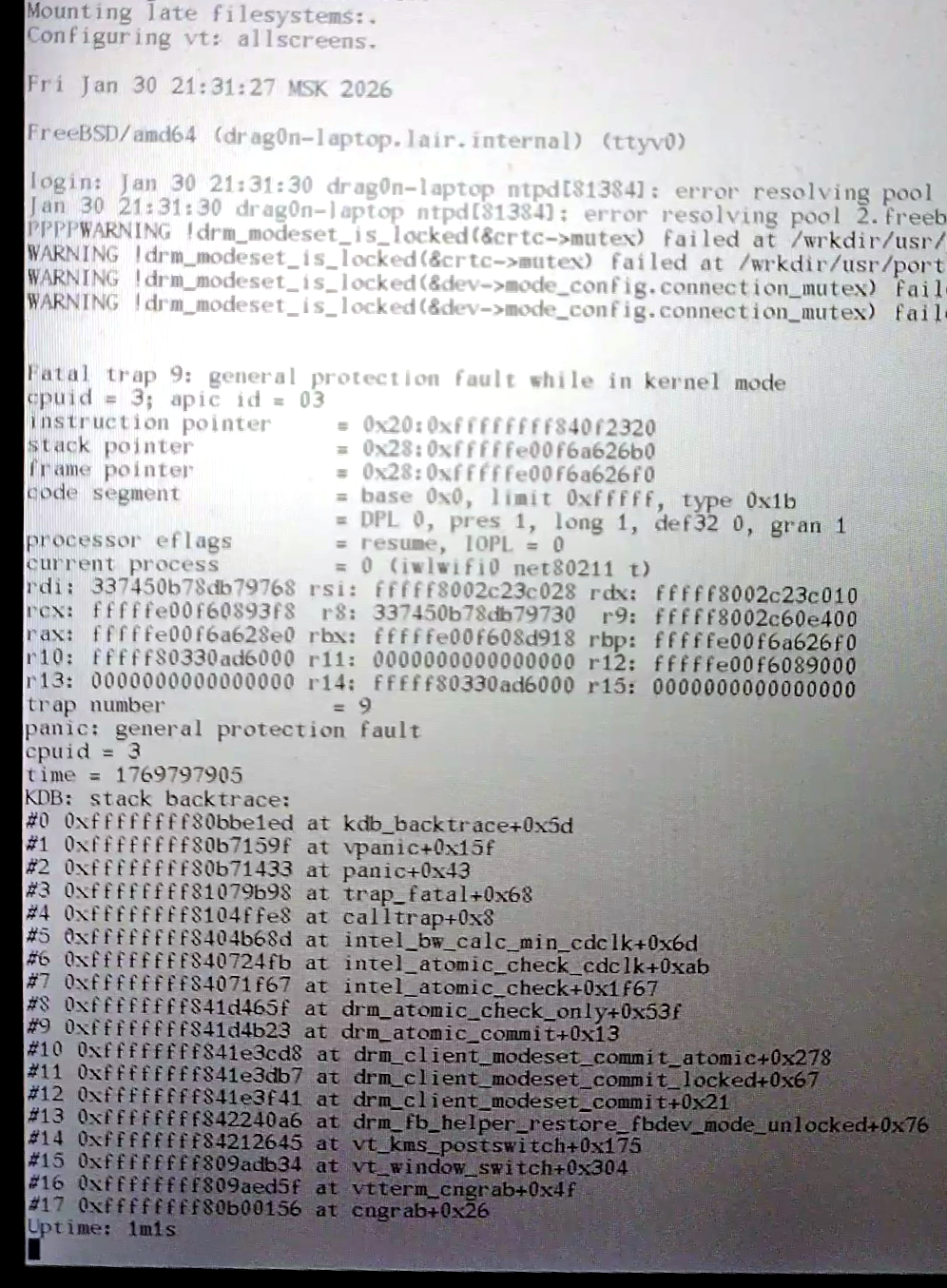
So, after I met problems with iwlwifi driver and my attempts to aggregate both em0 and wlan0 interfaces to the one lagg0 interface (https://mastodon.bsd.cafe/@evgandr/115985853500057386) — looks like I found a much (MUCH!) simpler solution 
I wanted to automatically switch between wired and wireless networks when I plug-in (or disconnect) my Ethernet cable. First, because I was a newbie in the FreeBSD world, I tried to search for some kind of NetworkManager. Thankfully, I didn't find any NetworkManager clone ported to the FreeBSD. I found some tries to port NetworkManager from Linux to FreeBSD but all of them are failed (not surprised, lol).
Then, I finally started to read documentation  . In the section about advanced networking I read about aggregation interfaces. And somehow I managed to aggregate both of em0 and wlan0 to the one lagg0 interface and it works well.
But, looks like (see https://mstdn.social/@erikarn/115986265106931691) it is not the way how the lagg interfaces should work. It is not intended to use wireless interfaces in the aggregate interfaces — so my tricky setup stopped working in the FreeBSD 15.0.
BUT, since we have a beautiful devd daemon, which listens for various system events and able to execute actions when event is happened — I just wrote 23 lines of shell script to learn my laptop how to switch between interfaces when the Ethernet cable (dis)connects, lol. Solution is very simple:
First, we already have /etc/devd/dhclient.conf, which starts dhclient when some interface appeared in the system. I modified it, so it calls the sPeCiAL script, each time when em0, or wlan0, or ue0 interface appeared in the system, or when em0 is disappeared:
notify 0 {
match "system" "IFNET";
match "type" "LINK_UP";
media-type "ethernet";
action "/root/bin/unfuck_network.tcsh $subsystem ifup";
};
notify 0 {
match "system" "IFNET";
match "type" "LINK_DOWN";
media-type "ethernet";
action "/root/bin/unfuck_network.tcsh $subsystem ifdown";
};
notify 0 {
match "system" "IFNET";
match "type" "LINK_UP";
media-type "802.11";
action "/root/bin/unfuck_network.tcsh $subsystem";
};
notify 0 {
match "system" "ETHERNET";
match "type" "IFATTACH";
match "subsystem" "ue0";
action "/root/bin/unfuck_network.tcsh ue0";
};
Then, the main magic happens in the /root/bin/unfuck_network.tcsh:
— When Ethernet cable is connected — it destroys the wlan0 interface and starts dhclient for em0 to talk with DHCP server.
— When Ethernet cable is disconnected — it makes all to remove route using em0 from routing table (removes em0 interface completely, flush routing table, etc — somehow em0 still stays in the routing table if interface is not destroyed; btw system will create it anyway later, in some point) and recreates the wlan0 interface.
— When wlan0 device is created — it starts dhclient for it.
Script contents (for tcsh):
#!/bin/tcsh
switch ( $1 )
case "em0":
if ( $2 == "ifup" ) then
service netif quietstop wlan0
service dhclient quietstart em0
else if ( $2 == "ifdown" ) then
service dhclient quietstop em0
ifconfig em0 delete
route flush
service routing restart
service netif quietstart wlan0
endif
breaksw;
case "wlan0":
service dhclient quietstart wlan0
breaksw;
case "ue0":
service dhclient quietstart ue0
breaksw;
endsw
#FreeBSD #FreeBSD150RELEASE #wifi #tcsh #devd #iwm

 wakest ⁂ FOSDEM




 @gogo80000v






 @
@
 daniel:// stenberg://



 leyrer

 @
@ @
@

 ×8
×8 
 そらいろさん










 akiRAM







 Wouter Tebbens ⁂
 @
@ @
@










 Stefano Marinelli