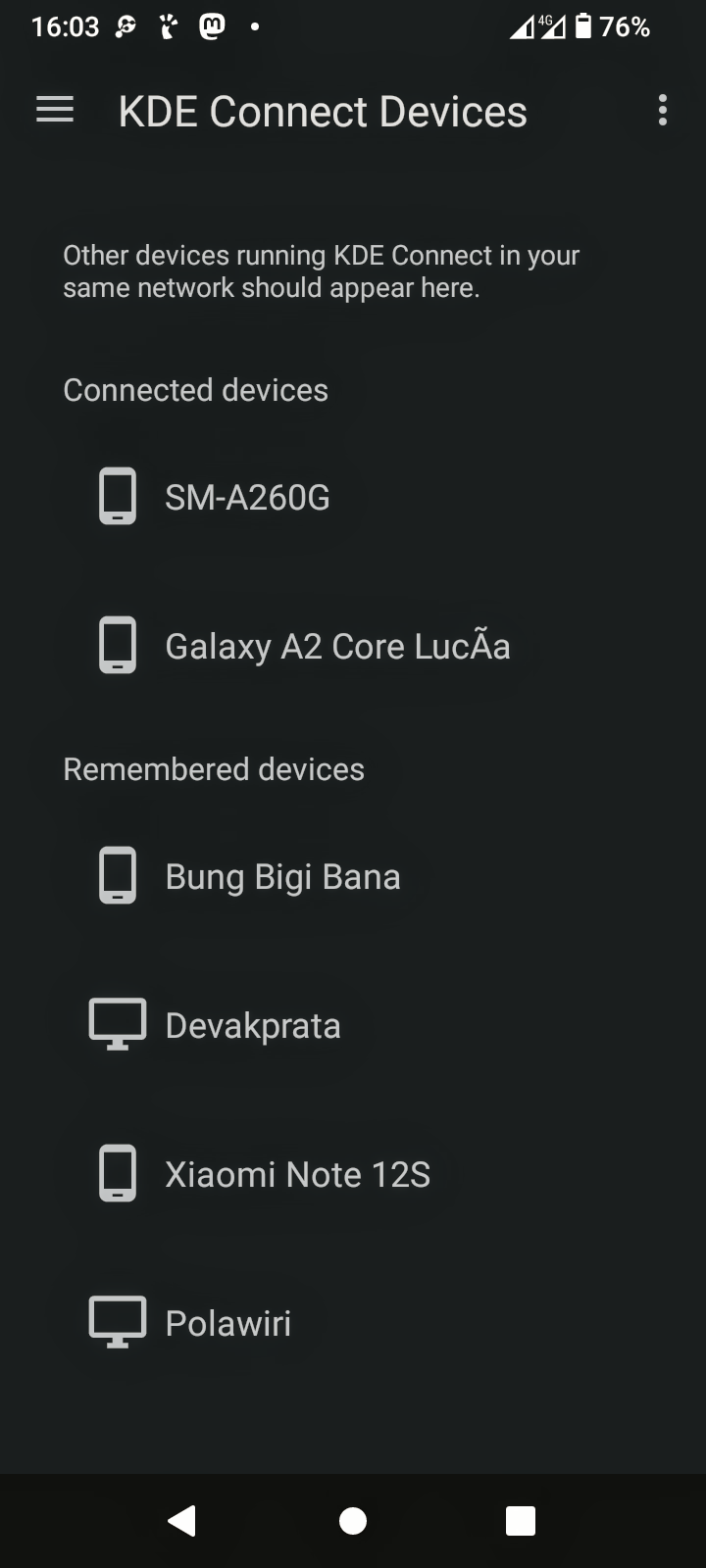
When was the last time you have played with KDE Connect?

You've never heard of that? Let me enlighten you. KDE Connect is a suite of very handy Network tools, to get the maximum out of the transfer and the control of data & programs between your KDE computer and your Androids.

It is in fact so versatile that even if your KDE computers are not connected, you can still do a lot of things between your Androids which are running the network software suite.

There are so many things you can do you should just download it yourself and put it on your Androids

A few highlights are transferring files between your devices in a transparent manner where no company like Google can snoop anything

Controlling media players from 1 device through all the others.

Getting notifications between different devices and even getting output, graphical output from different devices on others.

Controlling your Android with a mouse from a KDE Connect computer

The list goes on

Note:
If you're running a Linux distro with a running firewall, you have to make sure that your firewall has all the ports open for KDE connect. There are examples of the ports needed, in the docs.
I also have them {for {g}ufw}

 The photograph shows a smartphone screen displaying a notification panel. The time is 15:47, and the date is Sunday, 8 June. The battery level is at 97%, with a current discharge rate of -160 mA and an average rate of -286 mA, indicating a total discharge of -44 mAh. The screen shows notifications from KDE Connect, indicating file transfers from devices such as a Xiaomi Redmi A2 and a Galaxy A2 Core Lucia. The SD card is mentioned for transferring photos and media. The device is connected to "Bung Bigi Bana" via KDE Connect. The bottom of the screen shows the network provider "SR.TELESUR.GSM" and the Telegram app icon. The background of the phone is dark, and the screen is illuminated, making the text and icons clearly visible.

 Ovis2-8B

๐ŸŒฑ Energy used: 0.212 WhThe screencap displays a mobile device screen showing the "KDE Connect Devices" interface. The background is black, and the text is white, providing a high contrast for readability. At the top, the time is shown as 16:03, with a battery level of 76%, and a 4G signal indicator. The main section of the screen lists devices connected to the network, with a heading "Connected devices" followed by two entries: "SM-A260G" and "Galaxy A2 Core Lucรฃa," each accompanied by a smartphone icon. Below this, there is a section titled "Remembered devices," listing four devices: "Bung Bigi Bana," "Devakprata," "Xiaomi Note 12S," and "Polawiri," each with a corresponding icon. The interface is designed for easy navigation, with a menu icon on the left and a three-dot menu on the right.

 Ovis2-8B

๐ŸŒฑ Energy used: 0.236 Wh
0

If you have a fediverse account, you can quote this note from your own instance. Search https://mastodon.bsd.cafe/users/Dendrobatus_Azureus/statuses/114649285496128500 on your instance and quote it. (Note that quoting is not supported in Mastodon.)