Free Software that I rely on. One per day.

Day 12:

Gwenview

For this list, I've been trying to focus not so much on the most exciting applications as the ones I use so often I forget they exist -- and Gwenview definitely fits in that category. I literally use it every day.

It's an image/multimedia browsing utility. Ostensibly for KDE, although I routinely use it in XFCE.

In any case, it's very low-maintenance and the fastest way for me to check out a tree of images -- whether they're PR collections or a series of frames in a PNG stream. Helps a lot when I'm looking for an image and can't quite remember what I called the file.

I've tried some other image browsing apps, but this is the one I keep coming back to.

apps.kde.org/gwenview/

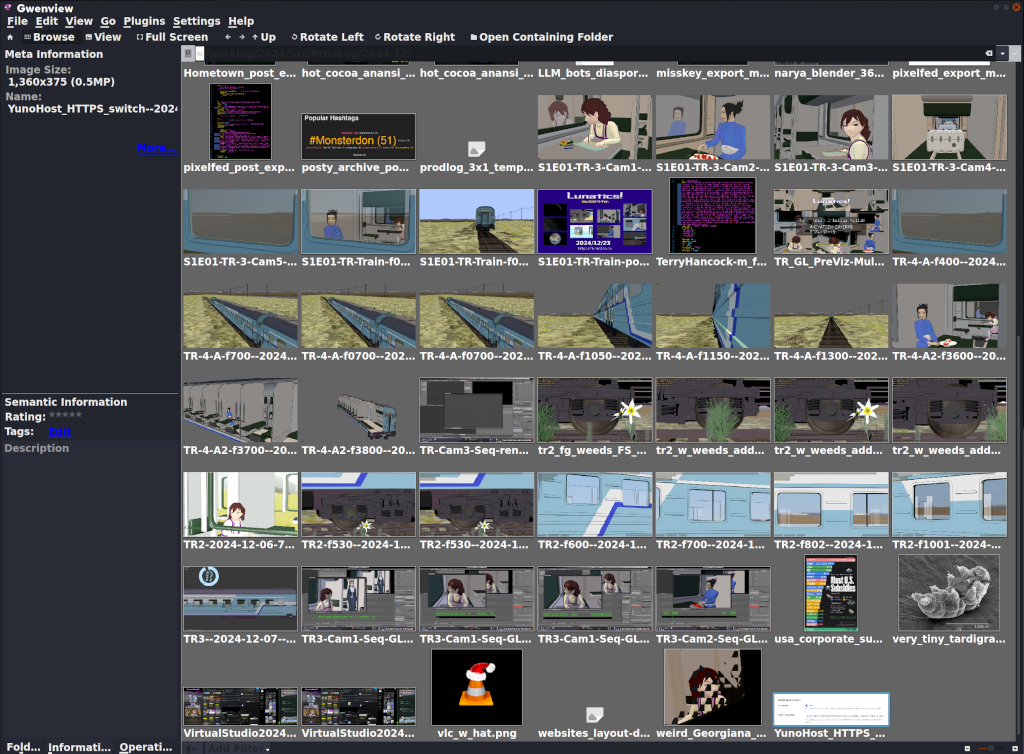
Screen capture of Gwenview, with a folder full of images opened up (mostly test renders from Lunatics, and a few screen captures).

The images are displayed in a grid. There's a sidebar with details for the currently selected image.

Free Software that I rely on. One per day.

Day 13:

VideoLAN Client, a.k.a. VLC

Some distro maintainers apparently hate it. It is very customizable, which results in multiple and frequent UI changes.

But damn is it useful! I MUST have it.

I have found very view video formats that VLC won't play, at least if you install all the codecs (some of which are non-free, which is why you have to install them later -- but that's not VLC's fault).

It is my usual music player, and video player. I use it to check my newly-edited videos.

Somewhere in there is a way to edit metadata in files -- I know I've used it, though not in a long time.

And if I go to "Media -> Convert/Save", it can convert video formats, which can be a life-saver.

If my computer should shut down suddenly, my screenlogging script will produce a corrupted video. VLC can read it and convert into a corrected format that other programs can read. Handy!

videolan.org/

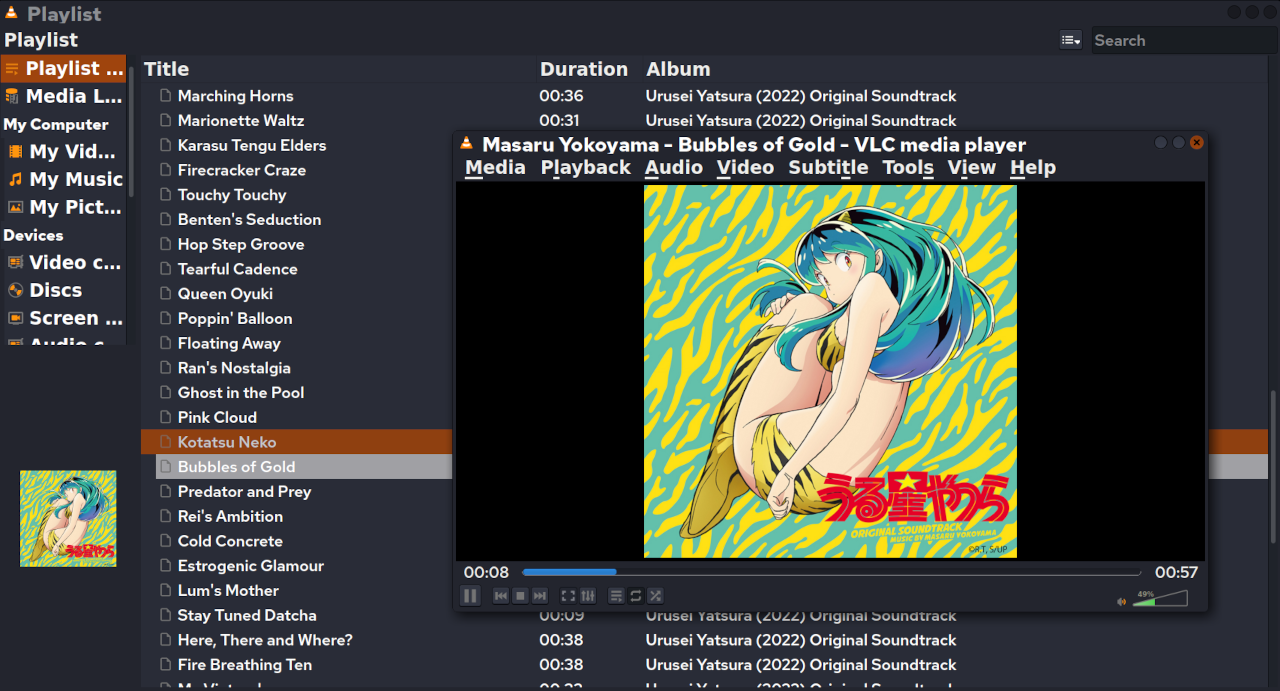
VLC, playing an album directory (with the Urusei Yatsura 2022 soundtrack open).

I think some versions of the UI have "File" instead of "Media". But this version has "Media", "Playback", "Audio", "Video", "Subtitle", "Tools", "View", "Help".
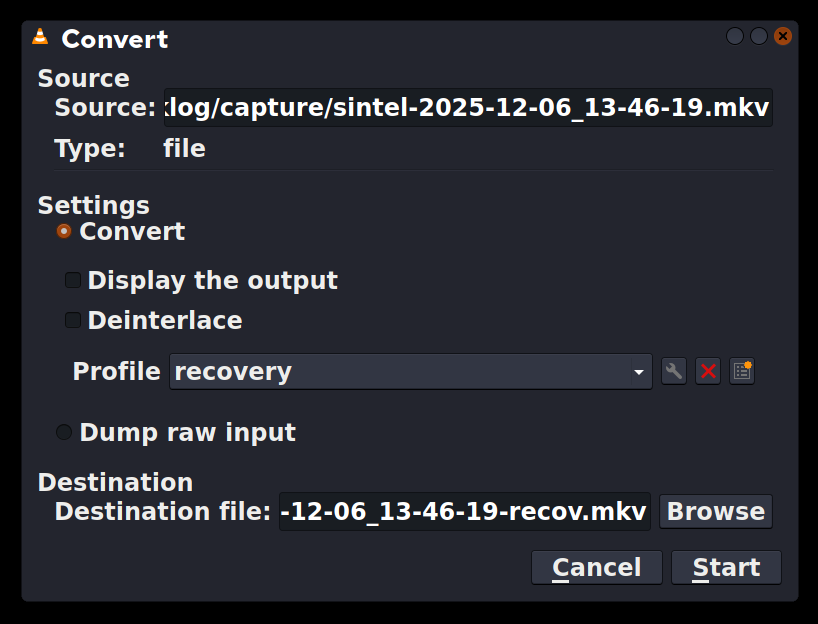
Convert/Save dialog from VLC.

At top is the source file. Then there are settings. I have defined a "recovery" profile, because the most common use is to fix video files corrupted by a crash or accidental shutdown without turning off the screen logger.

At bottom is the destination file. Conveniently, it defaults to the same name as the source, and I just add "-recov" to that.
0

If you have a fediverse account, you can quote this note from your own instance. Search https://realsocial.life/users/TerryHancock/statuses/115708691731888992 on your instance and quote it. (Note that quoting is not supported in Mastodon.)