What is Hackers' Pub?

Hackers' Pub is a place for software engineers to share their knowledge and experience with each other. It's also an ActivityPub-enabled social network, so you can follow your favorite hackers in the fediverse and get their latest posts in your feed.

편의점 앱으로 튀김 픽업주문했는데 편의점 근무자님 튀김기 켜는방법 몰라서 점장 부르고 있고 나는 그냥 메타몽이랑 데이트하고 있음

1
0
0
0

Without Precedent by Lisa Graves, 2025

In the last twenty years the US Supreme Court has radically curtailed voting rights, undermined anti-corruption measures, encouraged extreme political gerrymandering, restricted the regulation of guns, and obliterated the constitutional right to control one’s reproductive choices. This transformation was orchestrated by a billionaire-backed reactionary political movement, whose interests Chief Justice John Roberts has been all too willing to serve.

Without Precedent explodes the falsehood that Roberts is a fair-minded institutionalist who works to blunt the worst impulses of other Republican appointees to the court when, in fact, he has led the rightward transformation of the court’s jurisprudence while presiding over the most corrupt and corrupted Supreme Court in history.

“A devastating, passionate takedown of Chief Justice John Roberts's Supreme Court by a Washington insider.” —Jane Mayer, author of Dark Money 

#America 
#constitution 
#SupremeCourt
0
0

Developed by Australian non-profit Mobile Crisis Construction, the units are quick to deploy, and in just one week can produce enough bricks to build one school or medical centre, 3 large houses, or 10 small joined houses..
Founded in 2019 by two engineers, Nic and Blake, who came up with the idea in the pub, MCC is now run by volunteers with backgrounds in engineering, logistics and humanitarian response…

0
0
0
0
0
0
0
0
0
0
1
0

LLM을 위한 cat, lat을 만들어볼까 생각이 들었다. 어떤 파일을 열던지 간에, 토큰 아끼고 LLM이 쉽게 읽도록 적당히 알아서 바꿔서 보여주는 것이다. 그리고 CLAUDE.md 같은거에 cat 대신에 쓰라고 하는거지.

처음엔 JSON 파일을 minify해서 토큰 아끼는 정도를 생각했는데, 막상 클로드한테 물어보니 자기도 들여쓰기가 있어야 읽기 편하다고 한다. 응? 그래서 쓸모있는 접근을 물어봤더니, 코드를 읽을때 앞에 함수 시그니쳐/클래스 정의 등의 요약을 달아주면 좋겠다고 한다.

쓸모있게 만드려면 좀더 고민해야할듯..

2
0
0
0

I started using MeTube which is a web-based front-end for yt-dlp. It runs on my NAS and I can easily use a browser to feed it URLs that then get dumped directly to a share on my network.

github.com/alexta69/metube

0
0

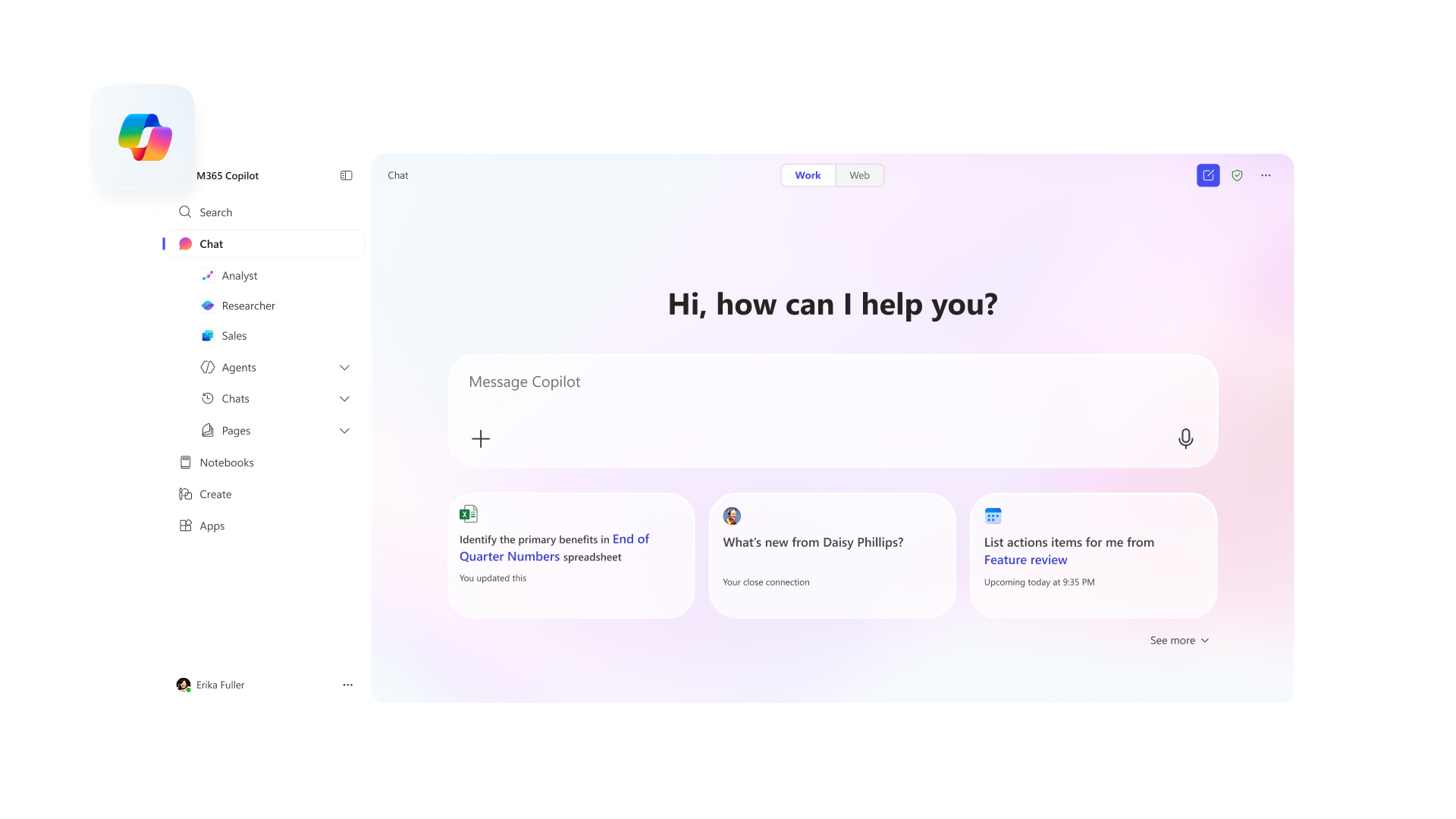
in what one can only presume is a bid to outdo the genius brand management of 𝕏, The Everything App (formerly Twitter), microsoft has renamed office to "The Microsoft 365 Copilot App (Formerly Office)". to take this brilliant idea further, they should also rename the office apps.

  • word: Copilot Text
  • excel: Copilot 365 Numbers
  • powerpoint: Copilot AI+
  • outlook: Windows Hotmail for Business (Enhanced by Copilot)
  • teams: Copilot Subsystem for Skype
0

LLM에서 마크다운이 널리 쓰이게 되면서 안 보고 싶어도 볼 수 밖에 없게 된 흔한 꼬라지로 그림에서 보는 것처럼 마크다운 강조 표시(**)가 그대로 노출되어 버리는 광경이 있다. 이 문제는 CommonMark의 고질적인 문제로, 한 10년 전쯤에 보고한 적도 있는데 지금까지 어떤 해결책도 제시되지 않은 채로 방치되어 있다.

문제의 상세는 이러하다. CommonMark는 마크다운을 표준화하는 과정에서 파싱의 복잡도를 제한하기 위해 연속된 구분자(delimiter run)라는 개념을 넣었는데, 연속된 구분자는 어느 방향에 있느냐에 따라서 왼편(left-flanking)과 오른편(right-flanking)이라는 속성을 가질 수 있다(왼편이자 오른편일 수도 있고, 둘 다 아닐 수도 있다). 이 규칙에 따르면 **는 왼편의 연속된 구분자로부터 시작해서 오른편의 연속된 구분자로 끝나야만 한다. 여기서 중요한 건 왼편인지 오른편인지를 판단하는 데 외부 맥락이 전혀 안 들어가고 주변의 몇 글자만 보고 바로 결정된다는 것인데, 이를테면 왼편의 연속된 구분자는 **<보통 글자> 꼴이거나 <공백>**<기호> 또는 <기호>**<기호> 꼴이어야 한다. ("보통 글자"란 공백이나 기호가 아닌 글자를 가리킨다.) 첫번째 꼴은 아무래도 **마크다운**은 같이 낱말 안에 끼어 들어가 있는 연속된 구분자를 허용하기 위한 것이고, 두번째/세번째 꼴은 이 **"마크다운"** 형식은 같이 기호 앞에 붙어 있는 연속된 구분자를 제한적으로 허용하기 위한 것이라 해석할 수 있겠다. 오른편도 방향만 다르고 똑같은 규칙을 가지는데, 이 규칙으로 **마크다운(Markdown)**은을 해석해 보면 뒷쪽 **의 앞에는 기호가 들어 있으므로 뒤에는 공백이나 기호가 나와야 하지만 보통 글자가 나왔으므로 오른편이 아니라고 해석되어 강조의 끝으로 처리되지 않는 것이다.

CommonMark 명세에서도 설명되어 있지만, 이 규칙의 원 의도는 **이런 **식으로** 중첩되어** 강조된 문법을 허용하기 위한 것이다. 강조를 한답시고 **이런 ** 식으로 공백을 강조 문법 안쪽에 끼워 넣는 일이 일반적으로는 없으므로, 이런 상황에서 공백에 인접한 강조 문법은 항상 특정 방향에만 올 수 있다고 선언하는 것으로 모호함을 해소하는 것이다. 허나 CJK 환경에서는 공백이 아예 없거나 공백이 있어도 한국어처럼 낱말 안에서 기호를 쓰는 경우가 드물지 않기 때문에, 이런 식으로 어느 연속된 구분자가 왼편인지 오른편인지 추론하는 데 한계가 있다는 것이다. 단순히 <보통 문자>**<기호>도 왼편으로 해석하는 식으로 해서 **마크다운(Markdown)**은 같은 걸 허용한다 하더라도, このような**[状況](...)**は 이런 상황은 어쩔 것인가? 내가 느끼기에는 중첩되어 강조된 문법의 효용은 제한적인 반면 이로 인해 생기는 CJK 환경에서의 불편함은 명확하다. 그리고 LLM은 CommonMark의 설계 의도 따위는 고려하지 않고 실제 사람들이 사용할 법한 식으로 마크다운을 쓰기 때문에, 사람들이 막연하게 가지고만 있던 이런 불편함이 그대로 표면화되어 버린 것이고 말이다.

* 21. Ba5# - 백이 룩과 퀸을 희생한 후, 퀸 대신 **비숍(Ba5)**이 결정적인 체크메이트를 성공시킵니다. 흑 킹이 탈출할 곳이 없으며, 백의 기물로 막을 수도 없습니다. [강조 처리된 "비숍(Ba5)" 앞뒤에 마크다운의 강조 표시 "**"가 그대로 노출되어 있다.]
14
1
0

Wrote a tutorial on building CLI apps with Optique, a TypeScript CLI parser I've been working on. If you've ever wanted discriminated unions from your argument parser, this might interest you.

Building CLI apps with TypeScr...

Building CLI apps with TypeScript in 2026

We've all been there. You start a quick TypeScript CLI with process.argv.slice(2), add a couple of options, and before you know it you're drowning in if/else blocks and parseInt calls. It works, until it doesn't. In this guide, we'll move from manual argument parsing to a fully type-safe CLI with subcommands, mutually exclusive options, and shell completion. The naïve approach: parsing process.argv Let's start with the most basic approach. Say we want a greeting program that takes a name and optionally repeats the greeting: // greet.tsconst args = process.argv.slice(2);let name: string | undefined;let count = 1;for (let i = 0; i < args.length; i++) { if (args[i] === "--name" || args[i] === "-n") { name = args[++i]; } else if (args[i] === "--count" || args[i] === "-c") { count = parseInt(args[++i], 10); }}if (!name) { console.error("Error: --name is required"); process.exit(1);}for (let i = 0; i < count; i++) { console.log(`Hello, ${name}!`);} Run node greet.js --name Alice --count 3 and you'll get three greetings. But this approach is fragile. count could be NaN if someone passes --count foo, and we'd silently proceed. There's no help text. If someone passes --name without a value, we'd read the next option as the name. And the boilerplate grows fast with each new option. The traditional libraries You've probably heard of Commander.js and Yargs. They've been around for years and solve the basic problems: // With Commander.jsimport { program } from "commander";program .requiredOption("-n, --name <n>", "Name to greet") .option("-c, --count <number>", "Number of times to greet", "1") .parse();const opts = program.opts(); These libraries handle help text, option parsing, and basic validation. But they were designed before TypeScript became mainstream, and the type safety is bolted on rather than built in. The real problem shows up when you need mutually exclusive options. Say your CLI works either in "server mode" (with --port and --host) or "client mode" (with --url). With these libraries, you end up with a config object where all options are potentially present, and you're left writing runtime checks to ensure the user didn't mix incompatible flags. TypeScript can't help you because the types don't reflect the actual constraints. Enter Optique Optique takes a different approach. Instead of configuring options declaratively, you build parsers by composing smaller parsers together. The types flow naturally from this composition, so TypeScript always knows exactly what shape your parsed result will have. Optique works across JavaScript runtimes: Node.js, Deno, and Bun are all supported. The core parsing logic has no runtime-specific dependencies, so you can even use it in browsers if you need to parse CLI-like arguments in a web context. Let's rebuild our greeting program: import { object } from "@optique/core/constructs";import { option } from "@optique/core/primitives";import { integer, string } from "@optique/core/valueparser";import { withDefault } from "@optique/core/modifiers";import { run } from "@optique/run";const parser = object({ name: option("-n", "--name", string()), count: withDefault(option("-c", "--count", integer({ min: 1 })), 1),});const config = run(parser);// config is typed as { name: string; count: number }for (let i = 0; i < config.count; i++) { console.log(`Hello, ${config.name}!`);} Types are inferred automatically. config.name is string, not string | undefined. config.count is number, guaranteed to be at least 1. Validation is built in: integer({ min: 1 }) rejects non-integers and values below 1 with clear error messages. Help text is generated automatically, and the run() function handles errors and exits with appropriate codes. Install it with your package manager of choice: npm add @optique/core @optique/run# or: pnpm add, yarn add, bun add, deno add jsr:@optique/core jsr:@optique/run Building up: a file converter Let's build something more realistic: a file converter that reads from an input file, converts to a specified format, and writes to an output file. import { object } from "@optique/core/constructs";import { optional, withDefault } from "@optique/core/modifiers";import { argument, option } from "@optique/core/primitives";import { choice, string } from "@optique/core/valueparser";import { run } from "@optique/run";const parser = object({ input: argument(string({ metavar: "INPUT" })), output: option("-o", "--output", string({ metavar: "FILE" })), format: withDefault( option("-f", "--format", choice(["json", "yaml", "toml"])), "json" ), pretty: option("-p", "--pretty"), verbose: option("-v", "--verbose"),});const config = run(parser, { help: "both", version: { mode: "both", value: "1.0.0" },});// config.input: string// config.output: string// config.format: "json" | "yaml" | "toml"// config.pretty: boolean// config.verbose: boolean The type of config.format isn't just string. It's the union "json" | "yaml" | "toml". TypeScript will catch typos like config.format === "josn" at compile time. The choice() parser is useful for any option with a fixed set of valid values: log levels, output formats, environment names, and so on. You get both runtime validation (invalid values are rejected with helpful error messages) and compile-time checking (TypeScript knows the exact set of possible values). Mutually exclusive options Now let's tackle the case that trips up most CLI libraries: mutually exclusive options. Say our tool can either run as a server or connect as a client, but not both: import { object, or } from "@optique/core/constructs";import { withDefault } from "@optique/core/modifiers";import { argument, constant, option } from "@optique/core/primitives";import { integer, string, url } from "@optique/core/valueparser";import { run } from "@optique/run";const parser = or( // Server mode object({ mode: constant("server"), port: option("-p", "--port", integer({ min: 1, max: 65535 })), host: withDefault(option("-h", "--host", string()), "0.0.0.0"), }), // Client mode object({ mode: constant("client"), url: argument(url()), }),);const config = run(parser); The or() combinator tries each alternative in order. The first one that successfully parses wins. The constant() parser adds a literal value to the result without consuming any input, which serves as a discriminator. TypeScript infers a discriminated union: type Config = | { mode: "server"; port: number; host: string } | { mode: "client"; url: URL }; Now you can write type-safe code that handles each mode: if (config.mode === "server") { console.log(`Starting server on ${config.host}:${config.port}`);} else { console.log(`Connecting to ${config.url.hostname}`);} Try accessing config.url in the server branch. TypeScript won't let you. The compiler knows that when mode is "server", only port and host exist. This is the key difference from configuration-based libraries. With Commander or Yargs, you'd get a type like { port?: number; host?: string; url?: string } and have to check at runtime which combination of fields is actually present. With Optique, the types match the actual constraints of your CLI. Subcommands For larger tools, you'll want subcommands. Optique handles this with the command() parser: import { object, or } from "@optique/core/constructs";import { optional } from "@optique/core/modifiers";import { argument, command, constant, option } from "@optique/core/primitives";import { string } from "@optique/core/valueparser";import { run } from "@optique/run";const parser = or( command("add", object({ action: constant("add"), key: argument(string({ metavar: "KEY" })), value: argument(string({ metavar: "VALUE" })), })), command("remove", object({ action: constant("remove"), key: argument(string({ metavar: "KEY" })), })), command("list", object({ action: constant("list"), pattern: optional(option("-p", "--pattern", string())), })),);const result = run(parser, { help: "both" });switch (result.action) { case "add": console.log(`Adding ${result.key}=${result.value}`); break; case "remove": console.log(`Removing ${result.key}`); break; case "list": console.log(`Listing${result.pattern ? ` (filter: ${result.pattern})` : ""}`); break;} Each subcommand gets its own help text. Run myapp add --help and you'll see only the options relevant to add. Run myapp --help and you'll see a summary of all available commands. The pattern here is the same as mutually exclusive options: or() to combine alternatives, constant() to add a discriminator. This consistency is one of Optique's strengths. Once you understand the basic combinators, you can build arbitrarily complex CLI structures by composing them. Shell completion Optique has built-in shell completion for Bash, zsh, fish, PowerShell, and Nushell. Enable it by passing completion: "both" to run(): const config = run(parser, { help: "both", version: { mode: "both", value: "1.0.0" }, completion: "both",}); Users can then generate completion scripts: $ myapp --completion bash >> ~/.bashrc$ myapp --completion zsh >> ~/.zshrc$ myapp --completion fish > ~/.config/fish/completions/myapp.fish The completions are context-aware. They know about your subcommands, option values, and choice() alternatives. Type myapp --format <TAB> and you'll see json, yaml, toml as suggestions. Type myapp a<TAB> and it'll complete to myapp add. Completion support is often an afterthought in CLI tools, but it makes a real difference in user experience. With Optique, you get it essentially for free. Integrating with validation libraries Already using Zod for validation in your project? The @optique/zod package lets you reuse those schemas as CLI value parsers: import { z } from "zod";import { zod } from "@optique/zod";import { option } from "@optique/core/primitives";const email = option("--email", zod(z.string().email()));const port = option("--port", zod(z.coerce.number().int().min(1).max(65535))); Your existing validation logic just works. The Zod error messages are passed through to the user, so you get the same helpful feedback you're used to. Prefer Valibot? The @optique/valibot package works the same way: import * as v from "valibot";import { valibot } from "@optique/valibot";import { option } from "@optique/core/primitives";const email = option("--email", valibot(v.pipe(v.string(), v.email()))); Valibot's bundle size is significantly smaller than Zod's (~10KB vs ~52KB), which can matter for CLI tools where startup time is noticeable. Tips A few things I've learned building CLIs with Optique: Start simple. Begin with object() and basic options. Add or() for mutually exclusive groups only when you need them. It's easy to over-engineer CLI parsers. Use descriptive metavars. Instead of string(), write string({ metavar: "FILE" }) or string({ metavar: "URL" }). The metavar appears in help text and error messages, so it's worth the extra few characters. Leverage withDefault(). It's better than making options optional and checking for undefined everywhere. Your code becomes cleaner when you can assume values are always present. Test your parser. Optique's core parsing functions work without process.argv, so you can unit test your parser logic: import { parse } from "@optique/core/parser";const result = parse(parser, ["--name", "Alice", "--count", "3"]);if (result.success) { assert.equal(result.value.name, "Alice"); assert.equal(result.value.count, 3);} This is especially valuable for complex parsers with many edge cases. Going further We've covered the fundamentals, but Optique has more to offer: Async value parsers for validating against external sources, like checking if a Git branch exists or if a URL is reachable Path validation with path() for checking file existence, directory structure, and file extensions Custom value parsers for domain-specific types (though Zod/Valibot integration is usually easier) Reusable option groups with merge() for sharing common options across subcommands The @optique/temporal package for parsing dates and times using the Temporal API Check out the documentation for the full picture. The tutorial walks through the concepts in more depth, and the cookbook has patterns for common scenarios. That's it Building CLIs in TypeScript doesn't have to mean fighting with types or writing endless runtime validation. Optique lets you express constraints in a way that TypeScript actually understands, so the compiler catches mistakes before they reach production. The source is on GitHub, and packages are available on both npm and JSR. Questions or feedback? Find me on the fediverse or open an issue on the GitHub repo.

hackers.pub · Hackers' Pub

Link author: 洪 民憙 (Hong Minhee)@hongminhee@hackers.pub

0
0

LLM을 위한 cat, lat을 만들어볼까 생각이 들었다. 어떤 파일을 열던지 간에, 토큰 아끼고 LLM이 쉽게 읽도록 적당히 알아서 바꿔서 보여주는 것이다. 그리고 CLAUDE.md 같은거에 cat 대신에 쓰라고 하는거지.

처음엔 JSON 파일을 minify해서 토큰 아끼는 정도를 생각했는데, 막상 클로드한테 물어보니 자기도 들여쓰기가 있어야 읽기 편하다고 한다. 응? 그래서 쓸모있는 접근을 물어봤더니, 코드를 읽을때 앞에 함수 시그니쳐/클래스 정의 등의 요약을 달아주면 좋겠다고 한다.

쓸모있게 만드려면 좀더 고민해야할듯..

2
1

洪 民憙 (Hong Minhee) :nonbinary: shared the below article:

Building CLI apps with TypeScript in 2026

洪 民憙 (Hong Minhee) @hongminhee@hackers.pub

We've all been there. You start a quick TypeScript CLI with process.argv.slice(2), add a couple of options, and before you know it you're drowning in if/else blocks and parseInt calls. It works, until it doesn't.

In this guide, we'll move from manual argument parsing to a fully type-safe CLI with subcommands, mutually exclusive options, and shell completion.

The naïve approach: parsing process.argv

Let's start with the most basic approach. Say we want a greeting program that takes a name and optionally repeats the greeting:

// greet.ts
const args = process.argv.slice(2);

let name: string | undefined;
let count = 1;

for (let i = 0; i < args.length; i++) {
  if (args[i] === "--name" || args[i] === "-n") {
    name = args[++i];
  } else if (args[i] === "--count" || args[i] === "-c") {
    count = parseInt(args[++i], 10);
  }
}

if (!name) {
  console.error("Error: --name is required");
  process.exit(1);
}

for (let i = 0; i < count; i++) {
  console.log(`Hello, ${name}!`);
}

Run node greet.js --name Alice --count 3 and you'll get three greetings.

But this approach is fragile. count could be NaN if someone passes --count foo, and we'd silently proceed. There's no help text. If someone passes --name without a value, we'd read the next option as the name. And the boilerplate grows fast with each new option.

The traditional libraries

You've probably heard of Commander.js and Yargs. They've been around for years and solve the basic problems:

// With Commander.js
import { program } from "commander";

program
  .requiredOption("-n, --name <n>", "Name to greet")
  .option("-c, --count <number>", "Number of times to greet", "1")
  .parse();

const opts = program.opts();

These libraries handle help text, option parsing, and basic validation. But they were designed before TypeScript became mainstream, and the type safety is bolted on rather than built in.

The real problem shows up when you need mutually exclusive options. Say your CLI works either in "server mode" (with --port and --host) or "client mode" (with --url). With these libraries, you end up with a config object where all options are potentially present, and you're left writing runtime checks to ensure the user didn't mix incompatible flags. TypeScript can't help you because the types don't reflect the actual constraints.

Enter Optique

Optique takes a different approach. Instead of configuring options declaratively, you build parsers by composing smaller parsers together. The types flow naturally from this composition, so TypeScript always knows exactly what shape your parsed result will have.

Optique works across JavaScript runtimes: Node.js, Deno, and Bun are all supported. The core parsing logic has no runtime-specific dependencies, so you can even use it in browsers if you need to parse CLI-like arguments in a web context.

Let's rebuild our greeting program:

import { object } from "@optique/core/constructs";
import { option } from "@optique/core/primitives";
import { integer, string } from "@optique/core/valueparser";
import { withDefault } from "@optique/core/modifiers";
import { run } from "@optique/run";

const parser = object({
  name: option("-n", "--name", string()),
  count: withDefault(option("-c", "--count", integer({ min: 1 })), 1),
});

const config = run(parser);
// config is typed as { name: string; count: number }

for (let i = 0; i < config.count; i++) {
  console.log(`Hello, ${config.name}!`);
}

Types are inferred automatically. config.name is string, not string | undefined. config.count is number, guaranteed to be at least 1. Validation is built in: integer({ min: 1 }) rejects non-integers and values below 1 with clear error messages. Help text is generated automatically, and the run() function handles errors and exits with appropriate codes.

Install it with your package manager of choice:

npm add @optique/core @optique/run
# or: pnpm add, yarn add, bun add, deno add jsr:@optique/core jsr:@optique/run

Building up: a file converter

Let's build something more realistic: a file converter that reads from an input file, converts to a specified format, and writes to an output file.

import { object } from "@optique/core/constructs";
import { optional, withDefault } from "@optique/core/modifiers";
import { argument, option } from "@optique/core/primitives";
import { choice, string } from "@optique/core/valueparser";
import { run } from "@optique/run";

const parser = object({
  input: argument(string({ metavar: "INPUT" })),
  output: option("-o", "--output", string({ metavar: "FILE" })),
  format: withDefault(
    option("-f", "--format", choice(["json", "yaml", "toml"])),
    "json"
  ),
  pretty: option("-p", "--pretty"),
  verbose: option("-v", "--verbose"),
});

const config = run(parser, {
  help: "both",
  version: { mode: "both", value: "1.0.0" },
});

// config.input: string
// config.output: string
// config.format: "json" | "yaml" | "toml"
// config.pretty: boolean
// config.verbose: boolean

The type of config.format isn't just string. It's the union "json" | "yaml" | "toml". TypeScript will catch typos like config.format === "josn" at compile time.

The choice() parser is useful for any option with a fixed set of valid values: log levels, output formats, environment names, and so on. You get both runtime validation (invalid values are rejected with helpful error messages) and compile-time checking (TypeScript knows the exact set of possible values).

Mutually exclusive options

Now let's tackle the case that trips up most CLI libraries: mutually exclusive options. Say our tool can either run as a server or connect as a client, but not both:

import { object, or } from "@optique/core/constructs";
import { withDefault } from "@optique/core/modifiers";
import { argument, constant, option } from "@optique/core/primitives";
import { integer, string, url } from "@optique/core/valueparser";
import { run } from "@optique/run";

const parser = or(
  // Server mode
  object({
    mode: constant("server"),
    port: option("-p", "--port", integer({ min: 1, max: 65535 })),
    host: withDefault(option("-h", "--host", string()), "0.0.0.0"),
  }),
  // Client mode
  object({
    mode: constant("client"),
    url: argument(url()),
  }),
);

const config = run(parser);

The or() combinator tries each alternative in order. The first one that successfully parses wins. The constant() parser adds a literal value to the result without consuming any input, which serves as a discriminator.

TypeScript infers a discriminated union:

type Config =
  | { mode: "server"; port: number; host: string }
  | { mode: "client"; url: URL };

Now you can write type-safe code that handles each mode:

if (config.mode === "server") {
  console.log(`Starting server on ${config.host}:${config.port}`);
} else {
  console.log(`Connecting to ${config.url.hostname}`);
}

Try accessing config.url in the server branch. TypeScript won't let you. The compiler knows that when mode is "server", only port and host exist.

This is the key difference from configuration-based libraries. With Commander or Yargs, you'd get a type like { port?: number; host?: string; url?: string } and have to check at runtime which combination of fields is actually present. With Optique, the types match the actual constraints of your CLI.

Subcommands

For larger tools, you'll want subcommands. Optique handles this with the command() parser:

import { object, or } from "@optique/core/constructs";
import { optional } from "@optique/core/modifiers";
import { argument, command, constant, option } from "@optique/core/primitives";
import { string } from "@optique/core/valueparser";
import { run } from "@optique/run";

const parser = or(
  command("add", object({
    action: constant("add"),
    key: argument(string({ metavar: "KEY" })),
    value: argument(string({ metavar: "VALUE" })),
  })),
  command("remove", object({
    action: constant("remove"),
    key: argument(string({ metavar: "KEY" })),
  })),
  command("list", object({
    action: constant("list"),
    pattern: optional(option("-p", "--pattern", string())),
  })),
);

const result = run(parser, { help: "both" });

switch (result.action) {
  case "add":
    console.log(`Adding ${result.key}=${result.value}`);
    break;
  case "remove":
    console.log(`Removing ${result.key}`);
    break;
  case "list":
    console.log(`Listing${result.pattern ? ` (filter: ${result.pattern})` : ""}`);
    break;
}

Each subcommand gets its own help text. Run myapp add --help and you'll see only the options relevant to add. Run myapp --help and you'll see a summary of all available commands.

The pattern here is the same as mutually exclusive options: or() to combine alternatives, constant() to add a discriminator. This consistency is one of Optique's strengths. Once you understand the basic combinators, you can build arbitrarily complex CLI structures by composing them.

Shell completion

Optique has built-in shell completion for Bash, zsh, fish, PowerShell, and Nushell. Enable it by passing completion: "both" to run():

const config = run(parser, {
  help: "both",
  version: { mode: "both", value: "1.0.0" },
  completion: "both",
});

Users can then generate completion scripts:

$ myapp --completion bash >> ~/.bashrc
$ myapp --completion zsh >> ~/.zshrc
$ myapp --completion fish > ~/.config/fish/completions/myapp.fish

The completions are context-aware. They know about your subcommands, option values, and choice() alternatives. Type myapp --format <TAB> and you'll see json, yaml, toml as suggestions. Type myapp a<TAB> and it'll complete to myapp add.

Completion support is often an afterthought in CLI tools, but it makes a real difference in user experience. With Optique, you get it essentially for free.

Integrating with validation libraries

Already using Zod for validation in your project? The @optique/zod package lets you reuse those schemas as CLI value parsers:

import { z } from "zod";
import { zod } from "@optique/zod";
import { option } from "@optique/core/primitives";

const email = option("--email", zod(z.string().email()));
const port = option("--port", zod(z.coerce.number().int().min(1).max(65535)));

Your existing validation logic just works. The Zod error messages are passed through to the user, so you get the same helpful feedback you're used to.

Prefer Valibot? The @optique/valibot package works the same way:

import * as v from "valibot";
import { valibot } from "@optique/valibot";
import { option } from "@optique/core/primitives";

const email = option("--email", valibot(v.pipe(v.string(), v.email())));

Valibot's bundle size is significantly smaller than Zod's (~10KB vs ~52KB), which can matter for CLI tools where startup time is noticeable.

Tips

A few things I've learned building CLIs with Optique:

Start simple. Begin with object() and basic options. Add or() for mutually exclusive groups only when you need them. It's easy to over-engineer CLI parsers.

Use descriptive metavars. Instead of string(), write string({ metavar: "FILE" }) or string({ metavar: "URL" }). The metavar appears in help text and error messages, so it's worth the extra few characters.

Leverage withDefault(). It's better than making options optional and checking for undefined everywhere. Your code becomes cleaner when you can assume values are always present.

Test your parser. Optique's core parsing functions work without process.argv, so you can unit test your parser logic:

import { parse } from "@optique/core/parser";

const result = parse(parser, ["--name", "Alice", "--count", "3"]);
if (result.success) {
  assert.equal(result.value.name, "Alice");
  assert.equal(result.value.count, 3);
}

This is especially valuable for complex parsers with many edge cases.

Going further

We've covered the fundamentals, but Optique has more to offer:

  • Async value parsers for validating against external sources, like checking if a Git branch exists or if a URL is reachable
  • Path validation with path() for checking file existence, directory structure, and file extensions
  • Custom value parsers for domain-specific types (though Zod/Valibot integration is usually easier)
  • Reusable option groups with merge() for sharing common options across subcommands
  • The @optique/temporal package for parsing dates and times using the Temporal API

Check out the documentation for the full picture. The tutorial walks through the concepts in more depth, and the cookbook has patterns for common scenarios.

That's it

Building CLIs in TypeScript doesn't have to mean fighting with types or writing endless runtime validation. Optique lets you express constraints in a way that TypeScript actually understands, so the compiler catches mistakes before they reach production.

The source is on GitHub, and packages are available on both npm and JSR.


Questions or feedback? Find me on the fediverse or open an issue on the GitHub repo.

Read more →
1

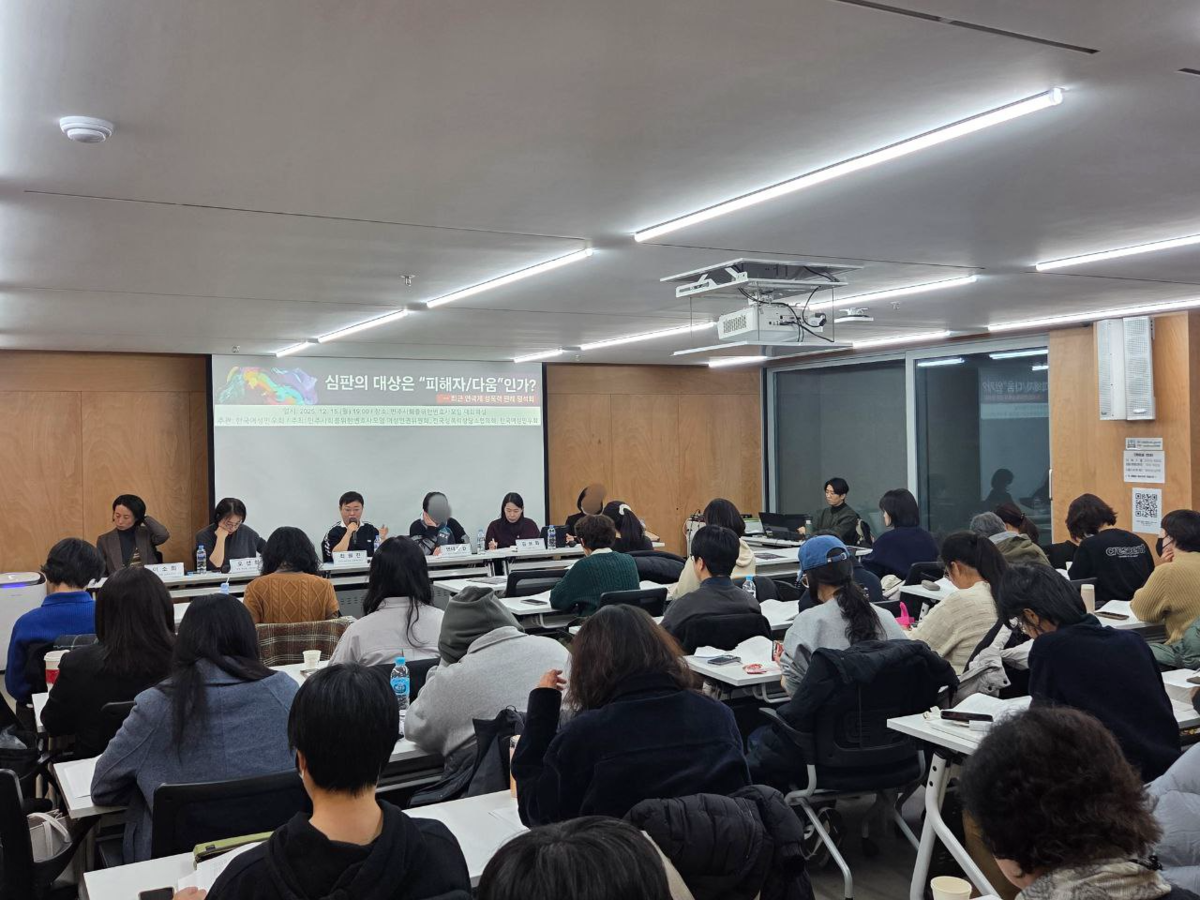
최근 연극계 내 성폭력 판례를 분석하고 페미니즘 관점에서 비판한〈심판의 대상은 "피해자/다움"인가?〉에 오시지 못해서 아쉬웠던 분들, 현장에서 나눴던 이야기를 생생히 담은 후기가 게재되었습니다!🤗 readmore.do/qJvw

[후기] 심판의 대상은 "피해자/다움"인가? ─최근 연...

[후기] 심판의 대상은 "피해자/다움"인가? ─최근 연극계 성폭력 판례 평석회 : 한국여성민우회

관리자 · 지난 11월 11일(화) 오후 2시 40분, 수원고등법원에서 연극계 원로배우 오OO 성폭력 사건 항소심 선고 재판(이하 “항소심 재판”)이 열렸습니다. 앞서 해당 재판 1심 판결은 문화예술계 내 권력 불균형에서 비롯된 구조적 성폭력임을 법적으로 인정한 의미가 컸던 만큼, 항소심 재판부가 원심 판결을 파기하고 가해자에게 무죄를 선고한 것에 대해 분노를 금치 못했습니다. 또, 항소심 재판부는 사건 이후 피해자는 물론, 피해자 지인에게까지 ‘피해자다움’을 요구하거나, 재판과정에서 피고인 측 변호인의 주장을 무비판적으로 수용하여 심문을 진행하는 등 문제적인 모습을 보여왔습니다. 오○○ 성폭력 사건 항소심 재판에는 어떤 문제가 있었을까?궁금하신 분은 여기를 클릭! 이에, 한국여성민우회는 12월 15일 민주사회를위한변호사모임 여성인권위원회, 전국성폭력상담소협의회와 함께 〈심판의 대상은 “피해자/다움”인가? ―최근 연극계 성폭력 판례 평석회〉(이하 “평석회”)를 개최하여, 최근 예술계 성폭력 사건의 사법적 절차를 진행하는 과정과 그 판결 내용을 자세히 들여다보고 비판적으로 검토하는 자리를 가졌습니다. 평석회는 서울 서초구에 위치한 민주사회를위한변호사모임 사무실 지하 1층 대회의실에서 진행되었는데요. 월요일 저녁임에도 불구하고 생각보다 많은 분이 참여해주셨습니다. 한국여성민우회 성폭력상담소 이소희 소장의 사회로 행사가 시작됐습니다. 첫 번째 순서는 법무법인 해명 오선희 변호사의 발제였습니다. 오 변호사는 "피해자의 진술은 개인의 인격체가 발현되는 방식 중 하나"이기 때문에 CCTV 등의 자료와 같이 동등하게 "객관적 자료"로 조명할 수 없다고 이야기합니다. 그러므로 수사/재판과정에서 피해자 진술이 사실과 일부 다르다는 이유로 진술 신빙성 자체를 의심하고 함부로 배척해서는 안 됩니다. 실제 다른 판례에서는 이러한 진술 특성이 짚어진 바 있다고 합니다. 피해자의 진술 내용에 대해 사법부는 어떻게 접근해야 하는지, 피해 당사자에게 사건은 어떤 의미인지, 피해 사실을 수사/재판과정에서 진술하는 과정에서는 어떤 맥락이 있을 수 있는지 등에 대해 조목조목 짚어주셨는데요. 재판부가 “피해자라면 피해를 겪고 이런 언행을 할 것”이라고 전제하는 것 자체가 잘못된 이유를 설명해주셨습니다. ‘합리적인’ 사람이라면 그러한 일을 겪었을 때 이렇게 행동할 것이라는 가정은 그가 겪은 일의 비합리성으로 인해 이미 비합리적 상황에 놓였다는 맥락이 소거되어 있다는 것인데요. 살아가면서 상대가 나에게 법의 테두리를 넘어 위해를 가할 것이다, 라고 생각하지 않기 때문입니다. 우리는 서로가 사회적으로 합의된 규칙, 법을 지킬 것이라는 가정 속에 살아가며, 그 가정이 깨졌을 때 ‘어떻게 느껴야지’, ‘어떻게 행동해야지’ 계획하고 정하며 살지 않습니다. “애초에 비합리적인 선택을 한 것은 가해자”인데, 피해자에게 가해자의 비합리적인 선택에 대비했어야 한다는 전제 자체가 잘못되었다는 것입니다.또, 수사/재판과정에서 수사관이나 재판관은 전문가로서 사건에 대해 질문할 때 질문의 의도와 질문을 통해 얻고자 하는 정보가 무엇인지 잘 알고 있지만, 피해 당사자에게는 수사 과정에서 받는 질문이 무엇을 목적하는지 등에 대한 정보가 없고 또 진술 과정에서 그러한 점들이 제대로 설명되지 않는다는 점을 짚어주셨습니다. 이로 인해 수사 과정에서 받은 질문과 재판정에서 받는 질문이 다를 경우, 그 표현상의 차이 등으로 인해 진술이 달라질 수 있는데, 진술에 차이가 발생했다고 해서 진술 자체의 신빙성을 의심할 수는 없다고 말씀해주셨습니다.예문 1. 어떻게 오셨어요?→ 1) 경찰서까지 온 방법 2) 경찰서에 온 이유를 묻는 것인지 부정확함.질문이 의도하는 바를 알 수 없고, 어디서부터 어디까지 설명해야 하는지 알기 어려움.예문 2. 경찰서까지 어떻게 오셨는지, 오는 과정에서 무슨 일이 있었는지 자세히 설명해주시겠어요?→ 집에서 경찰서까지 오는 과정에서 생긴 일, 한 행동을 자세하게 설명할 수 있음. “피해자는 개인들의 개별적 특성, 가해자와 관계, 사건의 경위와 태양, 사건 발생 후 사회적 관계 등에 따라 모두 다르게 반응하는 게 당연하므로, 판사의 관념 안에 있는 ‘피해자다움’에 들어맞지 않는다고 해서 그 피해자의 진술이 객관적으로 거짓말이거나 믿을 수 없다며 배척될 수는 없다. (..) ‘마땅히 그러한 반응을 보여야만 하는 피해자’라는 ‘피해자다움’이라는 관념에서 벗어나, 개별 사건마다 서로 다른 상황 속에서 직접 피해를 경험한 당사자인 피해자에 집중해서, 그 피해 당사자의 진술을 판단해야 하는데, 이것이 성폭력 사건 재판에서 갖추어야 할 ‘성인지 감수성’이다.” 두 번째 순서는 한국여성민우회 성폭력상담소 최원진 활동가의 발제로 이어졌습니다. 최 활동가는 ‘연극계 원로배우 오○○ 성폭력 사건’ 피해자 지원 경험을 바탕으로, 재판부에 성인지 감수성이 부재할 때 피해자에게 인권 침해가 발생할 수 있으며 이번 항소심 과정은 ‘피해자다움’ 통념에 고착된 사법부의 판단이 어떻게 이루어지는지 보여주는 대표적 사례라고 지적했습니다. 최 활동가는 2018년 미투 운동을 통해 연극계에서 제기된 여러 성폭력 사건을 종합해 보면, 사건의 형태나 시기, 관계는 달랐지만 일정한 공통점이 반복적으로 된다며, “당시 피해자들의 구체적 증언은 연극계 내 성폭력이 개별적 일탈이 아니라, 고유의 운영 방식과 환경적 특성이 결합된 구조적 사건”이라고 짚어주셨습니다. 그렇다면, 항소심 재판부가 고려하지 않은 연극계 고유의 운영 방식, 환경적 특성은 무엇일까요? 최 활동가는 특정 연극인에게 권력이 집중되는 도제식 위계구조, 불안정한 노동구조로 인해 느끼는 생계 위협과 경력단절 위험, 제도적 보호장치의 부재를 언급했습니다. 연극·공연 예술계는 “인맥과 평판을 중심으로 작품 단위의 계약”이 일반적이기 때문에 ‘다음 작품을 위해 (권력을 가진 특정 연극인과의) 관계를 유지해야 한다는 압력이 거의 모든 사건에서 공통적으로 나타난다고 합니다. 일반적인 회사로 치환하자면, 인맥과 평판은 ‘레퍼런스 체크’로, 권력을 가진 특정 연극인은 ‘상급자’로 상상한다면 보다 이해하기 쉽겠죠. 거기에 더해 예술계는 권력구조가 일반 회사와 달리 잘 보이지 않기 때문에 더 폐쇄적이고, 권력의 불균형으로 인한 문제가 더 두드러지게 나타나게 됩니다. 1심 재판부는 이러한 점을 고려하여, 피해자의 일기 안에 드러난 모순과 복잡성이 오히려 실제 경험에서 나오는 자연스러운 흔적이라는 점을 근거로 피해자 진술의 신빙성을 인정했습니다. ‘모순이 존재한다’는 사실 자체가 신뢰성을 깨는 것이 아니라 피해자의 실제 심리 상태를 반영한다고 본 것입니다. 반면, 항소심 재판부는 같은 일기를 두고 피고인에 대한 존경· 호감·고마움의 문장만을 선택적으로 해석해, 피해자의 감정이 피해 주장과 ‘모순’된다 고 판단했습니다. 즉, 1심은 일기를 사실기록이 아닌 피해자의 심리·인지 상태가 반영된 자료로 해석했으나 항소심 재판부는 일기를 ‘피해자다움 검증도구’로 사용했습니다. 항소심은 일기 속 긍정적 감정 표현만을 발췌하여, 피해자의 현재 진술과 ‘모순’된다는 방식으로 해석했습니다. 최 활동가는 이 과정에서 위계·관계성·직업적 두려움·정서적 압박 등 반드시 고려해야 하는 구조적 맥락은 전혀 반영되지 않았다고 비판했습니다.또, 항소심 재판부는 재판부는 이 일기의 전체 맥락이나 단어들의 배열, 피해자가 그 시점에 느꼈던 불안과 혼란을 고려하지 않은 채, 오직 ‘미투(metoo)’라는 단어 하나에만 주목하여 다음과 같이 질문했습니다. “피고인에 대한 존경심을 표현하다가 2018년 3월에 갑자기 미투가 언급되고, 이때부터 심경의 변화가 있는데, 계기가 무엇인가요?” 이에 대해 피해자는 분명하게 설명했습니다. “미투 때문에 없던 사건이 있는 사건이 된 것이 아닙니다. 다만 미투 운동을 보면서 제가 겪은 일이 성폭력이라는 것을 뒤늦게 깨닫게 된 것 입니다.”  이는 단순한 사실관계 착오가 아니라, 재판부가 피해자의 피해 인지 과정을 ‘외부 영 향’에 의해 인위적으로 생성된 것으로 의심하고 있었다는 점을 보여줍니다.이는 성폭력 피해자 심리에서 흔히 나타나는 '지연인지(delayed realization)'를 전혀 이해하지 못한 채, 피해자에게 전형적인 피해자다움의 기준을 적용한 것입니다.  실제로 2018년 미투 운동 당시 오랜 시간 자신의 경험을 피해사실로 인지하기 어려워했던 수많은 피해자들이 그간 개인화된 피해경험을 우리 사회의 구조적 문제 속에 놓을 수 있었습니다. 하지만 피고인 측 변호인은 물론 항소심 재판부는 많은 피해자들에게 미투 운동이 '문제 상황을 이름 붙일 언어'를 제공한 사회적 계기가 아닌, '없는 피해를 만들어낸 촉발점'으로 해석하여 피해자의 피해자성을 의심하는 근거로 활용했습니다.이외에도 피고인 측 변호인이 본 사건과 무관한 다른 성폭력 사건을 언급하며 피해자에게 2차 피해를 유발할 수 있는 질문을 하여 검사와 피해자 측 변호인이 이의를 제기했음에도 불구하고, 항소심 재판부는 아무런 문제의식을 느끼지 못하고 "왜 부적절한가요?"라고 물으며 문제적 상황을 방치했습니다.  항소심 재판부의 이러한 대응에 대해 최 활동가는 "성폭력 사건 재판에서 재판부는 피해자에게 2차 피해를 야기하는 질문을 즉각적으로 제지하는 것은 피해자를 보호하기 위한 선택적 배려가 아니라, 최소한의 절차적 정의"라고 말했습니다.또한, 이번 항소심 재판은 성폭력 사건에서 왜 성인지 감수성이 사법 절차에서 필수적인 기준이어야 하는지를 역설적으로 드러낸다며, 성폭력 사건 재판 과정 전반에서 피해자의 권리 보장과 2차 피해 방지를 위한 실질적인 제도적 개선으로 이어지길 바란다는 말과 함께 발제를 마쳤습니다.세 번째 발제는 반성폭력 활동가이자 책 『그림자를 이으면 길이 된다』의 저자 연대자D 님이 맡아주셨습니다. 재판 모니터링 및 연대활동을 바탕으로, 사설기관이 사법부 판단에 어떤 영향을 미치고 있는지, 성폭력 가해자들의 방어전략이 어떤 식으로 사법 시스템을 오용하여 전개되고 있는지 구체적으로 나눠주셨습니다. 가해자 변호 시장이 성폭력 사건 가해자 무죄 판결을 하나의 패키지 상품처럼 적극적으로 홍보하고 판매되고 있는데요. 이들이 어떤 식으로 사설기관의 진술분석자료, 영상분석감정서 등을 가해자 측 변론을 뒷받침하는 방식으로 활용하는지, 즉 '피해자다움' 통념에 기반한 변론 전략과 증거를 선택적으로 집중하여 피해자의 진술 신빙성을 의심하도록 만드는지 보다 잘 이해할 수 있었습니다."시스템은 사람이 만들고, 사람이 움직이며, 사람이 바꾼다.시스템은 가해자, 다수자, 강자를 위해서가 아니라 피해자, 소수자, 약자를 위해 기능해야 한다."네 번째 발제는 김보화 여성학 박사가 이어주셨습니다. 김 박사는 그렇다면 왜 성폭력 가해자 전담 변호시장이 형성되는가?에 대한 궁금증을 자근자근 풀어주셨는데요. "4대 강력범죄 중 하나인 성폭력이 차지하는 비율(법무연수원 「범죄백서」(2020, 2021) 기준 94.3%)이 가장 높은 반면, 기소율이 굉장히 낮고 구속율이 낮"다는 점에서 변호사 시장에서  "돈이 되기 좋은 시장"으로 여겨졌다고 분석했습니다. 또, 성폭력 범죄는 감형이 되는 경우가 많고 "변호사가 큰 힘을 들이지 않아도 승소할 확률이 높다"는 점에서 법무법인의 입장에서는 높은 승소율을 담보할 수 있기 때문에 시장화하기 좋은 요건으로 여겨졌다고 분석했습니다. 이는 곧 지속적으로 언급되는 성폭력 사건에 대한 수사/재판 과정에서 성인지 감수성 부족 문제가 낮은 기소율로 이어지는 현실을 악용한 것이라 이해할 수 있겠습니다.성폭력 범죄에 있어서 가해자의 모든 삶이 소위 (형량 감형을 위한) '스펙'이 되는데, 예를 들어 헌혈을 했다, 군대에서 상을 탔다, 갑자기 성폭력예방교육을 이수했다 등, 감형을 위한 '탄원'의 맥락으로 만들어지고 있다고 말씀해주셨습니다. 또, 탄원은 성범죄 전담 법무법인에서 자주 활용하는 방법인데, 주변인의 탄원서가 사법 시스템 안에서 가해자에게 공감할 수 있는 자료로 기능하기 때문이라고 합니다. 이런 식으로 가해자의 서사와 가해자의 사회적 유대관계가 감형 사유로 작용하고 이를 법무법인에서 적극적으로 홍보함으로 인해 성폭력 사건 해결 과정에서 가해자 중심의 서사가 계속해서 재생산되고 있다고 짚어주셨습니다.한편, 여성운동 안에서 성적자기결정권은 성폭력 피해로 인해 침해된 권리를 설명하는 언어로 구축해온 과정이 있음에도 불구하고, 일부 판례에서는 마치 그것을 피해자가 당연히 행사했어야 할 권리로 가정하고 피해자에게 '성적자기결정권을 행사하지 않은' 책임을 묻는 현상, 피해로 인해 어떤 고통을 겪고 있는지 입증해야하는 존재로서 피해자를 '재피해자화'하는 현상에 대해 말씀해주셨습니다. 이는 피해자가 얼마나 큰 고통을 겪었으며 그것을 어떻게 증거로서 제출할 수 있는가를 요구받고, 그로 인해 피해자라면 응당 어떠한 종류, 어떠한 수준의 고통을 겪을 것이라는 '피해자다움'의 통념과도 다시 연결됩니다. 밀도 높은 발제를 마치며, 어쩌면 이 세상에 아무도 몰랐을 법한 일들에 대해 (미투 운동으로부터 영향을 받아) 피해자가 말하기(공론화)를 택한 것은 피해자가 한 사회의 구성원으로서 정치적 책임감을 발휘하고자 함이며, 우리 사회가 그 용기를 잊지 않아야 함을 힘주어 말씀해주셨습니다.마지막으로 미투 생존자이자 책 『김지은입니다』의 저자 김지은 님의 발제가 이어졌습니다. 개인화된 피해 경험을 구조적 문제로 자각하고 이를 연대의 힘으로 전환한 "미투" 운동을 폄훼하며 법정에 선 피해자의 '피해자성'을 의심하는 도구로 활용되는 문제 등을 사건 진행과정에서 경험한 당사자로서, 또 다른 사건 피해자의 연대자로서 발제해주셨는데요.2018년 안희정 전 충남도지사의 성폭력 고발 이후 '여전히 변하지 않은' 사법부의 문제를 짚었습니다. 피해자의 행동이 '피해자답지 않다'고 피해를 부정하는 관점, 문화예술계와 정치권의 위계적이고 폐쇄적인 조직 구조를 무시하는 판단, 피해자들이 자신의 피해를 자각하고 용기내어 고발하도록 북돋았던 미투 운동을 두고 고소인을 '경도시킨' 요인으로 폄훼, 축소하는 행태 등을 지적하며 2018년 안희정 재판이 항소심 재판에서 그대로 재현되었음에 대한 안타까움을 밝혀주셨습니다."예술은 누군가의 절망 위에 세워질 수 없습니다. 그 누구의 인권도, 그 어떤 꿈도 짓밟혀서는 안됩니다. 그러나 성폭력 피해자의 꿈은 너무 쉽게 작아지고, 가해자의 명망과 경력은 '잃을 것이 많다'며 오히려 보호됩니다. 지금 이 순간에도 광주와 춘천에서 문화예술계 성폭력 사건 재판이 이어지고 있습니다. 이는 개별 사건이 아니라 구조가 낳은 반복입니다. 외면하지 말아주십시오."현장에 참석한 이들은 발제자들의 발표를 들으며 함께 분노하고, 깊은 한숨을 쉬며, 허탈한 웃음을 짓기도, 연대의 마음으로 눈물 짓기도 했습니다. 질의응답에 앞서 광주연극계성폭력사건해결대책위원회에서 활동중인 장도국 위원장이 광주 문화예술계 성폭력 사건에 대응하면서 6년 동안 공연 활동을 하지 못하고 경력이 단절된 심정을 나눠주셨어요. 공론화를 결심하고 난 뒤에 일상을 뒤로 한 채 증인과 증거자료를 찾기 위해 사방팔방 다녔는데 그동안 만나게 된 연대의 힘으로 당사자를 비롯하여 공대위에 함께 하는 이들 또한 변화를 느꼈다고 합니다. 그러나 (피해사실을 입증하기 위해 '피해자다움' 통념에 맞게) 다시 그 전으로 돌아가야 하는 것은 아닌가 고민스러웠던 심정을 허심탄회하게 나눠주셨어요. 그럼에도 불구하고 항소심을 앞두고 동료들과 어떤 결의를 했는지 나눠주셔서 오늘 평석회를 통해 문제시했던 '피해자다움'의 통념을 넘어서는 마음을 느낄 수 있었습니다."3년 반 동안 많은 것들이 바뀌었어요. (재판 진행하는 과정을 함께 하고 지켜보면서) 동료로서 그걸 느껴요. 우리 변화된 모습, 변화된 태도로 이기자. 그런 모습과 마음으로 재판에 임해도 재판부에서 결과가 좋게 나올 수 있는 판단이 나올 수 있기를 바랍니다."광주연극계성폭력사건해결대책위의 최근 활동이 궁금하신가요?지난 10월 16일 항소심 첫 공판 이후 기자회견이 있었습니다! (링크)평석회를 마치며 연대자D 님께서 다가올 2026년 1월의 주요 재판 일정을 공유해주셨어요.함께 하면 더 큰 힘이 되는 재판 방청 연대, 가능하시다면 꼭 함께 해주세요!〈2026년 1월 주요 재판 일정〉📍  춘천 문화예술계 성폭력 사건 2심 선고: 2026년 1월 14일(수) 오후 2시, 춘천지방법원 102호📍 광주 문화예술계 성폭력 사건 2심 공판 : 2026년 1월 15일(목) 오후 3시, 광주고등법원 201호📍  5·18광주 민주화운동 관련 성폭력 사건 국가배상 1심 재판: 2026년 1월 16일(금), 서울중앙지방법원 동관 560호그리고 연극계 원로배우 오○○ 성폭력 사건은 3심(대법원 심리)이 진행될 예정이며, 2심의 퇴행적 재판 운영과 판결을 비판적으로 다룬 본 평석회 자료집은 피해자 변호인 의견서와 함께 3심 재판부에 제출할 예정입니다. 앞으로도 많은 관심과 연대 부탁드리며, 추운 날씨에도 평석회 현장을 가득 메워주신 참여자 분들께 감사의 말씀을 남깁니다.

womenlink.or.kr

0
0
0
0
0
0
1
1

別に創作者を守るとか、守るための技術やそのための対策を念頭に置いて開発をやってるとかは私は一言も言っていないわね
話が曲がっている or より話を広げる過程で広がった方の話に関する議論が加熱している感じがする

0
0
0
1
0
0
2
0
0
0

ちょっとした言葉の違いや認識違いだったり、前後のコンテキストがないと誤解が発生する、もしくは要らぬ議論に発展すると判断した場合は公開範囲を限定して投稿することがあります

0
0
0