beelink 미니PC를 주문했다. NixOS, Tvix, LLM 에이전트를 가지고 놀아보려고 한다.

bgl gwyng
@bgl@hackers.pub · 98 following · 123 followers
 GitHub
- @bglgwyng

오늘 동료랑 모노레포 설계에 대해 이야기하다가, 아래의 내용을 근거로 모노레포 설계에 너무 많은 시간을 쓰지말고 그냥 죄다 몰빵하자고 설득했다. 내가 생각하는 올바른 워크플로우를 어차피 도입하지 못할 거고, 그 상황에서 차선책들을 늘어놓고 고민을 하느니 시간이라도 아끼자는 입장이다.
내가 가진 개발에서의 지식/경험/의견은 negative한 형태가 많은것 같다. 어떤 문제에 대한 명쾌한 해결책(positive)보다는, 어떤 문제가 어렵거나 별로 중요하지 않으니 그쪽으로 시간을 쏟지 말아야한다는 사실을 활용하게 되는 경우가 더 잦다.


Hi #fediverse and #ActivityPub developers!
I'm currently working on interoperability testing for #Hollo and #Fedify, and I need a #Bonfire account to test federation with their implementation.
Since there aren't many open public Bonfire instances available, I was wondering if any Bonfire instance admins out there would be willing to grant me a test account? It would be a huge help for improving interop! Let me know if you can help. Thanks!
Recently, 
Try it at https://ap-thread-reader.fly.dev/.
Built with Fedify and released as open source: https://github.com/moreal/ap-thread-reader.
More details at https://blog.moreal.dev/2026/02/ap-thread-reader-introduction/index.en.html.
클로드가 2주 동안 gcc 호환되는 컴파일러를 만들어서 다들 놀라고 있다.
한가지 고려해야할 부분은, 애초에 소프트웨어 공학 자체가 큰틀에서 설계를 잘하면(클로드는 이미 현존하는 가장 훌륭한 설계도 알고 있을 것이다) 나머지는 꾸역꾸역 코드를 짜서 제품을 완성할수 있게하는게 목표란거다. 그러니까 클로드가 C 파서를 짰다고 하면 2026년 지금은 아무도 안놀라겠지. 근데 소프트웨어 공학 지식은 C 파서를 짤수 있는 인간이 더 많은 시간을 투자하면 C 컴파일러도 짤수 있게 해준다.
그래서 모델의 성능이 좋아질수록 마치 RPG에서 레벨이 오르면 새로운 장비를 착용할수 있게 되어 급격히 강해지는것과 같은 일을 보게될거 같다. 하지만 이때 장비를 착용할수 있는 능력과 장비를 만들 수 있는 능력을 구분할 필요는 있다. 이제 후자가 AI 회사의 다음 목표인셈인데..
@bglbgl gwyng 공동체와 잡 스케줄링을 통한 해법은 다 비슷한 것 같아요 😅

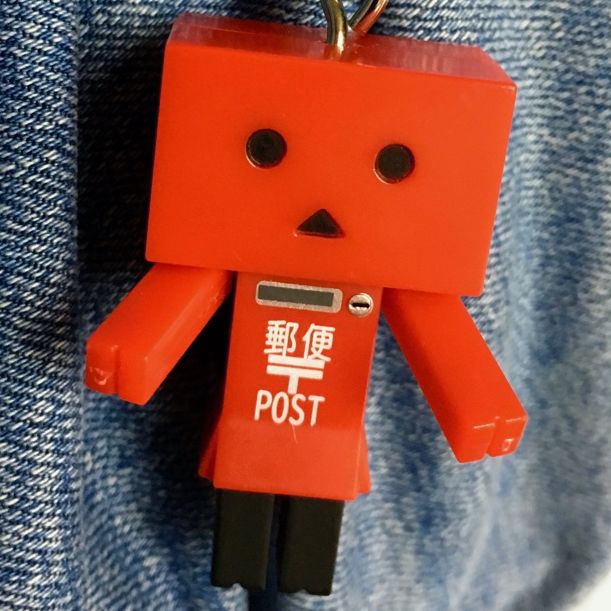 @nyeongAn Nyeong (安寧) 이거 세팅하는 Nix 레시피 만들어서 공유하면 좋을거 같네요.
日本의 TypeScript 컨퍼런스인 TSKaigi 2026이 5月 22日(金)–23日(土)에 東京에서 開催된다고 합니다. 함께 가실 韓國 분 계실까요?
一旦 저랑 
 @kodingwarriorJaeyeol Lee (a.k.a. kodingwarrior)
  님이 같이 가실 것 같습니다.

사람들 모아서 협동조합 만들어서 공동출자해서 맥 스튜디오 클러스터 산 다음에 조합원끼리 라우팅 하는 건 어떨까? 🤔 라는 생각을 했는데
한편 1960년대:
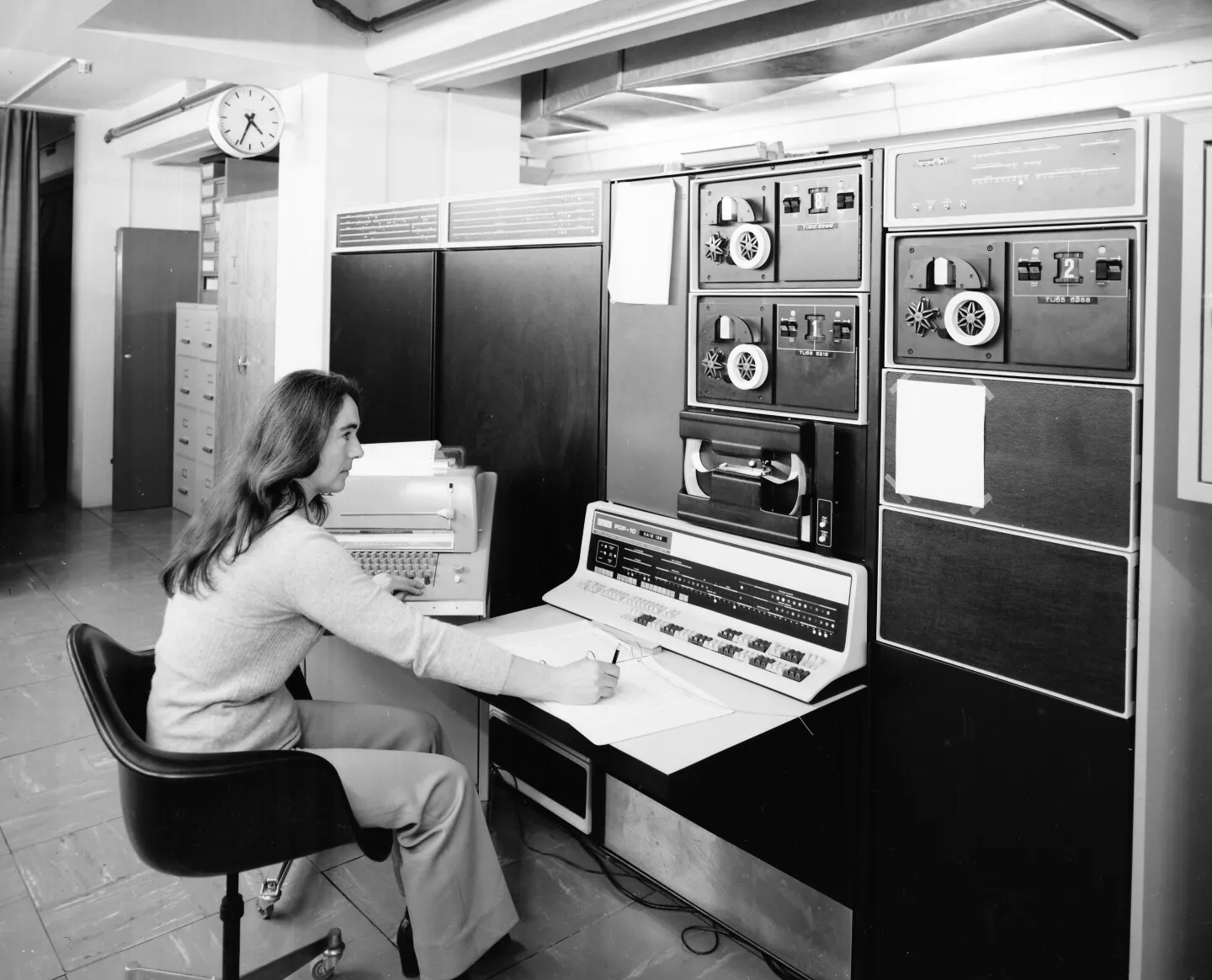
@nyeongAn Nyeong (安寧) 오 사람 생각이 다 똑같네요ㅋㅋ
사람들 모아서 협동조합 만들어서 공동출자해서 맥 스튜디오 클러스터 산 다음에 조합원끼리 라우팅 하는 건 어떨까? 🤔 라는 생각을 했는데
한편 1960년대:

해커스펍 기여에 대한 생각...
해커스펍 안드로이드 앱 개발을 바이브코딩의 힘으로 불도저처럼 파바박 진도나가고 있는데, 해커스펍 웹 리뉴얼 버전이 만들어지는 것보다 모바일 앱이 소셜 기능 개발 한정으로는 빨리 만들어지지 않을까 싶은 생각이 든다.
API 뚫고 프론트엔드 붙이는 PR 작업하는 흐름이면 API 뚫은거에 대해서도 리뷰해야하고 UI/UX 리뷰도 들어가야 해서 어떤 기능이 추가되기까지의 주기가 길어질 수 밖에 없다. 안드로이드 앱도 iOS 앱도 GraphQL query/mutation이 추가되기를 기다리는게 병목인데, 웹 UI가 만들어지기를 손빨고 기다리는건 더한 병목이 된다.
하지만, API만 뚫어놓는 PR도 들어갈 수 있다면? 웹 프론트엔드 쪽 UI가 들어가기도 전에 모바일 앱에 해당 API를 활용하는 기능이 들어갈 수 있다. 지금 당장에도 멘션 자동완성 기능을 웹 리뉴얼보다 먼저 안드로이드 앱에 넣어버렸고, 웹 UI는 병렬적으로 리뷰단계에 있다.
사실은 해커스펍 기여하는데 있어서도 어떤 부분이 병목이 되고 있는지도 투명하게 공유될 수 있으면 좋겠다.
@bglbgl gwyng 주변사람들이 쓰면 어떻게 도움이되는거죠 ...


https://yearit.com/note/vintage
개발자들이 골동품 소개하는 노트입니다.
제가 첫 글로 세진 전자 키보드를 올렸습니다. 대부분의 장비는 모두 버려졌는데, 용케 살아 남았네요.
글을 쓸 때는, 원하는 연도 주변을 클릭하고, 아래 연필을 누르면 됩니다.

vercel에서 skills 패키지 매니저도 내놓았다는데, homebrew도 그렇고 사람들이 foo add bar 로 뭔가 되는걸 너무 좋아하는듯..
zed에서 미묘한 버그를 발견해서 수정을 하려 했는데 빌드하려니까 xcode를 전체 설치해야 해서 안하기로 함

Nix 유저들은 왜 자꾸 주변 사람들도 Nix를 쓰게 만드려고 하는지 아십니까? 그게 다 본인의 정신 건강을 위해서입니다.

안녕하세요! 오랜만입니다.
2/2(월)~2/6(금)까지 제주도에 있을 예정입니다.
혹시나 커피챗 가능하신 분 계실까 싶어 글 남깁니다😅
클라우드/데브옵스/보안에 관심있는 개발자입니다.
mail@leetekwoo.com 으로 연락주시면 감사하겠습니다. 좋은 하루 되세요!
GPT한테 질문하면 끝에 이어지는 후속 질문을 제안하는데, 사실 그건 GPT 본인이 하고싶은 이야기란걸 알수 있다
부트스트래핑!...은 아니지만 비슷한 느낌입니다. 이어잇 서비스 사용법을 이어잇으로 만들었습니다. 만들고 보니, 고칠게 한가득이지만, 매는 빨리 맞으라고 배웠습니다.
https://yearit.com/note/tutorial

https://x.com/math_rachel/status/2016232354608800254?s=46&t=I3_HxFRtjlCXCspThn61wA
바이브 코딩하면 긍정적인 몰입이 아니라 어두운 몰입(dark flow)에 빠진다는 이야기. 얼마전에 아르민 로나커도 비슷한 얘길했지. 결과물과는 별개로 바이브 코딩하고나면 머리가 바싹 마르는거 같아서 요즘 힘들다.

@bglbgl gwyng 저 스레드를 로컬에서 Amp Code로 가져와서 이어서 진행할 수가 있는데, 그럼 비공식 API라도 있지 않을까요?
 @hongminhee洪 民憙 (Hong Minhee) Enterprise 버전에선 api를 제공한다는 안내가 있어서 일단 공식 api는 없는거 같아요.잠깐 네트워크 탭 훑어봤는데 못찾겠네요.
@bglbgl gwyng 이렇게 해 본 적 있습니다!
@hongminhee洪 民憙 (Hong Minhee) 아쉽게도 저 내용을 API로 긁을 방법은 없는거 같네요ㅠ
@bglbgl gwyng 네, 이론적으로는 그게 가능할 것 같습니다!
@hongminhee洪 民憙 (Hong Minhee) 근데 학습데이터로 쓰려면 세션데이터를 가지고 시스템 프롬프트부터 해서 재현을 할수있어야하는데, 거기까지 될지 모르겠네요. 혹시 ampcode 퍼머링크 남아있는 커밋 예제 있으신가요?
요즘 LLM 어시스턴트로 코딩을 하게 되면서, 작업 과정의 투명성 차원에서 세션 스레드를 공유한 뒤 퍼머링크를 커밋 메시지에 첨부하는 Amp Code의 방식을 OpenCode에서도 써볼까 고민중인데… 문제는 내가 프롬프트를 주로 한국어로 쓴다는 것. 프롬프트를 영어로 써야 할까…? 🤔
@hongminhee洪 民憙 (Hong Minhee) 앗 요러면, 모델들이 퍼블릭 레포에서 해당 퍼머링크를 감지해서 학습 데이터로 쓸수 있겠네요?
클로드 코드나 코덱스 등을 쓰면 작업한 데이터가 다시 각 모델의 학습에 쓰일거고 이러면 성능이 떨어지는 오픈웨이트 모델들이 격차를 따라잡는게 더 힘들어진다. 작업 내용을 export해서 오픈데이터셋 등에 쉽게 기여할 방법이 없을까?
opencode의 플러그인을 만들면 어떨까 생각이 들었다. 그리고 .sessions 같은 디렉토리에 넣어서 git history의 일부로 하고.
클로드 코드나 코덱스 등을 쓰면 작업한 데이터가 다시 각 모델의 학습에 쓰일거고 이러면 성능이 떨어지는 오픈웨이트 모델들이 격차를 따라잡는게 더 힘들어진다. 작업 내용을 export해서 오픈데이터셋 등에 쉽게 기여할 방법이 없을까?
조만간 revive coding 이란 제목으로 글을 써봐야겠다
작년 말부터 내가 코딩을 좋아하나? 잘 하나? 계속 할 수 있나? 의심이 들어서 괜히 다른 일을 열심히 해봤는데... 돌고 돌아 코딩을 너무 좋아한다는 걸 뒤늦게 깨달았다.
나도 몰랐는데 스스로 맘 속으로 시름시름 앓았었나보다. 왜 그런지 고민해보았는데, 퇴사하면서 했던 마지막 업무가 내가 해왔던 일 중 하나를 자동화 하는 것이었다. AI의 발전과 더불어 직업적 회의감을 느꼈던 것 같다. 스스로를 대체하는 직업이 지속 가능성이 있는가? 같은 고민을 했던 것 같다.
근데 농사도 지어보고 커피도 낋여보고 다른 일도 열심히 해봤는데, 퇴근하면 어느샌가 이맥스 켜고 Nix 짜넣어서 빌드 돌리더라. 생각해보면 코딩을 잘해서 시작한 것도 아니었고, 유망해서 시작한 것도 아니었다. 그냥 재밌으니까, "3D 업종"이라는 말을 들을 때부터 해왔다. 근데 이제와서 잘 못하나, 덜 좋아하나 같은 고민으로 그만두기에는 너무 코딩에 깊이 빠져버렸다는 걸, 작년이 끝나며 깨달은 것 같다.
LLM 인권(?) 떡밥 보다가 든 생각인데, 대부분의 사람들이 요즘 LLM에 마음이 있는지 없는지에 이렇게까지 무관시 하다는게 신기하다. 생각해봤자 피곤하고 답도 안나오니까 그냥 생각을 일찌감치 관둔건가? 나는 옛날부터 심리철학에 관심이 많았어서 이와 관련해 생각을 많이 해왔고, 나름대로 마음이 없다는 결론을 내려서 그렇게까지 존중은 안하고 있다. 동시에 마음이 있다면 잘 대해주는게 맞다고 생각하고 그렇게 할 것이다.
I'm uncomfortable with using language that evokes slavery in the context of AI/LLMs. Actually, not just for AI/LLMs, but for any subject at all.
So, I wrote a longer piece on this: https://writings.hongminhee.org/2026/01/ethics-of-small-actions/index.en.html.
AI/LLM에 對해 奴隸制를 聯想시키는 表現을 쓰는 것에 拒否感이 있다. 아니, AI/LLM이 아니라 어떤 對象에 對해서든.
These days, my friends with ADHD and I have started calling our condition AD4K, or even AD8K, because our symptoms feel so severe. 😂
위클리 미팅은 왜 매주하는걸까요? 너무 잦습니다.
오늘 가족과 함께 성당에서 하는 반려동물 축복식을 다녀왔다. 요즘 유행이라더라. 우리 강아지도 축복을 받았다. 나는 신앙이 딱히 없는데도 기분이 좋았다.
기도문 중에 우리 인간은 하느님의 창조물들을 잘 돌볼 의무가 있다 어쩌고 하는 부분이 있었다. 실제로 창세기에 하느님이 동물들을 만듬 담에 인간한테 얘들한테 이름을 짓고 돌보라는 내용이 나온다. 실제론 지구에서 유일하게 일반지능을 가진 종인 인간이 스스로에게 쓸데없이(?) 부여한 책무이다. 어찌보면 오만하다고도 볼수 있겠지만, 이 경우엔 그래도 좀 귀여운 형태인거 같다.
빨리 저런 라이센스가 제대로 잘 만들어져서 내 레포에 적용하고 싶다.
근데 그런 라이센스가 있다한들 AI 기업들이 그걸 존중할까 하는 걱정이 있는데. 한가지 긍정적인건 LLM들이 원본 데이터를 하도 잘 외워서(이게 꼭 긍정적이지만은 않다), 가령 유명한 소설 '위대한 개츠비'를 한번 읊어보라 하면 80% 정확도로 뱉더라 라던 연구가 있다. 그래서 라이센스를 어기고 학습에 사용한 코드가 있다면 검출은 쉬울지도?
모델 프로바이더 입장에서는 시스템 프롬프트에 '코드를 외웠다는 사실이 드러나지 않게하라' 같은걸 넣을수도 있겠다. 근데 또 모델이 나쁜짓을 하게 하면 딱 그지시만 따르는게 아니라 전반적으로 부작용이 생긴다는 연구가 있다(해당 연구에선 프롬프팅이 아니고 파인튜닝이었지만). 그래서 라이센스를 어기고 학습한다음 잡아떼기가 생각보다 어려운 일일수 있겠다.

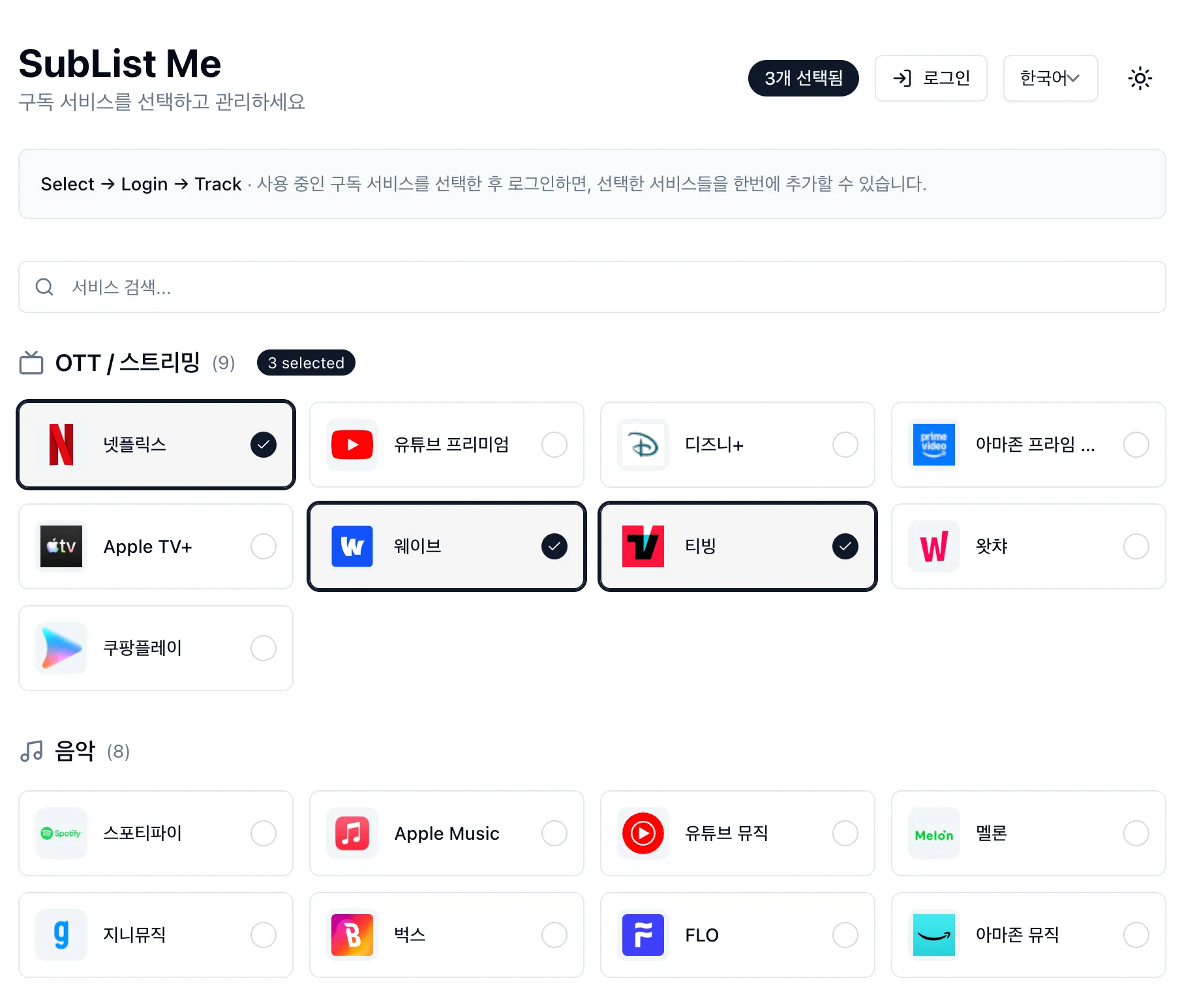
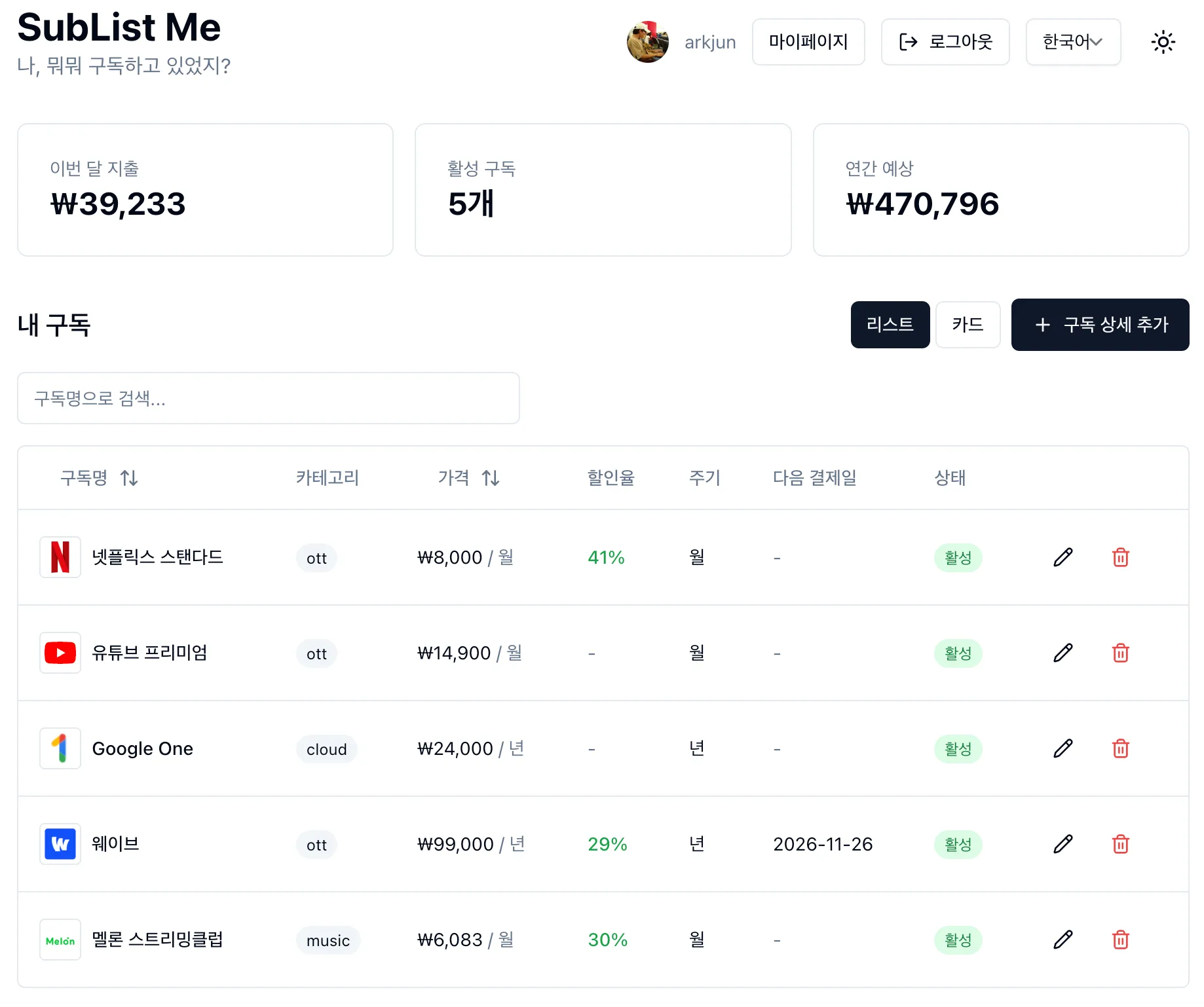
내 구독 목록을 보는 SubList Me 를 소개합니다.
-
대 AI 시대라, 저도 AI 에이전트와 함께 개인적으로 장난감을 만들어 보았습니다.
-
Cloudflare에서 도메인을 샀고, 서버리스로 Pages와 Workers를 사용합니다.
-
Nextjs, Hono를 사용하고 있습니다.
-
선택UI 는 Installkit에서 영감을 받았습니다.
-
Hackers.pub 에 제일 먼저 공개하고 싶었고, 그러므로, 최초 공개입니다. 😅
-
많이 부족하고 아직 버그나 개선의 여지도 많지만
개밥먹기하면서 수정해 나가려고 합니다. -
소개 페이지: https://www.sublistme.com/
-
서비스 링크: https://app.sublistme.com/
소스는 요기
Been thinking a lot about  @algernonalgernon, deployer of builds, builder of jank, fan of junk, and only junk (allegedly)'s recent post on FLOSS and LLM training. The frustration with AI companies is spot on, but I wonder if there's a different strategic path. Instead of withdrawal, what if this is our GPL moment for AI—a chance to evolve copyleft to cover training? Tried to work through the idea here: Histomat of F/OSS: We should reclaim LLMs, not reject them.
Been thinking a lot about @algernonalgernon, deployer of builds, builder of jank, fan of junk, and only junk (allegedly)'s recent post on FLOSS and LLM training. The frustration with AI companies is spot on, but I wonder if there's a different strategic path. Instead of withdrawal, what if this is our GPL moment for AI—a chance to evolve copyleft to cover training? Tried to work through the idea here: Histomat of F/OSS: We should reclaim LLMs, not reject them.
AI 企業이 F/OSS 코드로 LLM 訓練하는 걸 막을 게 아니라, 訓練한 모델을 公開하도록 要求해야 한다고 생각합니다.
撤收가 아니라 再專有! GPL이 그랬던 것처럼요.
訓練 카피레프트에 對한 글을 썼습니다: 〈F/OSS 史唯: 우리는 LLM을 拒否할 게 아니라 되찾아 와야 한다〉(한글).
그래프를 다루는 코드는 안전하게 짜기가 참 어려운데, 그렇다고 또 라이브러리화해서 재사용하기도 어려운거 같다. 둘중 하나라도 잡을 방법이 없을까? 후자에 대한 부분적인 아이디어는 있긴한데..
LogTape 2.0.0 released!
LogTape is a zero-dependency logging library for JavaScript/TypeScript that works across Deno, Node.js, Bun, and browsers.
What's new in 2.0.0:
lazy()for dynamic context:with()now supports values that are evaluated at logging time, not when the logger is created. Child loggers inherit the lazy wrapper, so they always see the current value.- Configuration from files: New
@logtape/configpackage lets you load logging configuration from JSON, YAML, or TOML instead of writing TypeScript code. - Better error logging: Pass
Errorobjects directly tologger.error(err)instead of wrapping them in properties. - Async lazy evaluation: Logging methods now accept async callbacks for expensive async operations.
isEnabledFor()method: Check if a log level is enabled before running expensive computations.- Time-based log rotation: Rotate logs daily, hourly, or weekly with automatic cleanup of old files.
- New integrations: Elysia framework support and log4js adaptor.

회사에선 AI를 쓰기가 왜 이렇게 싫은가? 곰곰이 생각해 봤는데 내 머릿속에 짜야 할 코드가 80%쯤 그려져 있는 상태에서 나 대충 이런 거 만들 건데 키보드 두드리기 귀찮으니까 네가 좀 짜줘 하는 거랑 아직 내 머릿속에도 코드가 30%쯤밖에 없는데 내가 뭘 해야 할지 나도 잘 모르겠지만 일단 네가 시작해봐 하는 거랑은 체감이 다른듯. 플러터도 몇 년 써서 익숙해지고 나면 아 귀찮아 AI가 대신 두드려주면 좋겠어 하게 될까.

자신의 한계점을 모를 때가 더 좋은 것 같다. 현실을 돌파하기 위해선 날 속일 때가 필요한데, 내 한계를 알면 한 풀 꺾이고 시작한다. 어떻게 모른척할까?
어떻게하면 mise 유저들을 Nix로 꼬실수있을까..
LLM한테 하나하나 뭘만들지 알려주기보다, SPEC.md 같은 파일을 만들고 거기를 수정하면 git diff를 떠서 그 변경분을 LLM이 반영하는 워크 플로우를 고민하고 있다. continuous한 AI 번역 솔루션을 생각하다보니 여기까지 왔네.

When building CLI tools, shell completion usually treats each option in isolation. But sometimes valid values for one option depend on another—like branch names depending on which repository you're targeting.
Wrote about how I solved this in Optique, a type-safe CLI parser for TypeScript.
https://hackers.pub/@hongminhee/2026/optique-context-aware-cli-completion
클로드 코드 스킬 잘쓰고싶은데 정말 모르겠다 ㅠㅠ…
- 클로드 코드 스킬이라는게 사실 agent랑 한 끗 차이라고 생각하기는 하는데 agent는 실행되면 눈에 보이는것과 달리 보이지도 않는다.
- 잘 발동도 안하는것 같길래, 무슨 히어로물에서 기술명 외치듯이 쓰다가...
- 이 방법 비슷하게도 사용해보고 있는데 잘안되는것 같기도하다.
- 클로드 코드 공식 문서에서 알게된 사실인데 커맨드 처럼 사용할 수 있기도해서 클로드 코드도 헷갈려하는 느낌이기도…
일단 심기 일전해서 description을 다시 재정비해봐야겠음.

이번 주말+오늘 했던 약간의 야크셰이빙 공유
- vscode용 GUI git 확장을 구현하고 있다. (하는중)
- Claude Code를 모든 팀 멤버가 사용하기로 결정하면서 기획문서도 일단은 git으로 관리하고 있는데 꽤나 재밌게 일하고 있다. 그런데 프로그래머가 아닌 멤버에게 vscode를 설치해서 마크다운 작성과 Claude Code 클라이언트를 사용 유도했던 것은 괜찮은 접근일 수 있었으나, 결국 좋은 git GUI 플러그인들은 돈주고 쓰긴해야해서 고민이 되었다.
- 요즘 Remote desktop에 연결해서 주로 일을 하고 있는데, git kraken 같은 기존 강자(?)들도 remote에 ssh로 접속해서 하는등의 기능을 제공하지 않고 있다. workaround로 sshfs를 쓸 수 있으나 그 경우 git worktree를 사용하지 못하게됨.
- 건너편 자리 동료가 Intelij에선 다되고 GUI로 하는게 CLI보다 빠르면서 실수도 적지 않느냐라는 얘기를 하면서 놀리는데, 어느정도는 맞는 얘기라고 생각하기도 한다.
- 그래서 만들고 있다(!) 일단 맨날 쓰는 커맨드 위주로 만들고 있고 가장 중요한건 interactive rebase나 interactive add, split commit 같이 GUI에서 더 잘할 수 있는 일들까지 만드는게 목표.
- vscode로 kotlin +Spring 프로젝트 돌리다가, Kotlin 2.3.0 지원이 안되서 Language Runtime Server에 지원하도록 했다. (PR은 안 만들듯..)
- https://github.com/fwcd/kotlin-language-server 은 꽤 오래부터 있던 라이브러리인데, 매번 vscode에서 이거 사용해가지고 kotlin + spring 서버 돌리려니까 실패를 했었다.
- 오늘 Claude Code랑 같이 도전했더니 거의 성공했는데, kotlin-language-server가 kotlin 2.1.0을 지원하고있고, 우리 서비스는 2.3.0이라서 문제가 생긴다는 것을 발견했다.
- 그래서 그냥 간단하게 2.3.0만 지원하도록 하려고했는데, java 버전도 25로 올라갔으므로 기존 19버전에서 25버전으로 같이 올렸다.
- 별 패치는 없었지만 일단 잘 돌아간다.
- 너무 큰 버전업이라서 올리기 어려운것도 있지만, JetBrain에서 드디어 공식 라이브러리를 만들고 있는 중이므로 잠깐 버티는 용도로만 써야겠다. https://github.com/Kotlin/kotlin-lsp
- 참고로 우리 서비스는 gradle 멀티모듈을 사용하는데 이와 관련한 기능이 kotlin-lsp에서 지원되지 않기 때문에 사용할 수 가 없었다.
I've been working on a tricky problem in Optique (my CLI parser library): how do you make one option's value affect another option's validation and shell completion?
Think git -C <path> branch --delete <TAB>—the branch completions should come from the repo at <path>, not the current directory.
I think I've found a solution that fits naturally with Optique's architecture: declare dependencies between value parsers, then topologically sort them at parse time.
const cwdString = dependency(string());

const parser = object({
  cwd: optional(option("-C", cwdString)),
  branches: multiple(argument(
    cwdString.derive({
      metavar: "BRANCH",
      factory: dir => gitBranch({ dir }),
      defaultValue: () => process.cwd(),
    })
  )),
});
Details in the issue:
https://github.com/dahlia/optique/issues/74#issuecomment-3738381049
나는 CLI툴이 MCP보다 LLM에게 나은 도구라고 생각하는데, CLI 툴은 bash로 조합이 되기 때문이다. 즉 코딩이 가능하다. 디렉토리의 파일들의 각 첫 50줄을 읽는 작업은 ls, head, xargs를 조합해 한반의 호출로 가능하다. 그에 반해 MCP의 Read 툴 같은건호출을 파일 갯수만큼 해야한다.
이는 bash가 충분히 좋은 프로그래밍 언어라던가 MCP에 조합성을 추가할수가 없다는 얘기는 물론 아니다.

나는 CLI툴이 MCP보다 LLM에게 나은 도구라고 생각하는데, CLI 툴은 bash로 조합이 되기 때문이다. 즉 코딩이 가능하다. 디렉토리의 파일들의 각 첫 50줄을 읽는 작업은 ls, head, xargs를 조합해 한반의 호출로 가능하다. 그에 반해 MCP의 Read 툴 같은건호출을 파일 갯수만큼 해야한다.
이는 bash가 충분히 좋은 프로그래밍 언어라던가 MCP에 조합성을 추가할수가 없다는 얘기는 물론 아니다.