What is Hackers' Pub?

Hackers' Pub is a place for software engineers to share their knowledge and experience with each other. It's also an ActivityPub-enabled social network, so you can follow your favorite hackers in the fediverse and get their latest posts in your feed.

Got myself something for Black Friday + Christmas… Back in 2009, I fell in love with step sequencers. But the simple hardware and web browser ones that I could afford at the time were way too limited. So I made an iPad app (Koushion, now defunct) that fit my style.

Then Ableton released the Push not long after. I couldn’t afford one but I loved the idea.

Fast forward to this year, and I’ve been too busy to make music for almost a decade. But Ableton had a sale I couldn’t resist. No regrets 😍

0
4

Wenn eine ehemalige Ministerin in einer großen Zeitung schreibt: „Was wir uns künftig nicht mehr leisten können“ und dieses „Was“ sind Menschen mit Behinderung, dann ist das kein Ausrutscher, sondern ein Statement.⬇️

Screenshot eines WELT-Plus-Meinungsartikels mit der Überschrift „Was wir uns künftig nicht mehr leisten können“ von Kristina Schröder. Zu sehen ist ihr Porträt vor blauem Hintergrund, ihr Gesicht wurde mit einer auffälligen Clownmaske (rotes Haar, weißes Gesicht, grelle Farben) überdeckt. Unter dem Bild ein Textauszug, der Assistenz für Menschen mit Behinderung als Kostenproblem für Kommunen darstellt.
0
0
0
1
0
1
0
0
0
0
1
1
0
2

" 브람스는 캠브릿지 대학에서 명예 박사 학위 수여 제안을 받았지만 1. 뱃길로 영국을 가기가 무서웠고 2. 영국 명사 만나기가 부담스러웠으며 3. 호의가 너무 부담스럽고 4. 읽고 이해하는 것까지는 할 수 있었지만 아무리 그래도 영어를 자유자재로 구사할 수 없다는 이유로 캠브릿지 박사학위를 포기했다. 브람스의 친구 요아힘은 캠브릿지 박사학위를 원래 브람스랑 같이 받으려 했는데, 브람스가 오지 않아서 혼자 수여받았다." 여기도 하남자력 만만치 않구나...

0

리비안은 새로운 Autonomy Platform의 세부 사항과 이를 훈련하는 데 사용된 엔드 투 엔드 데이터 루프를 공유했습니다. 이 대형 운전 모델(LDM)은 대형 언어 모델(LLM)과 유사하게 훈련되지만, 레벨 4 자율 주행 능력에 도달하는 궁극적인 목표로 기본 자율성을 달성하도록 프로그래밍되어 있는 게 특징입니다. 물론 이 행사가 리비안의 미래 전략을 보여주고 투자자들을 안심 시키기 위한 것임을 명심해야합니다. 그래도 테슬라와 달리 센서퓨전 방식으로 안전한 길을 선택한 것은 잘했다고 봅니다. (4/4)

R2D2 테마로 꾸며진 리비안의 R2 차량의 전면R2D2 테마로 꾸며진 리비안의 R2 차량 R2D2 테마로 꾸며진 리비안의 R2 차량에 달린 LiDAR와 카메라 센서R2D2 테마로 꾸며진 리비안의 R2 차량의 옆면
0

가장 흥미로운 부분은 원가 절감으로 비전 온리를 택한 테슬라와 달리 리비안은 센서 퓨전 방식의 자율 주행을 목표로 하고 있으며 3세대 자율주행 컴퓨터는 11개의 카메라와 5개의 레이더 그리고 전면 LiDAR까지 포함할 예정입니다. 이러한 방식은 각각의 센서가 가진 장점을 활용해 서로의 단점을 보완해 줄 수 있어 더 안전한 자율 주행을 달성할 수 있게 해 줍니다. 또 RAP1은 칩을 연결하고 처리 능력을 배가시킬 수 있는 저지연 인터커넥트 기술인 RivLink를 갖추고 있습니다. (3/4🧵)

0

우선 리비안은 테슬라처럼 자체 자율주행 하드웨어를 설계할 계획입니다. 이걸 3세대 자율주행 컴퓨터(Gen 3 Autonomy Computer)라고 부르며 안에 탑재 되는 칩을 RAP1(Rivian Autonomy Processor)라고 부릅니다. 리비안의 설명에 따르면 이 칩은 INT8 정수 연산 기준으로, 희소성 최적화가 적용되었을 때 초당 최대 1600조 번의 연산 처리 성능을 가졌으며 초당 50억 픽셀을 처리할 수 있다고 합니다. (2/4🧵)

0
0
0
1
0
0
0
0
1

I couldn't find a logging library that worked for my library, so I made one. Here's how LogTape powers Fedify's logging—and why library authors might want a different approach than winston or Pino.

I couldn't find a logging libr...

I couldn't find a logging library that worked for my library, so I made one

When I started building Fedify, an ActivityPub server framework, I ran into a problem that surprised me: I couldn't figure out how to add logging. Not because logging is hard—there are dozens of mature logging libraries for JavaScript. The problem was that they're primarily designed for applications, not for libraries that want to stay unobtrusive. I wrote about this a few months ago, and the response was modest—some interest, some skepticism, and quite a bit of debate about whether the post was AI-generated. I'll be honest: English isn't my first language, so I use LLMs to polish my writing. But the ideas and technical content are mine. Several readers wanted to see a real-world example rather than theory. The problem: existing loggers assume you're building an app Fedify helps developers build federated social applications using the ActivityPub protocol. If you've ever worked with federation, you know debugging can be painful. When an activity fails to deliver, you need to answer questions like: Did the HTTP request actually go out? Was the signature generated correctly? Did the remote server reject it? Why? Was there a problem parsing the response? These questions span multiple subsystems: HTTP handling, cryptographic signatures, JSON-LD processing, queue management, and more. Without good logging, debugging turns into guesswork. But here's the dilemma I faced as a library author: if I add verbose logging to help with debugging, I risk annoying users who don't want their console cluttered with Fedify's internal chatter. If I stay silent, users struggle to diagnose issues. I looked at the existing options. With winston or Pino, I would have to either: Configure a logger inside Fedify (imposing my choices on users), or Ask users to pass a logger instance to Fedify (adding boilerplate) There's also debug, which is designed for this use case. But it doesn't give you structured, level-based logs that ops teams expect—and it relies on environment variables, which some runtimes like Deno restrict by default for security reasons. None of these felt right. So I built LogTape—a logging library designed from the ground up for library authors. And Fedify became its first real user. The solution: hierarchical categories with zero default output The key insight was simple: a library should be able to log without producing any output unless the application developer explicitly enables it. Fedify uses LogTape's hierarchical category system to give users fine-grained control over what they see. Here's how the categories are organized: CategoryWhat it logs["fedify"]Everything from the library["fedify", "federation", "inbox"]Incoming activities["fedify", "federation", "outbox"]Outgoing activities["fedify", "federation", "http"]HTTP requests and responses["fedify", "sig", "http"]HTTP Signature operations["fedify", "sig", "ld"]Linked Data Signature operations["fedify", "sig", "key"]Key generation and retrieval["fedify", "runtime", "docloader"]JSON-LD document loading["fedify", "webfinger", "lookup"]WebFinger resource lookups …and about a dozen more. Each category corresponds to a distinct subsystem. This means a user can configure logging like this: await configure({ sinks: { console: getConsoleSink() }, loggers: [ // Show errors from all of Fedify { category: "fedify", sinks: ["console"], lowestLevel: "error" }, // But show debug info for inbox processing specifically { category: ["fedify", "federation", "inbox"], sinks: ["console"], lowestLevel: "debug" }, ],}); When something goes wrong with incoming activities, they get detailed logs for that subsystem while keeping everything else quiet. No code changes required—just configuration. Request tracing with implicit contexts The hierarchical categories solved the filtering problem, but there was another challenge: correlating logs across async boundaries. In a federated system, a single user action might trigger a cascade of operations: fetch a remote actor, verify their signature, process the activity, fan out to followers, and so on. When something fails, you need to correlate all the log entries for that specific request. Fedify uses LogTape's implicit context feature to automatically tag every log entry with a requestId: await configure({ sinks: { file: getFileSink("fedify.jsonl", { formatter: jsonLinesFormatter }) }, loggers: [ { category: "fedify", sinks: ["file"], lowestLevel: "info" }, ], contextLocalStorage: new AsyncLocalStorage(), // Enables implicit contexts}); With this configuration, every log entry automatically includes a requestId property. When you need to debug a specific request, you can filter your logs: jq 'select(.properties.requestId == "abc-123")' fedify.jsonl And you'll see every log entry from that request—across all subsystems, all in order. No manual correlation needed. The requestId is derived from standard headers when available (X-Request-Id, Traceparent, etc.), so it integrates naturally with existing observability infrastructure. What users actually see So what does all this configuration actually mean for someone using Fedify? If a Fedify user doesn't configure LogTape at all, they see nothing. No warnings about missing configuration, no default output, and minimal performance overhead—the logging calls are essentially no-ops. For basic visibility, they can enable error-level logging for all of Fedify with three lines of configuration. When debugging a specific issue, they can enable debug-level logging for just the relevant subsystem. And if they're running in production with serious observability requirements, they can pipe structured JSON logs to their monitoring system with request correlation built in. The same library code supports all these scenarios—whether the user is running on Node.js, Deno, Bun, or edge functions, without extra polyfills or shims. The user decides what they need. Lessons learned Building Fedify with LogTape taught me a few things: Design your categories early. The hierarchical structure should reflect how users will actually want to filter logs. I organized Fedify's categories around subsystems that users might need to debug independently. Use structured logging. Properties like requestId, activityId, and actorId are far more useful than string interpolation when you need to analyze logs programmatically. Implicit contexts turned out to be more useful than I expected. Being able to correlate logs across async boundaries without passing context manually made debugging distributed operations much easier. When a user reports that activity delivery failed, I can give them a single jq command to extract everything relevant. Trust your users. Some library authors worry about exposing too much internal detail through logs. I've found the opposite—users appreciate being able to see what's happening when they need to. The key is making it opt-in. Try it yourself If you're building a library and struggling with the logging question—how much to log, how to give users control, how to avoid being noisy—I'd encourage you to look at how Fedify does it. The Fedify logging documentation explains everything in detail. And if you want to understand the philosophy behind LogTape's design, my earlier post covers that. LogTape isn't trying to replace winston or Pino for application developers who are happy with those tools. It fills a different gap: logging for libraries that want to stay out of the way until users need them. If that's what you're looking for, it might be a better fit than the usual app-centric loggers.


hackers.pub · Hackers' Pub

Link author: 洪 民憙 (Hong Minhee)@hongminhee@hackers.pub

0
1

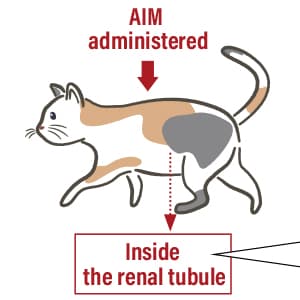
여러분, 이거 믿어도 되는 겁니까? 지금 이 백신이 개발되면 고양이들이 서른까지 살 수 있을지도 모른다는데요? 뭔 소리인지 잘 모르겠어요ㅠㅜㅠㅜ그리고 강아지는 이런 백신 없어요? healthist.net/en/medicine/...

Could the macrophage-derived p...

0
0
0

RE: mastodon.social/@pruef_by/1156

Hab gerade den Wetterbericht für München geprüft:

Morgen (Samstag, 13.12) ist bestes Dezember-Demowetter, 6°, trocken und teilweise sogar sonnig.

🌤️

0
0
0
0
0
1
1
1
1

洪 民憙 (Hong Minhee) :nonbinary: shared the below article:

I couldn't find a logging library that worked for my library, so I made one

洪 民憙 (Hong Minhee) @hongminhee@hackers.pub

When I started building Fedify, an ActivityPub server framework, I ran into a problem that surprised me: I couldn't figure out how to add logging.

Not because logging is hard—there are dozens of mature logging libraries for JavaScript. The problem was that they're primarily designed for applications, not for libraries that want to stay unobtrusive.

I wrote about this a few months ago, and the response was modest—some interest, some skepticism, and quite a bit of debate about whether the post was AI-generated. I'll be honest: English isn't my first language, so I use LLMs to polish my writing. But the ideas and technical content are mine.

Several readers wanted to see a real-world example rather than theory.

The problem: existing loggers assume you're building an app

Fedify helps developers build federated social applications using the ActivityPub protocol. If you've ever worked with federation, you know debugging can be painful. When an activity fails to deliver, you need to answer questions like:

  • Did the HTTP request actually go out?
  • Was the signature generated correctly?
  • Did the remote server reject it? Why?
  • Was there a problem parsing the response?

These questions span multiple subsystems: HTTP handling, cryptographic signatures, JSON-LD processing, queue management, and more. Without good logging, debugging turns into guesswork.

But here's the dilemma I faced as a library author: if I add verbose logging to help with debugging, I risk annoying users who don't want their console cluttered with Fedify's internal chatter. If I stay silent, users struggle to diagnose issues.

I looked at the existing options. With winston or Pino, I would have to either:

  • Configure a logger inside Fedify (imposing my choices on users), or
  • Ask users to pass a logger instance to Fedify (adding boilerplate)

There's also debug, which is designed for this use case. But it doesn't give you structured, level-based logs that ops teams expect—and it relies on environment variables, which some runtimes like Deno restrict by default for security reasons.

None of these felt right. So I built LogTape—a logging library designed from the ground up for library authors. And Fedify became its first real user.

The solution: hierarchical categories with zero default output

The key insight was simple: a library should be able to log without producing any output unless the application developer explicitly enables it.

Fedify uses LogTape's hierarchical category system to give users fine-grained control over what they see. Here's how the categories are organized:

Category What it logs
["fedify"] Everything from the library
["fedify", "federation", "inbox"] Incoming activities
["fedify", "federation", "outbox"] Outgoing activities
["fedify", "federation", "http"] HTTP requests and responses
["fedify", "sig", "http"] HTTP Signature operations
["fedify", "sig", "ld"] Linked Data Signature operations
["fedify", "sig", "key"] Key generation and retrieval
["fedify", "runtime", "docloader"] JSON-LD document loading
["fedify", "webfinger", "lookup"] WebFinger resource lookups

…and about a dozen more. Each category corresponds to a distinct subsystem.

This means a user can configure logging like this:

await configure({
  sinks: { console: getConsoleSink() },
  loggers: [
    // Show errors from all of Fedify
    { category: "fedify", sinks: ["console"], lowestLevel: "error" },
    // But show debug info for inbox processing specifically
    { category: ["fedify", "federation", "inbox"], sinks: ["console"], lowestLevel: "debug" },
  ],
});

When something goes wrong with incoming activities, they get detailed logs for that subsystem while keeping everything else quiet. No code changes required—just configuration.

Request tracing with implicit contexts

The hierarchical categories solved the filtering problem, but there was another challenge: correlating logs across async boundaries.

In a federated system, a single user action might trigger a cascade of operations: fetch a remote actor, verify their signature, process the activity, fan out to followers, and so on. When something fails, you need to correlate all the log entries for that specific request.

Fedify uses LogTape's implicit context feature to automatically tag every log entry with a requestId:

await configure({
  sinks: {
    file: getFileSink("fedify.jsonl", { formatter: jsonLinesFormatter })
  },
  loggers: [
    { category: "fedify", sinks: ["file"], lowestLevel: "info" },
  ],
  contextLocalStorage: new AsyncLocalStorage(),  // Enables implicit contexts
});

With this configuration, every log entry automatically includes a requestId property. When you need to debug a specific request, you can filter your logs:

jq 'select(.properties.requestId == "abc-123")' fedify.jsonl

And you'll see every log entry from that request—across all subsystems, all in order. No manual correlation needed.

The requestId is derived from standard headers when available (X-Request-Id, Traceparent, etc.), so it integrates naturally with existing observability infrastructure.

What users actually see

So what does all this configuration actually mean for someone using Fedify?

If a Fedify user doesn't configure LogTape at all, they see nothing. No warnings about missing configuration, no default output, and minimal performance overhead—the logging calls are essentially no-ops.

For basic visibility, they can enable error-level logging for all of Fedify with three lines of configuration. When debugging a specific issue, they can enable debug-level logging for just the relevant subsystem.

And if they're running in production with serious observability requirements, they can pipe structured JSON logs to their monitoring system with request correlation built in.

The same library code supports all these scenarios—whether the user is running on Node.js, Deno, Bun, or edge functions, without extra polyfills or shims. The user decides what they need.

Lessons learned

Building Fedify with LogTape taught me a few things:

Design your categories early. The hierarchical structure should reflect how users will actually want to filter logs. I organized Fedify's categories around subsystems that users might need to debug independently.

Use structured logging. Properties like requestId, activityId, and actorId are far more useful than string interpolation when you need to analyze logs programmatically.

Implicit contexts turned out to be more useful than I expected. Being able to correlate logs across async boundaries without passing context manually made debugging distributed operations much easier. When a user reports that activity delivery failed, I can give them a single jq command to extract everything relevant.

Trust your users. Some library authors worry about exposing too much internal detail through logs. I've found the opposite—users appreciate being able to see what's happening when they need to. The key is making it opt-in.

Try it yourself

If you're building a library and struggling with the logging question—how much to log, how to give users control, how to avoid being noisy—I'd encourage you to look at how Fedify does it.

The Fedify logging documentation explains everything in detail. And if you want to understand the philosophy behind LogTape's design, my earlier post covers that.

LogTape isn't trying to replace winston or Pino for application developers who are happy with those tools. It fills a different gap: logging for libraries that want to stay out of the way until users need them. If that's what you're looking for, it might be a better fit than the usual app-centric loggers.

Read more →
5
1
1

I couldn't find a logging library that worked for my library, so I made one

洪 民憙 (Hong Minhee) @hongminhee@hackers.pub

When I started building Fedify, an ActivityPub server framework, I ran into a problem that surprised me: I couldn't figure out how to add logging.

Not because logging is hard—there are dozens of mature logging libraries for JavaScript. The problem was that they're primarily designed for applications, not for libraries that want to stay unobtrusive.

I wrote about this a few months ago, and the response was modest—some interest, some skepticism, and quite a bit of debate about whether the post was AI-generated. I'll be honest: English isn't my first language, so I use LLMs to polish my writing. But the ideas and technical content are mine.

Several readers wanted to see a real-world example rather than theory.

The problem: existing loggers assume you're building an app

Fedify helps developers build federated social applications using the ActivityPub protocol. If you've ever worked with federation, you know debugging can be painful. When an activity fails to deliver, you need to answer questions like:

  • Did the HTTP request actually go out?
  • Was the signature generated correctly?
  • Did the remote server reject it? Why?
  • Was there a problem parsing the response?

These questions span multiple subsystems: HTTP handling, cryptographic signatures, JSON-LD processing, queue management, and more. Without good logging, debugging turns into guesswork.

But here's the dilemma I faced as a library author: if I add verbose logging to help with debugging, I risk annoying users who don't want their console cluttered with Fedify's internal chatter. If I stay silent, users struggle to diagnose issues.

I looked at the existing options. With winston or Pino, I would have to either:

  • Configure a logger inside Fedify (imposing my choices on users), or
  • Ask users to pass a logger instance to Fedify (adding boilerplate)

There's also debug, which is designed for this use case. But it doesn't give you structured, level-based logs that ops teams expect—and it relies on environment variables, which some runtimes like Deno restrict by default for security reasons.

None of these felt right. So I built LogTape—a logging library designed from the ground up for library authors. And Fedify became its first real user.

The solution: hierarchical categories with zero default output

The key insight was simple: a library should be able to log without producing any output unless the application developer explicitly enables it.

Fedify uses LogTape's hierarchical category system to give users fine-grained control over what they see. Here's how the categories are organized:

Category What it logs
["fedify"] Everything from the library
["fedify", "federation", "inbox"] Incoming activities
["fedify", "federation", "outbox"] Outgoing activities
["fedify", "federation", "http"] HTTP requests and responses
["fedify", "sig", "http"] HTTP Signature operations
["fedify", "sig", "ld"] Linked Data Signature operations
["fedify", "sig", "key"] Key generation and retrieval
["fedify", "runtime", "docloader"] JSON-LD document loading
["fedify", "webfinger", "lookup"] WebFinger resource lookups

…and about a dozen more. Each category corresponds to a distinct subsystem.

This means a user can configure logging like this:

await configure({
  sinks: { console: getConsoleSink() },
  loggers: [
    // Show errors from all of Fedify
    { category: "fedify", sinks: ["console"], lowestLevel: "error" },
    // But show debug info for inbox processing specifically
    { category: ["fedify", "federation", "inbox"], sinks: ["console"], lowestLevel: "debug" },
  ],
});

When something goes wrong with incoming activities, they get detailed logs for that subsystem while keeping everything else quiet. No code changes required—just configuration.

Request tracing with implicit contexts

The hierarchical categories solved the filtering problem, but there was another challenge: correlating logs across async boundaries.

In a federated system, a single user action might trigger a cascade of operations: fetch a remote actor, verify their signature, process the activity, fan out to followers, and so on. When something fails, you need to correlate all the log entries for that specific request.

Fedify uses LogTape's implicit context feature to automatically tag every log entry with a requestId:

await configure({
  sinks: {
    file: getFileSink("fedify.jsonl", { formatter: jsonLinesFormatter })
  },
  loggers: [
    { category: "fedify", sinks: ["file"], lowestLevel: "info" },
  ],
  contextLocalStorage: new AsyncLocalStorage(),  // Enables implicit contexts
});

With this configuration, every log entry automatically includes a requestId property. When you need to debug a specific request, you can filter your logs:

jq 'select(.properties.requestId == "abc-123")' fedify.jsonl

And you'll see every log entry from that request—across all subsystems, all in order. No manual correlation needed.

The requestId is derived from standard headers when available (X-Request-Id, Traceparent, etc.), so it integrates naturally with existing observability infrastructure.

What users actually see

So what does all this configuration actually mean for someone using Fedify?

If a Fedify user doesn't configure LogTape at all, they see nothing. No warnings about missing configuration, no default output, and minimal performance overhead—the logging calls are essentially no-ops.

For basic visibility, they can enable error-level logging for all of Fedify with three lines of configuration. When debugging a specific issue, they can enable debug-level logging for just the relevant subsystem.

And if they're running in production with serious observability requirements, they can pipe structured JSON logs to their monitoring system with request correlation built in.

The same library code supports all these scenarios—whether the user is running on Node.js, Deno, Bun, or edge functions, without extra polyfills or shims. The user decides what they need.

Lessons learned

Building Fedify with LogTape taught me a few things:

Design your categories early. The hierarchical structure should reflect how users will actually want to filter logs. I organized Fedify's categories around subsystems that users might need to debug independently.

Use structured logging. Properties like requestId, activityId, and actorId are far more useful than string interpolation when you need to analyze logs programmatically.

Implicit contexts turned out to be more useful than I expected. Being able to correlate logs across async boundaries without passing context manually made debugging distributed operations much easier. When a user reports that activity delivery failed, I can give them a single jq command to extract everything relevant.

Trust your users. Some library authors worry about exposing too much internal detail through logs. I've found the opposite—users appreciate being able to see what's happening when they need to. The key is making it opt-in.

Try it yourself

If you're building a library and struggling with the logging question—how much to log, how to give users control, how to avoid being noisy—I'd encourage you to look at how Fedify does it.

The Fedify logging documentation explains everything in detail. And if you want to understand the philosophy behind LogTape's design, my earlier post covers that.

LogTape isn't trying to replace winston or Pino for application developers who are happy with those tools. It fills a different gap: logging for libraries that want to stay out of the way until users need them. If that's what you're looking for, it might be a better fit than the usual app-centric loggers.

Read more →
5
1
0
2

Cloudforce One sees active exploitation of React2Shell, with actors targeting critical infrastructure—including nuclear fuel and uranium operations. Probing is concentrated in Taiwan, Xinjiang, Vietnam, Japan, and New Zealand.

React also disclosed two new vulnerabilities (CVE-2025-55183 and CVE-2025-55184). Cloudflare customers are protected against all three flaws.

Read the full threat brief: blog.cloudflare.com/react2shel

0
0
0
0
1

RE: hachyderm.io/@sustainoss/11570

Check out this @sustainoss podcast episode featuring @lorenipsumLoren, PSF Deputy Executive Director, and @BajoranEngineerdawn, former Chair of the PSF Board, to learn more about the PSF's turn down of a federal grant and how that fueled a community outpouring of support 💪🐍

0
0
1
0