@davidclimbing놀래라 역시 즈언통의 종만북(https://product.kyobobook.co.kr/detail/S000001032946)을...
놀래라
@davidclimbing@hackers.pub · 19 following · 14 followers
레고를 뿌리고 뿌린 레고들을 쌓고 있습니다.
음악 작곡에서 시작해 몽골학을 거쳐, 지금은 컴퓨터 공학과 친해지려고 노력하고 있습니다. 한때 지평선을 넓히는 데 집중했다면, 이제는 뿌리를 내려 깊어지려고 노력 중입니다.
GitHub
- @davidclimbing
@akastoot악하 감사합니다 악하님ㅎㅎ
@davidclimbing놀래라
https://mathsciforstudent.tistory.com/122
중급부터 보시면 되겠습니다~
@pentagon 감사합니다!!
알고리즘을 각 잡고 공부해 본 적이 없습니다. 기본부터 천천히 다져가며 공부하고 싶은데, 좋은 책, 강의 등이 있을까요?
오늘 해커스펍 송년회에서 오라클 사용해도 될까? 주제로 발표한 로빈입니다! 행사 정말 재밌었고요 오라클 쓰는 이야기 GraphQL 이야기 플랫폼 비즈니스의 방향성 이야기 등등 마음껏 해주세요~
@robin 발표 잘 들었습니다! 오라클 사용을 진지하게 고려해보게 되었어요ㅎ
일정이 있어서 해커스펍 모임은 늦게 참여할거 같습니다ㅠㅠ
놀래라 shared the below article:
Claude Code의 거의 모든 것은 Tool Use 입니다. MCP도 subagent도 Skills 역시요.
자손킴 @jasonkim@hackers.pub
이번 글에서는 지난글에 이어서 Claude가 도구를 사용하는 구체적인 방법을 알아본다. Claude가 사용할 수 있는 도구들의 목록은 Tools 섹션에 포함되어 있다. Tools 섹션에 대해서는 이전 글을 참고한다.
Tool Use 란?
Tool Use는 Claude가 외부 도구(함수)를 호출하여 실제 작업을 수행할 수 있게 하는 메커니즘이다. Claude는 텍스트 생성만으로는 수행할 수 없는 작업들, 예를 들어 파일 읽기, 명령어 실행, 웹 검색 등을 도구를 통해 수행한다.
Claude에게 사용 가능한 도구들의 스키마를 알려주면 Claude는 사용자의 요청을 분석하여 적절한 도구를 선택하고 필요한 파라미터와 함께 도구 사용을 요청한다. 에이전트(클라이언트)는 이 요청을 받아 실제로 도구를 실행하고 그 결과를 다시 Claude에게 전달한다.
Tools 섹션: 도구 정의하기
Claude가 도구를 사용하려면 먼저 어떤 도구가 있는지 알아야 한다. 에이전트는 API 요청의 tools 배열에 사용 가능한 도구들을 정의한다. 각 도구는 이름, 설명, 그리고 입력 스키마를 포함한다.
Bash 도구 정의 예시
{
"name": "Bash",
"description": "Executes a given bash command in a persistent shell session with optional timeout, ensuring proper handling and security measures.\n\nIMPORTANT: This tool is for terminal operations like git, npm, docker, etc...",
"input_schema": {
"type": "object",
"properties": {
"command": {
"type": "string",
"description": "The command to execute"
},
"timeout": {
"type": "number",
"description": "Optional timeout in milliseconds (max 600000)"
},
"description": {
"type": "string",
"description": "Clear, concise description of what this command does in 5-10 words, in active voice."
}
},
"required": ["command"],
"additionalProperties": false,
"$schema": "http://json-schema.org/draft-07/schema#"
}
}
Glob 도구 정의 예시
{
"name": "Glob",
"description": "- Fast file pattern matching tool that works with any codebase size\n- Supports glob patterns like \"**/*.js\" or \"src/**/*.ts\"\n- Returns matching file paths sorted by modification time\n- Use this tool when you need to find files by name patterns",
"input_schema": {
"type": "object",
"properties": {
"pattern": {
"type": "string",
"description": "The glob pattern to match files against"
},
"path": {
"type": "string",
"description": "The directory to search in. If not specified, the current working directory will be used."
}
},
"required": ["pattern"],
"additionalProperties": false,
"$schema": "http://json-schema.org/draft-07/schema#"
}
}
도구 정의에서 description이 중요하다. Claude는 이 설명을 읽고 어떤 상황에서 해당 도구를 사용해야 하는지 판단한다. input_schema는 JSON Schema 형식으로 Claude가 도구를 호출할 때 어떤 파라미터를 어떤 형식으로 전달해야 하는지 정의한다.
Claude가 도구를 선정하는 방법
Claude가 도구를 선택하는 과정은 Messages API의 대화 흐름 속에서 이루어진다. 실제 예시를 통해 살펴보자.
사용자의 요청
사용자가 "이 NestJS 프로젝트에서 entity 구조를 탐색해주세요"라고 요청하면 에이전트는 다음과 같은 메시지를 API에 전송한다:
{
"role": "user",
"content": [
{
"type": "text",
"text": "이 NestJS TypeScript 프로젝트에서 entity 구조를 탐색해주세요..."
}
]
}
Claude의 도구 사용 요청
Claude는 사용자의 요청을 분석하고 작업 수행에 필요한 도구들을 선택하여 tool_use 블록으로 응답한다:
{
"role": "assistant",
"content": [
{
"type": "text",
"text": "이 NestJS 프로젝트의 entity 구조를 철저하게 탐색하겠습니다."
},
{
"type": "tool_use",
"id": "toolu_01ABC123XYZ",
"name": "Glob",
"input": {
"pattern": "**/*.entity.ts"
}
},
{
"type": "tool_use",
"id": "toolu_01DEF456UVW",
"name": "Bash",
"input": {
"command": "find /workspace/my-nestjs-project/src -type f -name \"*.ts\" | grep -E \"(entity|entities)\" | head -20",
"description": "Find entity files in src directory"
}
}
]
}
여기서 주목할 점이 있다. Claude는 한 번의 응답에서 여러 도구를 동시에 요청할 수 있다. 위 예시에서는 Glob과 Bash 두 도구를 병렬로 요청했다. 각 도구 요청에는 고유한 id가 부여되어 나중에 결과를 매핑할 때 사용된다.
응답의 stop_reason
Claude가 도구 사용을 요청하면 API 응답의 stop_reason이 "tool_use"로 설정된다:
{
"id": "msg_01XYZ789ABC",
"type": "message",
"role": "assistant",
"model": "claude-haiku-4-5-20251001",
"content": [...],
"stop_reason": "tool_use",
"usage": {
"input_tokens": 714,
"output_tokens": 314
}
}
이 stop_reason은 에이전트에게 "응답이 끝난 것이 아니라 도구 실행이 필요하다"는 신호를 보낸다.
에이전트는 tool_use 요청을 받으면 무엇을 하는가?
에이전트(클라이언트)가 stop_reason: "tool_use" 응답을 받으면 다음 단계를 수행해야 한다:
-
도구 요청 파싱: 응답의
content배열에서type: "tool_use"블록들을 추출한다. -
도구 실행: 각 도구 요청에 대해 실제 도구를 실행한다. 예를 들어:
Bash도구 → 시스템에서 실제 bash 명령어 실행Glob도구 → 파일 시스템에서 패턴 매칭 수행Read도구 → 파일 내용 읽기
-
결과 수집: 각 도구의 실행 결과를 수집하고
tool_use_id와 함께 결과를 구성한다. -
모델에 결과 전달: 수집한 결과를
tool_result형식으로 모델에 다시 전송한다.
이 과정에서 에이전트는 도구 실행의 성공/실패 여부, 타임아웃 처리, 보안 검증 등을 담당한다. Claude는 도구의 스키마와 용도만 알 뿐 실제 실행은 에이전트의 몫이다.
에이전트가 모델에 도구 실행 결과를 알리는 방법
에이전트가 도구를 실행한 후에는 그 결과를 tool_result 형식으로 모델에 전달한다. 이 결과는 user role의 메시지로 전송된다.
tool_result 구조
{
"role": "user",
"content": [
{
"tool_use_id": "toolu_01DEF456UVW",
"type": "tool_result",
"content": "/workspace/my-nestjs-project/src/modules/chat/entities/dm-unlock.entity.ts\n/workspace/my-nestjs-project/src/modules/agora/entities/call-session.entity.ts\n/workspace/my-nestjs-project/src/modules/user/entities/user.entity.ts\n/workspace/my-nestjs-project/src/modules/user/entities/user-profile.entity.ts\n/workspace/my-nestjs-project/src/modules/item/entities/item.entity.ts\n...",
"is_error": false
},
{
"tool_use_id": "toolu_01ABC123XYZ",
"type": "tool_result",
"content": "/workspace/my-nestjs-project/src/modules/agora/entities/agora-event-log.entity.ts\n/workspace/my-nestjs-project/src/modules/agora/entities/call-participant.entity.ts\n/workspace/my-nestjs-project/src/modules/item/entities/item.entity.ts\n...",
"cache_control": {
"type": "ephemeral"
}
}
]
}
각 tool_result의 핵심 필드는 다음과 같다:
| 필드 | 설명 |
|---|---|
tool_use_id |
Claude가 요청한 도구의 고유 ID. 어떤 요청에 대한 결과인지 매핑 |
type |
항상 "tool_result" |
content |
도구 실행의 실제 결과 (문자열) |
is_error |
도구 실행 실패 시 true |
cache_control |
(선택) 프롬프트 캐싱을 위한 제어 옵션 |
전체 대화 흐름
tool_result를 받은 Claude는 결과를 분석하고 추가 도구가 필요하면 다시 tool_use를 요청한다. 충분한 정보가 모이면 최종 응답을 생성한다. 이 과정이 반복되면서 복잡한 작업도 단계별로 수행할 수 있다:
User → Claude: "entity 구조를 탐색해주세요"
Claude → Agent: tool_use (Glob, Bash)
Agent → Claude: tool_result (파일 목록)
Claude → Agent: tool_use (Read - 여러 파일)
Agent → Claude: tool_result (파일 내용들)
Claude → User: 최종 분석 결과
실제 예시에서 Claude는 먼저 Glob과 Bash로 entity 파일 목록을 찾고 그 결과를 받은 후 Read 도구로 개별 파일들을 읽어 분석했다:
{
"type": "text",
"text": "좋습니다. 이제 주요 entity 파일들을 읽겠습니다."
},
{
"type": "tool_use",
"id": "toolu_01GHI789RST",
"name": "Read",
"input": {
"file_path": "/workspace/my-nestjs-project/src/modules/user/entities/user.entity.ts"
}
},
{
"type": "tool_use",
"id": "toolu_01JKL012MNO",
"name": "Read",
"input": {
"file_path": "/workspace/my-nestjs-project/src/modules/user/entities/user-profile.entity.ts"
}
}
마무리
Claude Code와 같은 에이전트는 모델에 사용할 수 있는 도구를 알려주어 도구를 능동적으로 사용하게 만듦으로써 유저의 실행환경과 상호 협력하여 도구를 실행한다. 유저에게 질문을 하는 AskUserQuestion도 도구이고 심지어 계획 모드를 빠져나가는 ExitPlanMode도 도구다.
MCP(Model Context Protocol) 서버가 제공하는 기능들도 결국 도구로 노출되며 Subagent 호출도 도구를 통해 이루어진다. Skills도 마찬가지다. 결국 Claude Code의 거의 모든 확장 기능은 Tool Use라는 하나의 메커니즘 위에서 동작한다.
이 구조를 이해하면 Claude Code가 어떻게 파일을 읽고, 코드를 실행하고, 웹을 검색하는지 명확해진다. 그리고 새로운 도구를 추가하거나 MCP 서버를 연동할 때도 같은 패턴이 적용된다는 것을 알 수 있다.
놀래라 shared the below article:
Stop writing if statements for your CLI flags
洪 民憙 (Hong Minhee) @hongminhee@hackers.pub
If you've built CLI tools, you've written code like this:
if (opts.reporter === "junit" && !opts.outputFile) {
throw new Error("--output-file is required for junit reporter");
}
if (opts.reporter === "html" && !opts.outputFile) {
throw new Error("--output-file is required for html reporter");
}
if (opts.reporter === "console" && opts.outputFile) {
console.warn("--output-file is ignored for console reporter");
}
A few months ago, I wrote Stop writing CLI validation. Parse it right the first time. about parsing individual option values correctly. But it didn't cover the relationships between options.
In the code above, --output-file only makes sense when --reporter is junit or html. When it's console, the option shouldn't exist at all.
We're using TypeScript. We have a powerful type system. And yet, here we are, writing runtime checks that the compiler can't help with. Every time we add a new reporter type, we need to remember to update these checks. Every time we refactor, we hope we didn't miss one.
The state of TypeScript CLI parsers
The old guard—Commander, yargs, minimist—were built before TypeScript became mainstream. They give you bags of strings and leave type safety as an exercise for the reader.
But we've made progress. Modern TypeScript-first libraries like cmd-ts and Clipanion (the library powering Yarn Berry) take types seriously:
// cmd-ts
const app = command({
args: {
reporter: option({ type: string, long: 'reporter' }),
outputFile: option({ type: string, long: 'output-file' }),
},
handler: (args) => {
// args.reporter: string
// args.outputFile: string
},
});
// Clipanion
class TestCommand extends Command {
reporter = Option.String('--reporter');
outputFile = Option.String('--output-file');
}
These libraries infer types for individual options. --port is a number. --verbose is a boolean. That's real progress.
But here's what they can't do: express that --output-file is required when --reporter is junit, and forbidden when --reporter is console. The relationship between options isn't captured in the type system.
So you end up writing validation code anyway:
handler: (args) => {
// Both cmd-ts and Clipanion need this
if (args.reporter === "junit" && !args.outputFile) {
throw new Error("--output-file required for junit");
}
// args.outputFile is still string | undefined
// TypeScript doesn't know it's definitely string when reporter is "junit"
}
Rust's clap and Python's Click have requires and conflicts_with attributes, but those are runtime checks too. They don't change the result type.
If the parser configuration knows about option relationships, why doesn't that knowledge show up in the result type?
Modeling relationships with conditional()
Optique treats option relationships as a first-class concept. Here's the test reporter scenario:
import { conditional, object } from "@optique/core/constructs";
import { option } from "@optique/core/primitives";
import { choice, string } from "@optique/core/valueparser";
import { run } from "@optique/run";
const parser = conditional(
option("--reporter", choice(["console", "junit", "html"])),
{
console: object({}),
junit: object({
outputFile: option("--output-file", string()),
}),
html: object({
outputFile: option("--output-file", string()),
openBrowser: option("--open-browser"),
}),
}
);
const [reporter, config] = run(parser);
The conditional() combinator takes a discriminator option (--reporter) and a map of branches. Each branch defines what other options are valid for that discriminator value.
TypeScript infers the result type automatically:
type Result =
| ["console", {}]
| ["junit", { outputFile: string }]
| ["html", { outputFile: string; openBrowser: boolean }];
When reporter is "junit", outputFile is string—not string | undefined. The relationship is encoded in the type.
Now your business logic gets real type safety:
const [reporter, config] = run(parser);
switch (reporter) {
case "console":
runWithConsoleOutput();
break;
case "junit":
// TypeScript knows config.outputFile is string
writeJUnitReport(config.outputFile);
break;
case "html":
// TypeScript knows config.outputFile and config.openBrowser exist
writeHtmlReport(config.outputFile);
if (config.openBrowser) openInBrowser(config.outputFile);
break;
}
No validation code. No runtime checks. If you add a new reporter type and forget to handle it in the switch, the compiler tells you.
A more complex example: database connections
Test reporters are a nice example, but let's try something with more variation. Database connection strings:
myapp --db=sqlite --file=./data.db
myapp --db=postgres --host=localhost --port=5432 --user=admin
myapp --db=mysql --host=localhost --port=3306 --user=root --ssl
Each database type needs completely different options:
- SQLite just needs a file path
- PostgreSQL needs host, port, user, and optionally password
- MySQL needs host, port, user, and has an SSL flag
Here's how you model this:
import { conditional, object } from "@optique/core/constructs";
import { withDefault, optional } from "@optique/core/modifiers";
import { option } from "@optique/core/primitives";
import { choice, string, integer } from "@optique/core/valueparser";
const dbParser = conditional(
option("--db", choice(["sqlite", "postgres", "mysql"])),
{
sqlite: object({
file: option("--file", string()),
}),
postgres: object({
host: option("--host", string()),
port: withDefault(option("--port", integer()), 5432),
user: option("--user", string()),
password: optional(option("--password", string())),
}),
mysql: object({
host: option("--host", string()),
port: withDefault(option("--port", integer()), 3306),
user: option("--user", string()),
ssl: option("--ssl"),
}),
}
);
The inferred type:
type DbConfig =
| ["sqlite", { file: string }]
| ["postgres", { host: string; port: number; user: string; password?: string }]
| ["mysql", { host: string; port: number; user: string; ssl: boolean }];
Notice the details: PostgreSQL defaults to port 5432, MySQL to 3306. PostgreSQL has an optional password, MySQL has an SSL flag. Each database type has exactly the options it needs—no more, no less.
With this structure, writing dbConfig.ssl when the mode is sqlite isn't a runtime error—it's a compile-time impossibility.
Try expressing this with requires_if attributes. You can't. The relationships are too rich.
The pattern is everywhere
Once you see it, you find this pattern in many CLI tools:
Authentication modes:
const authParser = conditional(
option("--auth", choice(["none", "basic", "token", "oauth"])),
{
none: object({}),
basic: object({
username: option("--username", string()),
password: option("--password", string()),
}),
token: object({
token: option("--token", string()),
}),
oauth: object({
clientId: option("--client-id", string()),
clientSecret: option("--client-secret", string()),
tokenUrl: option("--token-url", url()),
}),
}
);
Deployment targets, output formats, connection protocols—anywhere you have a mode selector that determines what other options are valid.
Why conditional() exists
Optique already has an or() combinator for mutually exclusive alternatives. Why do we need conditional()?
The or() combinator distinguishes branches based on structure—which options are present. It works well for subcommands like git commit vs git push, where the arguments differ completely.
But in the reporter example, the structure is identical: every branch has a --reporter flag. The difference lies in the flag's value, not its presence.
// This won't work as intended
const parser = or(
object({ reporter: option("--reporter", choice(["console"])) }),
object({
reporter: option("--reporter", choice(["junit", "html"])),
outputFile: option("--output-file", string())
}),
);
When you pass --reporter junit, or() tries to pick a branch based on what options are present. Both branches have --reporter, so it can't distinguish them structurally.
conditional() solves this by reading the discriminator's value first, then selecting the appropriate branch. It bridges the gap between structural parsing and value-based decisions.
The structure is the constraint
Instead of parsing options into a loose type and then validating relationships, define a parser whose structure is the constraint.
| Traditional approach | Optique approach |
|---|---|
| Parse → Validate → Use | Parse (with constraints) → Use |
| Types and validation logic maintained separately | Types reflect the constraints |
| Mismatches found at runtime | Mismatches found at compile time |
The parser definition becomes the single source of truth. Add a new reporter type? The parser definition changes, the inferred type changes, and the compiler shows you everywhere that needs updating.
Try it
If this resonates with a CLI you're building:
- Documentation
- Tutorial
conditional()reference- GitHub
Next time you're about to write an if statement checking option relationships, ask: could the parser express this constraint instead?
The structure of your parser is the constraint. You might not need that validation code at all.
https://github.com/yamadashy/repomix/releases/tag/v1.10.0
Repomix가 소스코드를 압축해서 LLM 친화적인 텍스트를 뽑아주는 CLI도구인데, 이제 그걸 넘어서 Claude Code Skill도 뽑아주는 기능이 추가되었다 .....
올해 목표 중 하나였던 하프 마라톤 첫 완주 완료!
오늘 Claude Code에서 프런트엔드 디자인 플러그인을 사용하여 한 페이지짜리 랜딩 페이지를 만들어 보았는데, 결과가 너무 괜찮아서 깜짝 놀랐다.
Hackers Public @ Seoul 송년회 ---- 2025년의 마지막을 해커들과 함께해요.
Hackers' Public @ Seoul 송년 네트워킹 밋업은 발표보다 대화, 형식보다 연결을 중심으로 진행됩니다. 라이트닝 토크도 지원받습니다. 만들었던 것·배운 것·고민했던 이야기를 자유롭게 얘기해보도록 해요.
많은 관심 부탁드립니다~
- 🗓 12/21(일) 14:30~18:30
- 🎤 라이트닝 토크 5분 자유 참여
- 📌 1차 모집: 11.26~12.5 (회원 대상)
- 신청하기 👉 https://event-us.kr/hackerspubseoul/event/117468
@kodingwarriorJaeyeol Lee 오프라인으로 진행되는건가요??
벌써 좋다
오늘 튜사 방문 예정이신 분 계신가요?!!
내일 튜링의 사과 첫 방문 예정..!
놀래라 shared the below article:
도커로 구축한 랩에서 혼자 실습하며 배우는 네트워크 프로토콜 입문 #3-1
자손킴 @jasonkim@hackers.pub
이 글은 네트워크 계층(L3) 프로토콜의 핵심인 IP에 대해 심도 있게 다룬다. L3 라우터의 역할부터 시작하여, IPv4의 구조, IP 단편화 과정, 그리고 PMTUD(Path MTU Discovery)의 중요성을 설명한다. IP 헤더의 각 필드(버전, 헤더 길이, ToS, 패킷 길이 등)에 대한 자세한 분석을 제공하며, IP 주소와 서브넷 마스크를 통해 네트워크와 호스트를 구분하는 방법을 설명한다. 클래스풀 주소 지정 방식과 클래스리스 주소 지정 방식의 차이점을 비교하고, 공인 IP 주소와 사설 IP 주소의 개념을 명확히 한다. 마지막으로, ICMP(Internet Control Message Protocol)를 통해 IP 레벨의 통신 상태를 확인하고 오류를 알리는 방법을 소개한다. 이 글을 통해 독자는 IP 프로토콜의 기본 원리를 이해하고, 네트워크 문제 해결 능력을 향상시킬 수 있을 것이다.
Read more →대용량 트래픽 처리를 어떻게 경험하냐 물어보는데 사실 이정도만 해도 됨.
1. 큐 시스템 지연을 해결해본 경험 (예: 8시간까지 큐 지연이 있는걸 확인했고 이걸 구조 변경을 통해 해결한 경험)
2. 정적 데이터 요청은 최대한 근원 프로세스까지 도달하지 않게 캐시하여 네트워크 전송 비용 절감 및 응답속도 향상 경험
3. 불특정 다수가 참여하는 텍스트 메시징 서비스에 동영상이 포함되는 경우, 온전하게 동영상 처리하면서도 메시지 교환을 지연시키지 않는 경험
4. 새해 등 기념일에 늘어나는 메시지로 인해 다른 서버가 터져도 내 서버만은 비용 상승이나 큐 지연 없이 서비스 제공해본 경험.
이정도만 모의로 집에서 해보길 강추드림.
NPM에 8만6천 회 이상 다운로드된 악성 패키지 대량 유포
------------------------------
- NPM 저장소에서 *100개 이상 자격 증명 탈취용 악성 패키지* 가 8월 이후 탐지되지 않은 채 업로드되어, 총 8만6천 회 이상 다운로드된 사실이 확인됨
- 보안업체 Koi 는 ‘PhantomRaven ’으로 명명한 공격 캠페인이 NPM의 *Remote Dynamic Dependencies(RDD)* 기능을 악용해 126개의 악성 패키지를 배포했…
------------------------------
https://news.hada.io/topic?id=24053&utm_source=googlechat&utm_medium=bot&utm_campaign=1834
- 발표자료 대본 다이어트
- 코스모슬라이드 다듬는 작업
- 브라우저 스터디 준비
@kodingwarriorJaeyeol Lee 브라우저 스터디는 무엇인가요??
Introducing Claude Sonnet 4.5—the best coding model in the world.
It's the strongest model for building complex agents. It's the best model at using computers. And it shows substantial gains on tests of reasoning and math.
반복해서 보던 중 전에는 차지 못한 오타가 보인다..!!
Learn Your Way: 생성형 AI로 교과서를 재구성하기
------------------------------
- 교과서는 본질적으로 *일률적 매체* 라는 한계를 지니며, Google은 생성형 AI로 *대안적 표현과 개인화 예시* 를 자동 생성해 학습 효과와 몰입을 높이는 방식을 탐색 중
- 연구 실험 Learn Your Way 는 교과서를 학습자 수준과 관심사에 맞게 재가공하고, *다중 표현(멀티모달) 컨텐츠* 로 변환해 능동적 학습…
------------------------------
https://news.hada.io/topic?id=23178&utm_source=googlechat&utm_medium=bot&utm_campaign=1834
오 초대장이 생겼다(?)
집오니 선물 도착!
added a cheat sheet to the official Git website
(with a lot of help from other folks who work on the website)
@akastoot악하 오 처음 봤는데 저 정도의 퀄리티가 나올지는 모르겠지만 비슷한걸 생각했습니다!
레쥬메를 업데이트 해야겠다는 생각을 하던 중,, 레쥬메를 JSON 형식으로 작성하면 해당 데이터를 기반으로 PDF 를 생성해주는 녀석이 있으면 좋겠다는 생각이 번쩍..!
해커스펍 오프라인 행사를 여니까 확실히 유입 효과도 활성화 효과도 동시에 있는 것 같음. 11월 중순~11월 말에는 프론트엔드 특집으로 생각하고 있는데 얼마나 많이 찾아오시게 될 지...!!
@kodingwarriorJaeyeol Lee 무조건 갑니다!!
뭔가 재밌는걸 만들고 싶은데,, 재밌는게 떠오르지 않는다.
해커스펍 모임 다들 좋은 시간 되세요!
리액트 기본 파비콘 쓰는 페이지 어떤데
최고으ㅏ 백엔드 개발자 되는 법
Claude에 따르면 대부분의 JavaScript 엔진에서 배열을 비울 때 a.length = 0과 같이 대입하는 게 가장 빠르고 최적화가 잘 된다고 하는데, 이걸 믿어야 할 지 말아야 할 지… 이게 사실이라고 해도 참 답이 없다고 느낀다. 🤦
벤치마크를 돌려봤더니 실제로 .length = 0이 제일 빠르네요 😲 (← Firefox / Chromium →) jsben.ch/hyj65
구현하는 방법도 알고 있고 뭐뭐 필요한지도 알고 던지긴 했다. 100% 확신하건데 이거 깃헙 스타 최소 100개는 찍을 수 있음.
@kodingwarriorJaeyeol Lee 궁금하네요! ㅎㅎ
해커스펍 밋업 대기 신청 취소ㅠㅠ... 다음에는 꼭..!
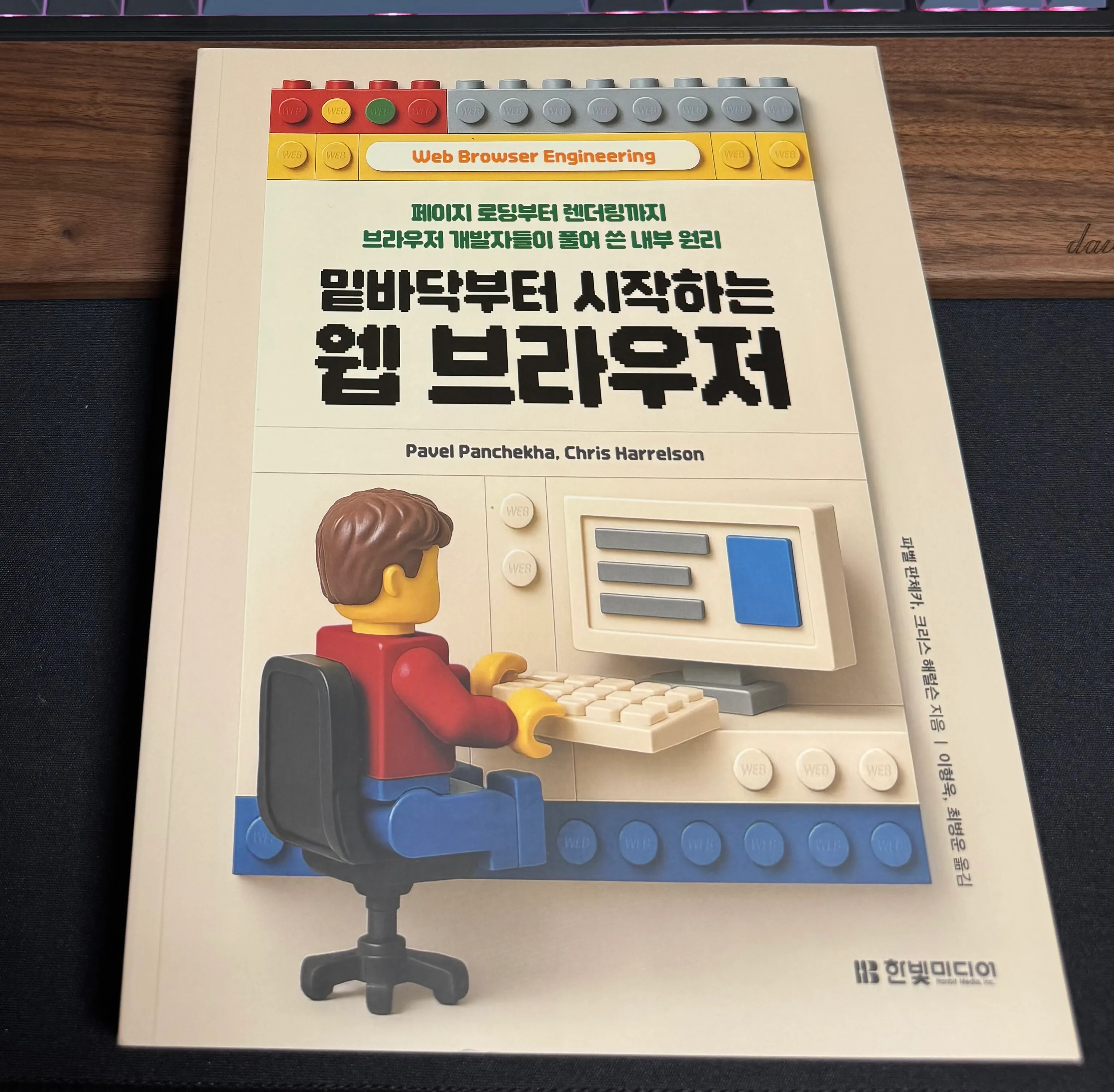
밑바닥부터 시작하는 웹 브라우저 - 페이지 로딩부터 렌더링까지 브라우저 개발자들이 풀어 쓴 내부 원리 (파벨 판체카, 크리스 해럴슨 (지은이), 이형욱, 최병운 (옮긴이) / 한빛미디어 / 2025-09-15 / 45,000원) https://feed.kodingwarrior.dev/r/iCRje0
https://www.aladin.co.kr/shop/wproduct.aspx?ItemId=371722160&partner=openAPI&start=api