I’ve added Gleam to my toolbelt.
Search results
In the end, I needed to read and write Erlang and JavaScript FFIs for Gleam, which means Gleam requires a JavaScript or Erlang background to build something that everyone thinks is cool. Now I think Gleam is a lightweight wrapper that controls the Erlang VM or the HTML DOM via JavaScript interop. #gleam #erlang #beam #js #javascript #webdev

Implementing the Temporal proposal in JavaScriptCore via  @fanfTony Finch https://lobste.rs/s/7c0zpv #javascript
https://blogs.igalia.com/compilers/2026/02/02/implementing-the-temporal-proposal-in-javascriptcore/


RE: https://mastodon.social/@mcc/116002605778465161
I sometimes wonder, why no one has yet created ( #opensource or not) #flash alternative, with as much as 1:1 interface, but with #javascript as a code language instead of #actionscript ?

☝️ The "of" keyword in #JavaScript is ONLY a keyword in one specific place inside a for-of loop – everywhere else it’s just an indentifier. It can even be an identifier for a mutable variable, if you want it to be. Which means that the following works just fine:
![let of = ["a", "b", "c"];
for (of of of) {
console.log("of");
}](https://files.mastodon.social/media_attachments/files/116/005/494/518/320/483/original/efe9725c62c84ede.png)
Intro to CSTML (or: XML meets JSON) https://lobste.rs/s/9esltl #a11y #compilers #javascript
https://docs.bablr.org/guides/cstml/

Inside Lodash’s Security Reset and Maintenance Reboot via @fanfTony Finch https://lobste.rs/s/nrwrh1 #javascript #security
https://socket.dev/blog/inside-lodash-security-reset


Dew Drop Weekly Newsletter 468 - Week Ending January 30, 2026
#dewdrop #newsletter #aspnetcore #javascript #css #xaml #windowsdev #dotnet #csharp #ai #mcp #devops #agile #appdev #podcasts #IoT #m365 #data #sqlserver #azure #powershell

Looi — A Minimal, Customizable New Tab Page for Firefox, Chrome(with Widgets & GitHub Sync) https://lobste.rs/s/ruibzy #a11y #browsers #javascript #web
https://github.com/prinzpiuz/looi


Why I 🧡 the web.
Super Monkey Ball ported to a website (i think it's best on mobile of course).


So guess who wrote a convoluted date comparison conditional instead of using `Temporal.ZonedDateTime.compare()` like an intelligent human being and ended up hitting an edge case where future scheduled calls started getting cleaned off the database instead of past ones?
I’ll give you a hint: has two thumbs and his name is Aral 🤦♂️
Anyway, just restored things from yesterday’s backup and sent a direct message to everyone scheduled for a Gaza Verified video verification call apologising for the confusion and explaining what happened.
Moral of the story: stick to the Temporal API and use its methods if you’re implementing anything even remotely non-trivial involving dates, especially if there are timezones involved. (You can use a Temporal API polyfill in Node.js – I’ve been using temporal-polyfill.)
Now I’m going to expire for the evening.
💕
#GazaVerified #TemporalAPI #calendars #dates #timezones #JavaScript #NodeJS
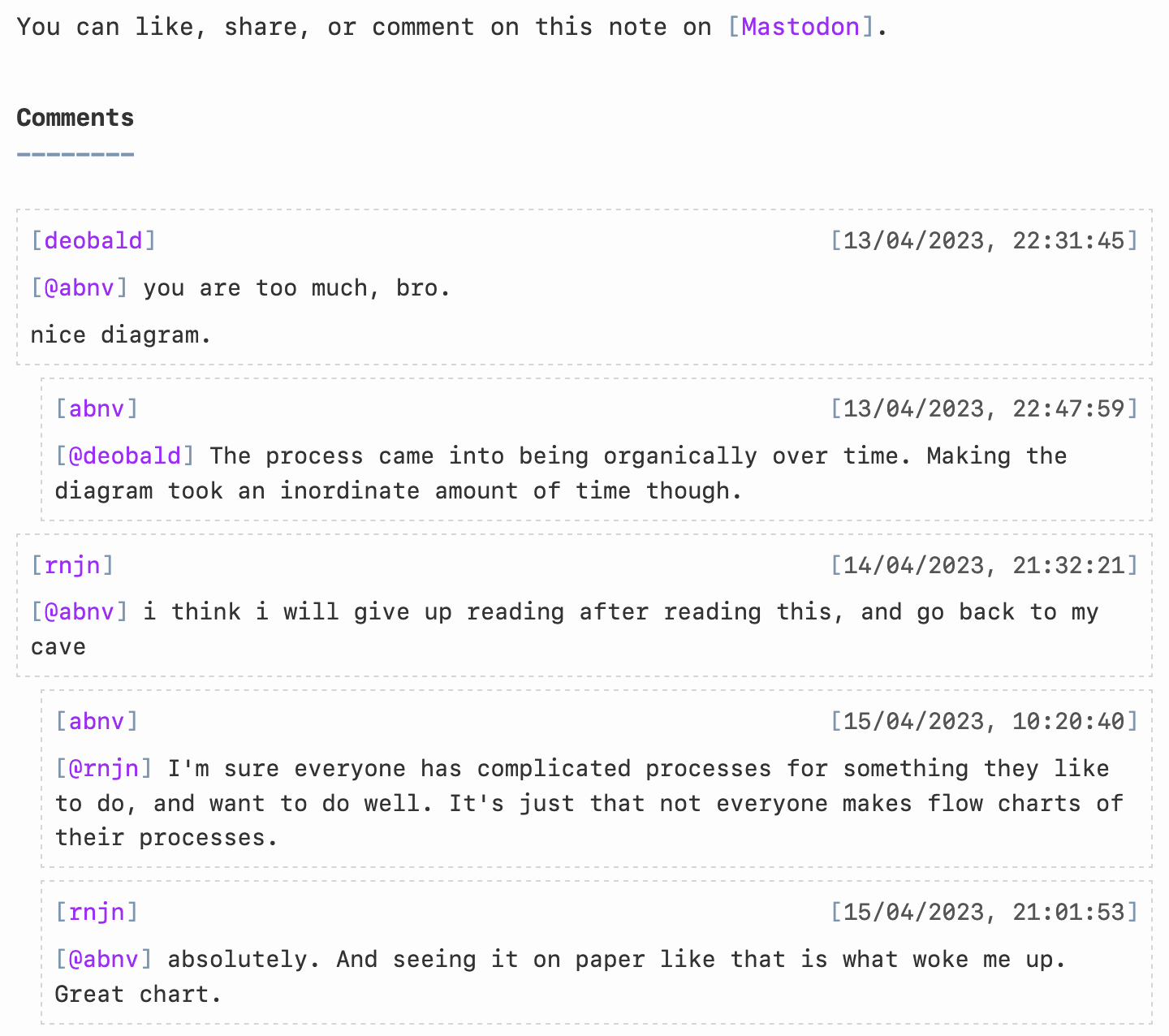
Added support for displaying #Mastodon comments on my notes #blog by writing some quick #Javascript: https://notes.abhinavsarkar.net/2023/mastodon-comments

 @amoatengJohanan Oppong Amoateng has put together an initial roadmap to get Unicorn to a stable 1.0 release. 🤩
We'd love your feedback! What would be most useful for Unicorn going forward? How can we set it up for improved support and adoption in the #Django ecosystem?
https://github.com/adamghill/django-unicorn/discussions/768#discussioncomment-15598088
#HTML #Reactive #WebDev #WebDevelopment #Web #AJAX #JavaScript #Python
Unicorn adds reactive component functionality to your #Django templates without having to learn a new templating language or fight with complicated #JavaScript frameworks.
Start creating a modern web experience with Django today!

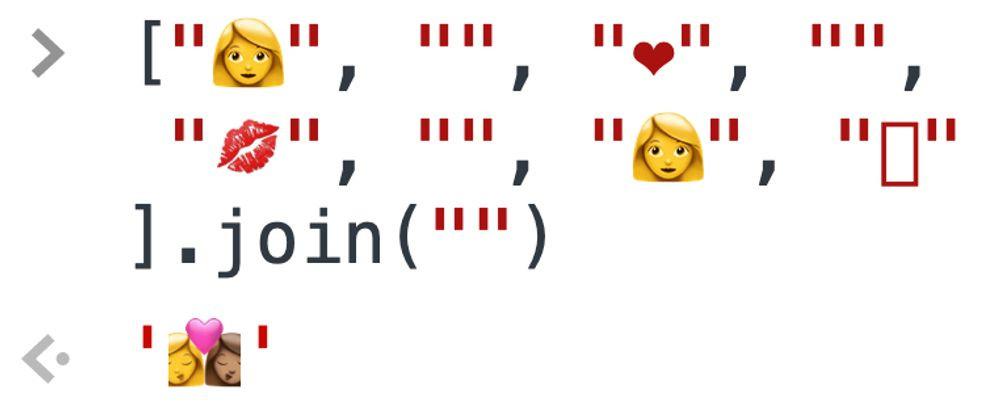
Learning zero-width joiners like
Dew Drop Weekly Newsletter 467 - Week Ending January 23, 2026
#dewdrop #newsletter #javascript #css #aspnetcore #azure #windev #xaml #dotnet #csharp #ai #mcp #dotnetmaui #devops #agile #python #IoT #appdev #podcasts #data #sqlserver #m365 #powershell


I'm migrating from another instance, so it's #introduction time again!
I'm Fabio, a software developer originally from #Brazil based in Toronto. I work mostly with #Ruby and #Javascript but I'm always trying new languages and stacks.
I'm very much an #AI skeptic – borderline hater when it comes to AI "art". Yes, I know the tools, hence my opinion.
I make music sometimes using #Ableton, #DirtyWaveM8, #PolyendTracker and I also play live #drums
I'm openly #queer, #bisexual and #AntiFascist
Building a javascript runtime in one month https://lobste.rs/s/fxrdwz #javascript
https://s.tail.so/js-in-one-month

🚀React Native Windows v0.81 is here!!
https://devblogs.microsoft.com/react-native/%f0%9f%9a%80react-native-windows-v0-81-is-here/
#reactnative #windowsdev #appdev #windowsappsdk #react #javascript #rnw
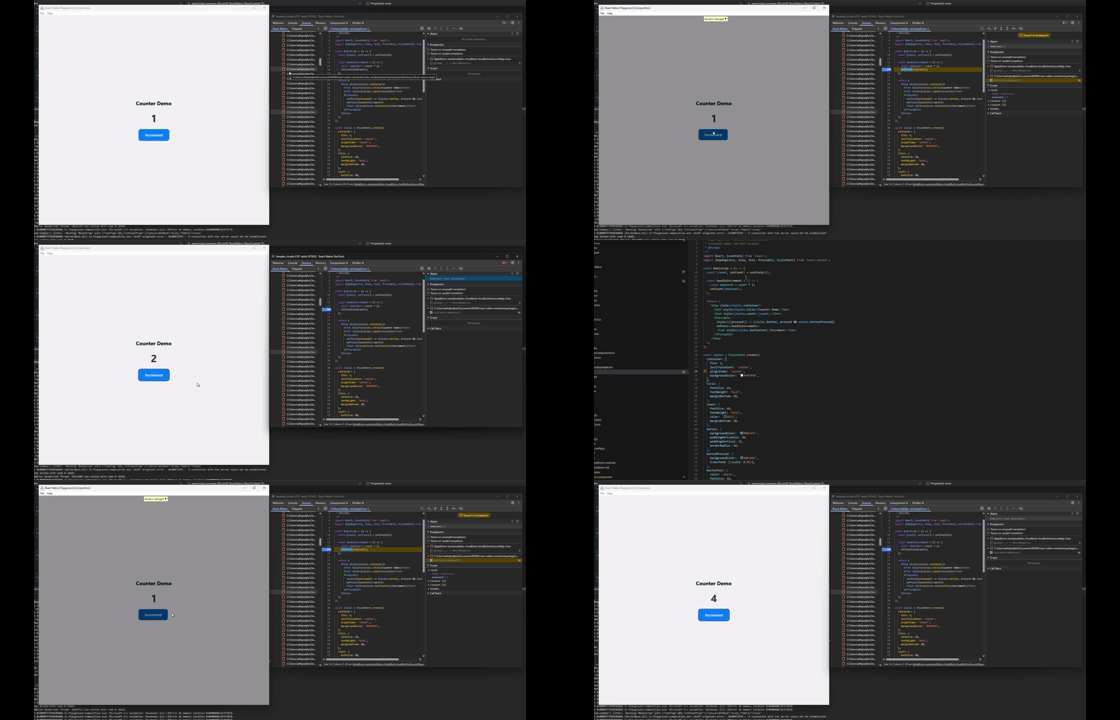
MS Outlook(메일 클라이언트)의 데이터를 ChatGPT로 보내기

고남현 @gnh1201@hackers.pub
주고받는 이메일 데이터에 AI를 활용하는 것에 대한 이야기가 나왔다.
하지만, 이걸 위해 메일 서버를 별도로 구축하거나, 메일 클라이언트와 검색 기능 등을 별도로 코딩하기에는 아무리 AI Code Generation을 쓴다고 해도, 쓸만한 결과물이 나오기까지의 과정이 여간 쉬운 일이 아니다.
결국, 이메일과 관련된 모든 기능이 이미 있는 "MS Office"에 붙어서 바로 코딩할 수 있는 JS 프레임워크를 이용하기로 했다.
MS Outlook의 메일을 AI로 분석하는 실제 예시
// Analyze Microsoft Outlook data with ChatGPT
// Require: WelsonJS framework (https://github.com/gnh1201/welsonjs)
// Workflow: Microsoft Outlook -> OpenAI -> Get Response
var Office = require("lib/msoffice");
var LIE = require("lib/language-inference-engine");

function main(args) {
    var prompt_texts = [];

    var keyword = "example.com";
    var maxCount = 10;
    var previewLen = 160;

    console.log("Searching mails by sender OR recipient contains: '" + keyword + "'.");
    console.log("This test uses Restrict (Sender/To/CC/BCC) + Recipients verification.");
    console.log("Body preview length: " + previewLen);

    var outlook = new Office.Outlook();
    outlook.open();
    outlook.selectFolder(Office.Outlook.Folders.Inbox);

    var results = outlook.searchBySenderOrRecipientContains(keyword);
    console.log("Printing search results. (max " + maxCount + ")");

    results.forEach(function (m, i) {
        var body = String(m.getBody() || "");
        var preview = body.replace(/\r/g, "").replace(/\n+/g, " ").substr(0, previewLen);

        var text = "#" + String(i) +
            " | From: " + String(m.getSenderEmailAddress()) +
            " | To: " + String(m.mail.To || "") +
            " | Subject: " + String(m.getSubject()) +
            " | Received: " + String(m.getReceivedTime());

        console.log(text);
        console.log("  Body: " + preview);

        // Add an email data to the prompt text context
        prompt_texts.push(text);

        // The body to reduce token usage and avoid sending overly large/sensitive content.
        var bodyForPrompt = body;
        var maxBodyLengthForPrompt = 2000; // Keep the body snippet short
        if (bodyForPrompt.length > maxBodyLengthForPrompt) {
            bodyForPrompt = bodyForPrompt.substring(0, maxBodyLengthForPrompt) + "...";
        }
        prompt_texts.push("  Body: " + bodyForPrompt);
    }, maxCount);

    outlook.close();

    // build a AI prompt text
    var instruction_text = "This is an email exchange between the buyer and me, and I would appreciate it if you could help me write the most appropriate reply.";
    prompt_texts.push(instruction_text);

    // complete the prompt text
    var prompt_text_completed = prompt_texts.join("\r\n");

    //console.log(prompt_text_completed);  // print all prompt text

    // get a response from AI
    var response_text = LIE.create().setProvider("openai").inference(prompt_text_completed, 0).join(' ');

    console.log(response_text);
}

exports.main = main;
실행 방법
1. CLI 사용
모든 작성 및 저장을 마친 후, 다음 명령을 통해 실행한다. (outlook_ai.js 파일로 저장했을 때.
cscript app.js outlook_ai2. GUI 사용
모든 작성 및 저장을 마친 후, WelsonJS Launcher 앱을 통해 실행한다.
실행하면 어떤 결과가 나오는가?
메일 내용에는 개인정보가 포함되어 있으므로 예시는 따로 첨부하지 않았다.
위 코드의 작업이 성공하면 메일 내용이 출력되면서, OpenAI 서버에서 분석을 마친 결과값을 얻어올 수 있다.

 is a Green
 Is there, like, a javascript library for manipulating midi files?
I was going to write a format converter in Python, but then I thought it would be a lot more useful to more organ grinders if it could run in a web page.
Webmidi js is super cool, but, like only does a small part of what i need from a midi library.

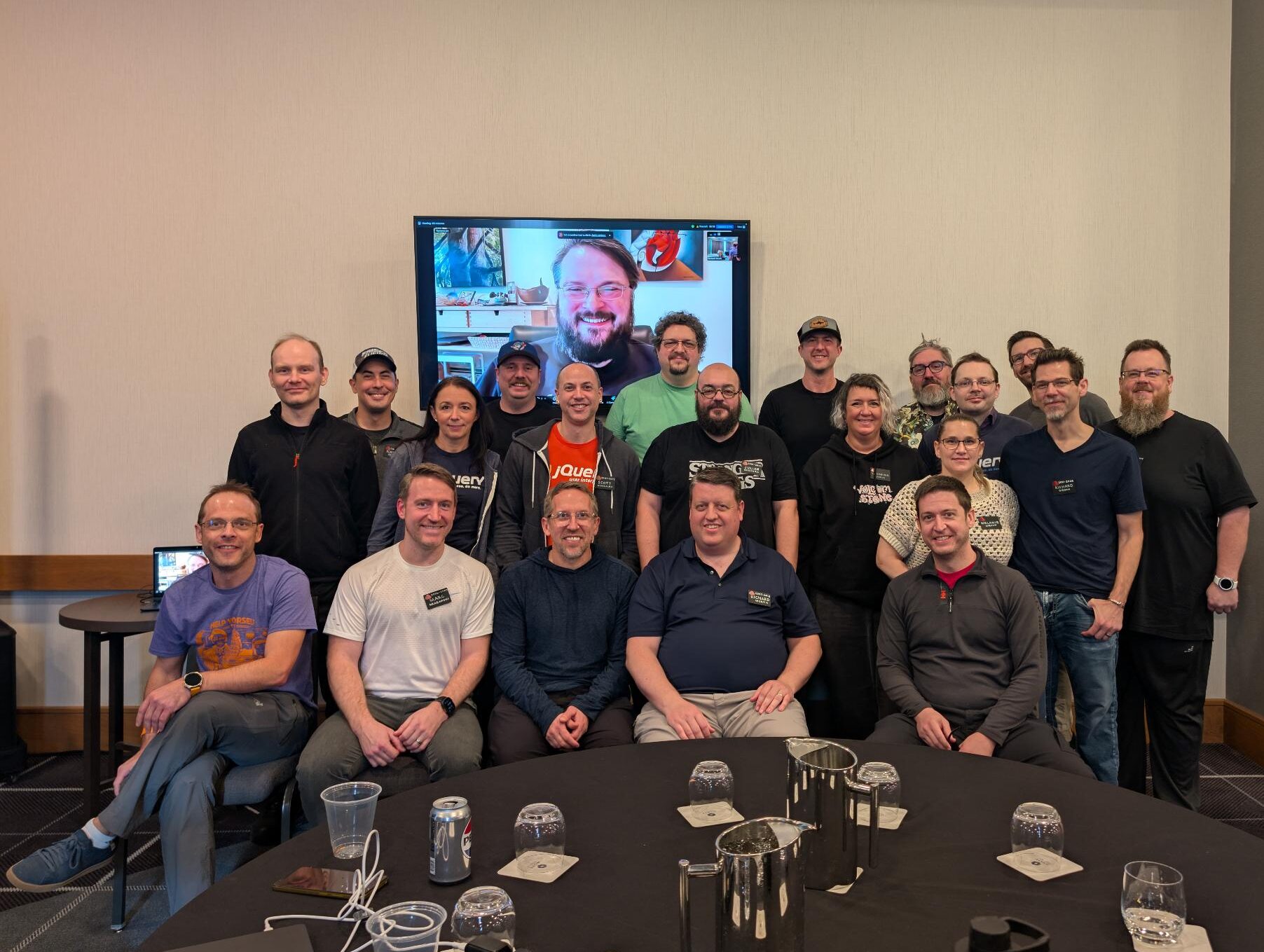
ほわあ、jQueryが20周年で4.0.0をリリースかあ。触らなくなって結構経つなあ。
/ jQuery 4.0.0 | Official jQuery Blog https://blog.jquery.com/2026/01/17/jquery-4-0-0/
 @
@


I did some #CreativeCoding today. This is a selection of the patterns I liked and curated...

This sketch also runs on #DOjS, my #p5js compatible #CreativeCoding platform for #MSDOS.
Only change is that I needed to remove the SVG rendering as that is not supported.
I will make the source available later.


I recently blogged about the risks of abstract code.
Here, I present a more concrete example by documenting two abstractions I chose to avoid. How did I make that decision?
https://caolan.uk/notes/2026-01-16_avoiding_abstraction_an_example.cm

Make Screen Readers talk with the ARIA Notify API. #accessibility #javascript #a11y #webdev
hyTags – Declarative Programming in HTML https://lobste.rs/s/cf0gd4 #design #javascript
https://hytags.org/
Mitigating Denial-of-Service Vulnerability from Unrecoverable Stack Space Exhaustion for React, Next.js, and APM Users https://lobste.rs/s/gz3qlq #javascript #nodejs
https://nodejs.org/en/blog/vulnerability/january-2026-dos-mitigation-async-hooks
Server-First Web Component Architecture: SXO + Reactive Component https://lobste.rs/s/flirvs #javascript #performance
https://dev.to/gc-victor/the-server-first-web-component-architecture-sxo-reactive-components-n4p
The TechBash 2026 Sponsor Prospectus is now available! Sponsor #techbash and meet our attendees in the Poconos in October.
#devconference #devcommunity #dotnet #cloud #javascript #python #devops #ai #appdev #nepa

Your CLI's completion should know what options you've already typed by  @hongminhee洪 民憙 (Hong Minhee)
  https://lobste.rs/s/5se1tq #javascript #programming
https://hackers.pub/@hongminhee/2026/optique-context-aware-cli-completion
Your CLI's completion should know what options you've already typed

洪 民憙 (Hong Minhee) @hongminhee@hackers.pub
Consider Git's -C option:
git -C /path/to/repo checkout <TAB>When you hit Tab, Git completes branch names from /path/to/repo, not your
current directory. The completion is context-aware—it depends on the value of
another option.
Most CLI parsers can't do this. They treat each option in isolation, so
completion for --branch has no way of knowing the --repo value. You end up
with two unpleasant choices: either show completions for all possible
branches across all repositories (useless), or give up on completion entirely
for these options.
Optique 0.10.0 introduces a dependency system that solves this problem while preserving full type safety.
Static dependencies with or()
Optique already handles certain kinds of dependent options via the or()
combinator:
import { flag, object, option, or, string } from "@optique/core";

const outputOptions = or(
  object({
    json: flag("--json"),
    pretty: flag("--pretty"),
  }),
  object({
    csv: flag("--csv"),
    delimiter: option("--delimiter", string()),
  }),
);
TypeScript knows that if json is true, you'll have a pretty field, and if
csv is true, you'll have a delimiter field. The parser enforces this at
runtime, and shell completion will suggest --pretty only when --json is
present.
This works well when the valid combinations are known at definition time. But it can't handle cases where valid values depend on runtime input—like branch names that vary by repository.
Runtime dependencies
Common scenarios include:
- A deployment CLI where
--environmentaffects which services are available - A database tool where
--connectionaffects which tables can be completed - A cloud CLI where
--projectaffects which resources are shown
In each case, you can't know the valid values until you know what the user
typed for the dependency option. Optique 0.10.0 introduces dependency() and
derive() to handle exactly this.
The dependency system
The core idea is simple: mark one option as a dependency source, then create derived parsers that use its value.
import {
  choice,
  dependency,
  message,
  object,
  option,
  string,
} from "@optique/core";

function getRefsFromRepo(repoPath: string): string[] {
  // In real code, this would read from the Git repository
  return ["main", "develop", "feature/login"];
}

// Mark as a dependency source
const repoParser = dependency(string());

// Create a derived parser
const refParser = repoParser.derive({
  metavar: "REF",
  factory: (repoPath) => {
    const refs = getRefsFromRepo(repoPath);
    return choice(refs);
  },
  defaultValue: () => ".",
});

const parser = object({
  repo: option("--repo", repoParser, {
    description: message`Path to the repository`,
  }),
  ref: option("--ref", refParser, {
    description: message`Git reference`,
  }),
});
The factory function is where the dependency gets resolved. It receives the
actual value the user provided for --repo and returns a parser that validates
against refs from that specific repository.
Under the hood, Optique uses a three-phase parsing strategy:
- Parse all options in a first pass, collecting dependency values
- Call factory functions with the collected values to create concrete parsers
- Re-parse derived options using those dynamically created parsers
This means both validation and completion work correctly—if the user has
already typed --repo /some/path, the --ref completion will show refs from
that path.
Repository-aware completion with @optique/git
The @optique/git package provides async value parsers that read from Git
repositories. Combined with the dependency system, you can build CLIs with
repository-aware completion:
import {
  command,
  dependency,
  message,
  object,
  option,
  string,
} from "@optique/core";
import { gitBranch } from "@optique/git";

const repoParser = dependency(string());

const branchParser = repoParser.deriveAsync({
  metavar: "BRANCH",
  factory: (repoPath) => gitBranch({ dir: repoPath }),
  defaultValue: () => ".",
});

const checkout = command(
  "checkout",
  object({
    repo: option("--repo", repoParser, {
      description: message`Path to the repository`,
    }),
    branch: option("--branch", branchParser, {
      description: message`Branch to checkout`,
    }),
  }),
);
Now when you type my-cli checkout --repo /path/to/project --branch <TAB>, the
completion will show branches from /path/to/project. The defaultValue of
"." means that if --repo isn't specified, it falls back to the current
directory.
Multiple dependencies
Sometimes a parser needs values from multiple options. The deriveFrom()
function handles this:
import {
  choice,
  dependency,
  deriveFrom,
  message,
  object,
  option,
} from "@optique/core";

function getAvailableServices(env: string, region: string): string[] {
  return [`${env}-api-${region}`, `${env}-web-${region}`];
}

const envParser = dependency(choice(["dev", "staging", "prod"] as const));
const regionParser = dependency(choice(["us-east", "eu-west"] as const));

const serviceParser = deriveFrom({
  dependencies: [envParser, regionParser] as const,
  metavar: "SERVICE",
  factory: (env, region) => {
    const services = getAvailableServices(env, region);
    return choice(services);
  },
  defaultValues: () => ["dev", "us-east"] as const,
});

const parser = object({
  env: option("--env", envParser, {
    description: message`Deployment environment`,
  }),
  region: option("--region", regionParser, {
    description: message`Cloud region`,
  }),
  service: option("--service", serviceParser, {
    description: message`Service to deploy`,
  }),
});
The factory receives values in the same order as the dependency array. If
some dependencies aren't provided, Optique uses the defaultValues.
Async support
Real-world dependency resolution often involves I/O—reading from Git repositories, querying APIs, accessing databases. Optique provides async variants for these cases:
import { dependency, string } from "@optique/core";
import { gitBranch } from "@optique/git";

const repoParser = dependency(string());

const branchParser = repoParser.deriveAsync({
  metavar: "BRANCH",
  factory: (repoPath) => gitBranch({ dir: repoPath }),
  defaultValue: () => ".",
});
The @optique/git package uses isomorphic-git under the hood, so
gitBranch(), gitTag(), and gitRef() all work in both Node.js and Deno.
There's also deriveSync() for when you need to be explicit about synchronous
behavior, and deriveFromAsync() for multiple async dependencies.
Wrapping up
The dependency system lets you build CLIs where options are aware of each other—not just for validation, but for shell completion too. You get type safety throughout: TypeScript knows the relationship between your dependency sources and derived parsers, and invalid combinations are caught at compile time.
This is particularly useful for tools that interact with external systems where the set of valid values isn't known until runtime. Git repositories, cloud providers, databases, container registries—anywhere the completion choices depend on context the user has already provided.
This feature will be available in Optique 0.10.0. To try the pre-release:
deno add jsr:@optique/core@0.10.0-dev.311Or with npm:
npm install @optique/core@0.10.0-dev.311See the documentation for more details.
Show HN: Fall asleep by watching JavaScript load
Link: https://github.com/sarusso/bedtime
Discussion: https://news.ycombinator.com/item?id=46592376

https://purl.org/rzr/demo# #Demos I made over years, about #FLOSS #IoT #DiY #HardWare #Graphics #3D #Games and more to come at https://purl.org/rzr/
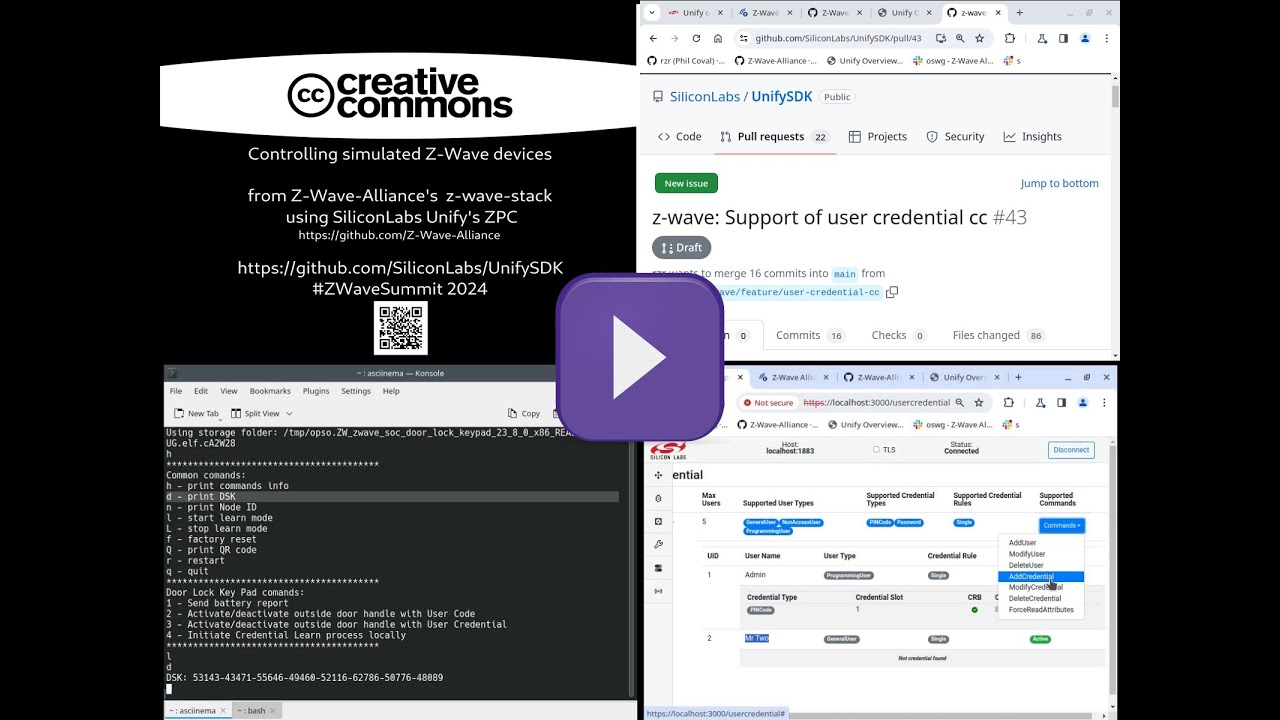
https://purl.org/rzr/presentations# #Conference slides I shared about #IoT, #OpenSource, #EmbeddedSystem #GNU #Linux #MCU #WebThings #WoT #XR #JavaScript at #FOSDEM, #ELC, #LfEvent, #W3C, #OW2Con and more to come at https://purl.org/rzr/#
Elo – A data expression language which compiles to JavaScript, Ruby, and SQL
Link: https://elo-lang.org/
Discussion: https://news.ycombinator.com/item?id=46525389

I am intrigued by workflows without bundlers, but a lot of #JavaScript dependencies need to be bundled. esm.sh had an HTTP API for bundling server side (see https://dev.to/louwers/bundling-without-a-bundler-with-esmsh-3c2k). It's defunct now.
Looking at the source code of esm.sh it just installed a bunch of user-specified npm dependencies and bundled them with #esbuild. It's complete madness that only deranged JS devs would come up with. So naturally I want to recreate it.
Here is the API documentation of @pnpm/core. Wish me luck. 🫡

The Performance Revolution in JavaScript Tooling
Link: https://blog.appsignal.com/2025/12/03/the-performance-revolution-in-javascript-tooling.html
Discussion: https://news.ycombinator.com/item?id=46481682

JavaScript Demos in 140 Characters
Link: https://www.dwitter.net/top
Discussion: https://news.ycombinator.com/item?id=46557489
Dew Drop Weekly Newsletter 465 - Week Ending January 9, 2026
#dewdrop #newsletter #aspnetcore #javascript #cloud #azure #dotnetmaui #cpp #windowsdev #xaml #csharp #dotnet #ai #mcp #devops #agile #python #IoT #appdev #podcasts #m365 #data #sqlserver #powershell
Magicall: end-to-end encrypted videoconferencing in the browser, now in alpha https://lobste.rs/s/omlcbk #cryptography #javascript #release #testing
https://magicall.online
Web dependencies are broken. Can we fix them? via  @andrew_chou https://lobste.rs/s/jqprba #javascript #web
https://lea.verou.me/blog/2026/web-deps/

Introduction
Hi all, I'm Gary.
I'm a software developer in the #boston area that's primarily focused on Web Players. Things like Video.js and media-chrome. I'm also focused on #a11y and accessibility of the players, particularly in the realm of captions, as the current editor of WebVTT and a member of the Timed Text Working Group at the W3C. I also enjoy writing #javascript.
I'm an avid reader, though, mostly consume books as audiobooks. There's a lot of #scifi in there, but also Fantasy, and recently I've been trying to alternate non-fiction in there too.
I also watch lots of movies and TV. And not to mention manga and anime.
I drink a lot of #tea, and I like #cooking and #baking, mostly #bread, though.
I also enjoy #boardgames and #videogames.

SocialDocs — Developer Documentation for ActivityPub & Fediverse
The comprehensive developer resource for ActivityPub, Mastodon, and the Fediverse
#fediverse #activitypub #webdev #js #dev #web #mastodon #javascript #socialdocs


catswords-jsrt-rs provides minimal ChakraCore bindings for Rust.
How GitHub could secure npm - Why doesn't npm detect compromised packages the way credit card companies detect fraud? | by Nicholas C. Zakas
https://humanwhocodes.com/blog/2026/01/how-github-could-secure-npm/